Open-source virtual globe: Qt 5 for the UI and Irrlicht (OpenGL) for rendering.
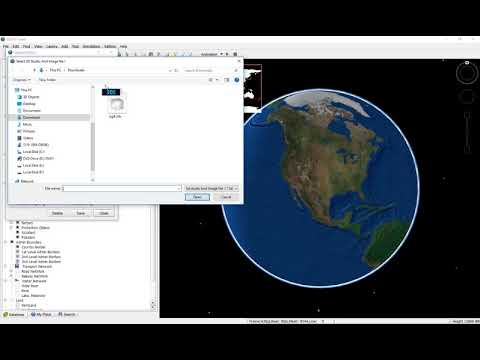
QGlobe renders the globe using tiled imagery, terrain, vectors, and 3D meshes. It can open, edit, and render KML, includes simple measurement tools, and supports tours and fly-throughs similar to Google Earth.
You can run it standalone (read preprocessed data from a configured path) or in a client/server setup (stream data from a server).
Image, terrain, vector, and 3D data are distributed as preprocessed block files. Each block holds a grid of tiles (e.g. 128×128) so the engine can resolve a tile quickly from its identifier.
- Windows x64
- Visual Studio 2022 (MSVC v143)
- Qt 5.15.x (projects expect a
QTDIRpointing at your Qt prefix, e.g.C:\qt-5.15.18-dynamic-msvc2022-x86_64) - Qt Visual Studio Tools (e.g.
qt-vsaddin-msvc2022-x64-3.5.0.vsix) — register your Qt 5.15 installation in Visual Studio
- Install Visual Studio 2022 with the Desktop development with C++ workload.
- Install Qt 5.15.18 for MSVC 2022 64-bit. A prebuilt option with Qt WebEngine is available from qt-minimalistic-builds 5.15.18.
- Install the Qt VS Tools extension and add your Qt version in Extensions → Qt VS Tools → Qt Versions.
- Ensure
QTDIR(or the version you registered) matches the kit used by the.vcxprojfiles. - Open
qglobe_client_vs2022.sln, select Debug|x64 or Release|x64, and build the solution (build order follows project dependencies).
Output binaries and libraries are typically placed under the solution Debug or Release folder, depending on configuration.
Only needed if you do not use a prebuilt Qt. Summary of steps; full detail is in upstream guides.
Reference: Build Qt on Windows (with Qt WebEngine)
Prerequisites include Visual Studio 2022, Node.js, Strawberry Perl, Python 2.7 (as required by that Qt branch), flex/bison/gperf (often from Qt’s gnuwin32 bundle), and libclang for Qt WebEngine.
1 install visual studio2022.
2 install Node.js.
3 download libclang-release_140-based-windows-vs2019_64.7z from https://download.qt.io/development_releases/prebuilt/libclang/.
4 extract it to C.
5 download https://strawberryperl.com/ and install perl.
6 install python 2.7.
7 download qt-everywhere-opensource-src-5.15.18 from https://download.qt.io/archive/qt/5.15/5.15.18/single/.
8 extract to C:\qt\qt-everywhere-src-5.15.18.
9 create folder C:\qt\qt-5-5.15.18-vs2022-build.
10 open x64 Native Tools Command Prompt for VS2022.
cd C:\qt\qt-5-5.15.18-vs2022-build
set PATH=C:\libclang\bin;C:\Python27\ArcGIS10.8;C:\qt\qt-everywhere-src-5.15.18\gnuwin32\bin;C:\Strawberry\perl\bin;%PATH%
where flex
where bison
where gperf
where perl
where llvm-config

C:\qt\qt-everywhere-src-5.15.18\configure.bat -prefix C:\qt\qt-5-5.15.18-vs2022 -opensource -confirm-license -release -platform win32-msvc -opengl desktop -nomake examples -nomake tests -debug-and-release

nmake
nmake install
Enable NTFS long paths in Windows (Group Policy or registry) to reduce the risk of path-length failures during long Qt builds.
The main solution builds core libraries (qglobe_base, qglobe_libmain, qglobe_common, …), rendering and scene code (qglobe_render, qglobe_scene, qglobe_terrainengine, …), KML support (qglobe_libkml, qglobe_kmlmgr), GIS helpers (qglobe_gis), data server (qglobe_datasrv), and the qglobeclient application.
Other folders in the repo (e.g. tools, tests, services) may have separate projects or solutions—open the matching .sln / .vcxproj if you need them.
See license files bundled with third-party components and original Nokia/Qt demonstration code where applicable.