You can create a theme for each character by creating a copy of the theme and applying it to specific characters.
To do this click on the extension and click manage.
Open the character sheet theme by clicking on it.
Select everything (CTRL+A on windows computers) and copy it (CTRL+C).
Go back to the manage view by clicking back to manage on the left.
Next click "Write new style" on the left but make sure "as Usercss" is checked beside it like so:

Select all again and paste the original copied theme (CTRL+V)
Click Section 1
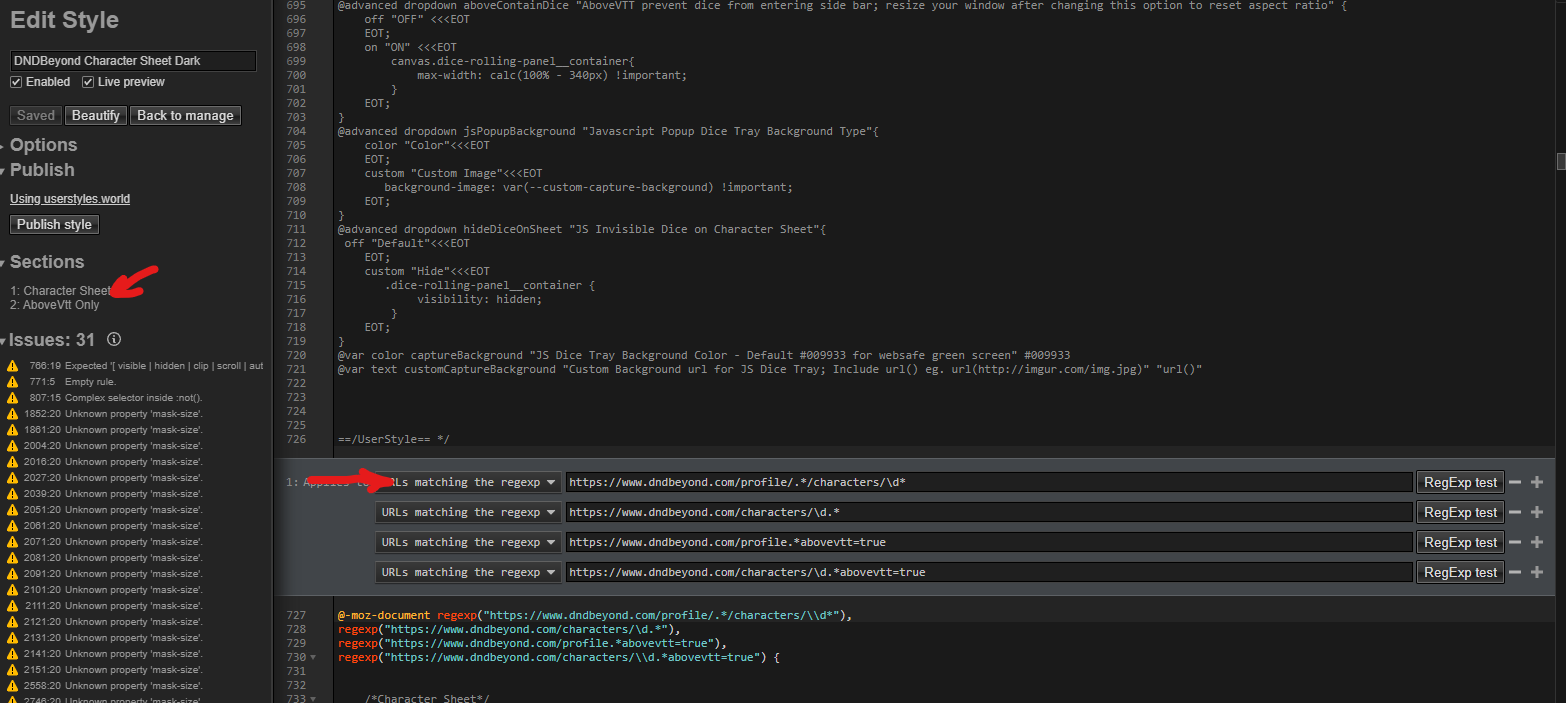
Replace the regexp lines with your character sheet url like so:
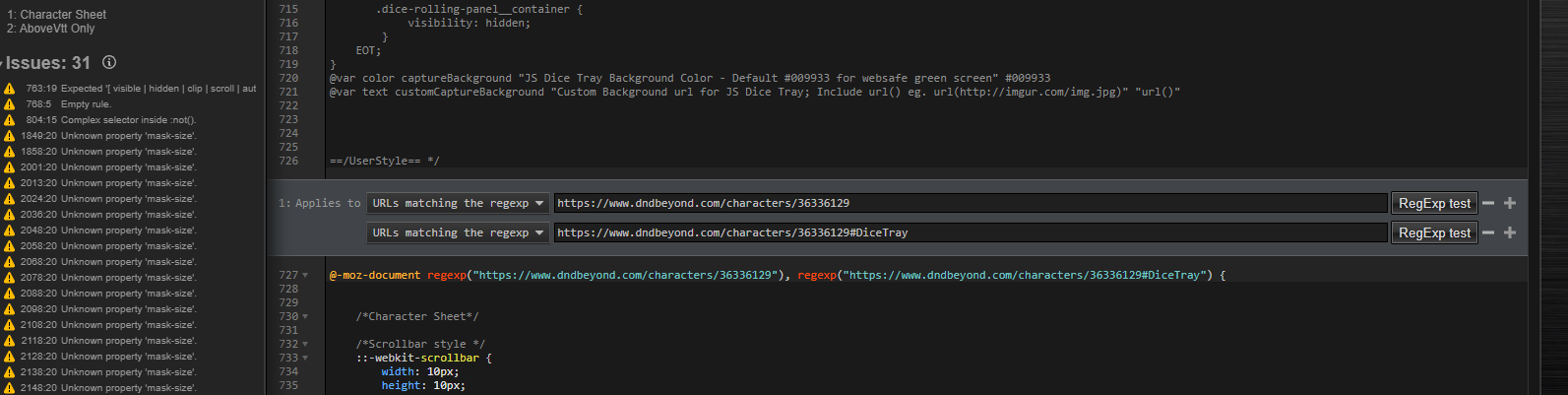 The second line is used for the dice tray popup compainion Javascript. You can find more info here: Dice Capture README.md
and replace the regexp lines again further down for AboveVTT in section 2:
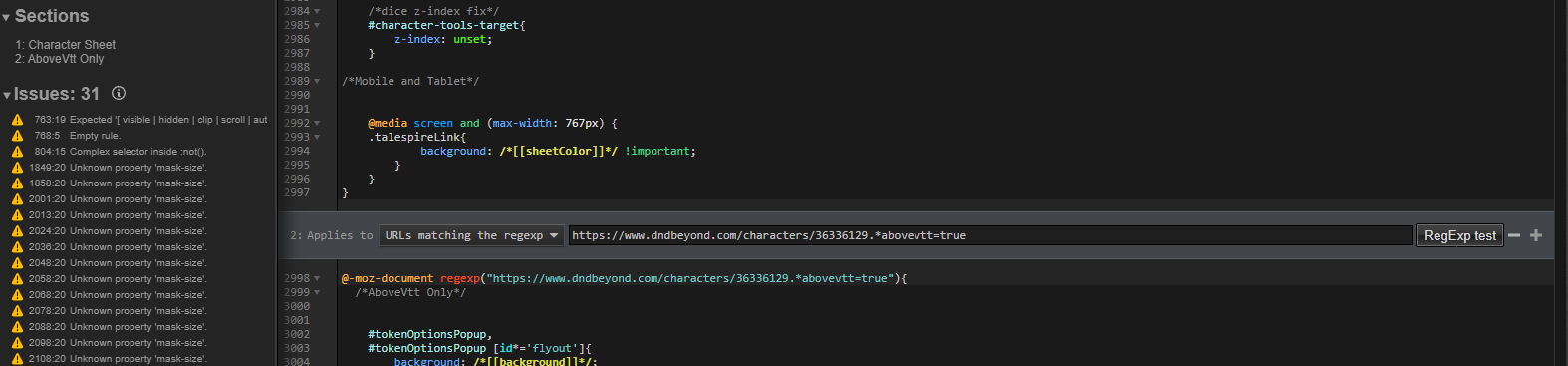
You will also have to change the name of the file at the very top beside @name before it will let you save it. I change this to my character name but you can name it whatever you would like. I also suggestion removing the update url and changing @namespace.

Click save on the left.
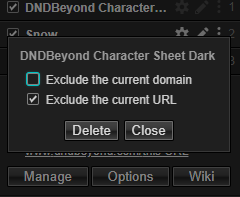
Go to the character sheet you made the theme for. Click on stylus again. Click the three dots beside the original theme and check Exclude the current URL. This will also exclude the dice tray if you have it installed.
Style the theme you created to your liking and you're done.
NOTE: Character specific themes will not automatically update as they have manual changes. You can manually update them by forcing the update but it will overide your changes and you will have to repeat the above steps starting with changing the name and replacing the URL.

See here for more information on creating a companion style - or if you would like assistance setting this up you can add me on discord at Azmoria#7532
https://github.com/openstyles/stylus/wiki/Writing-styles#making-a-companion-style