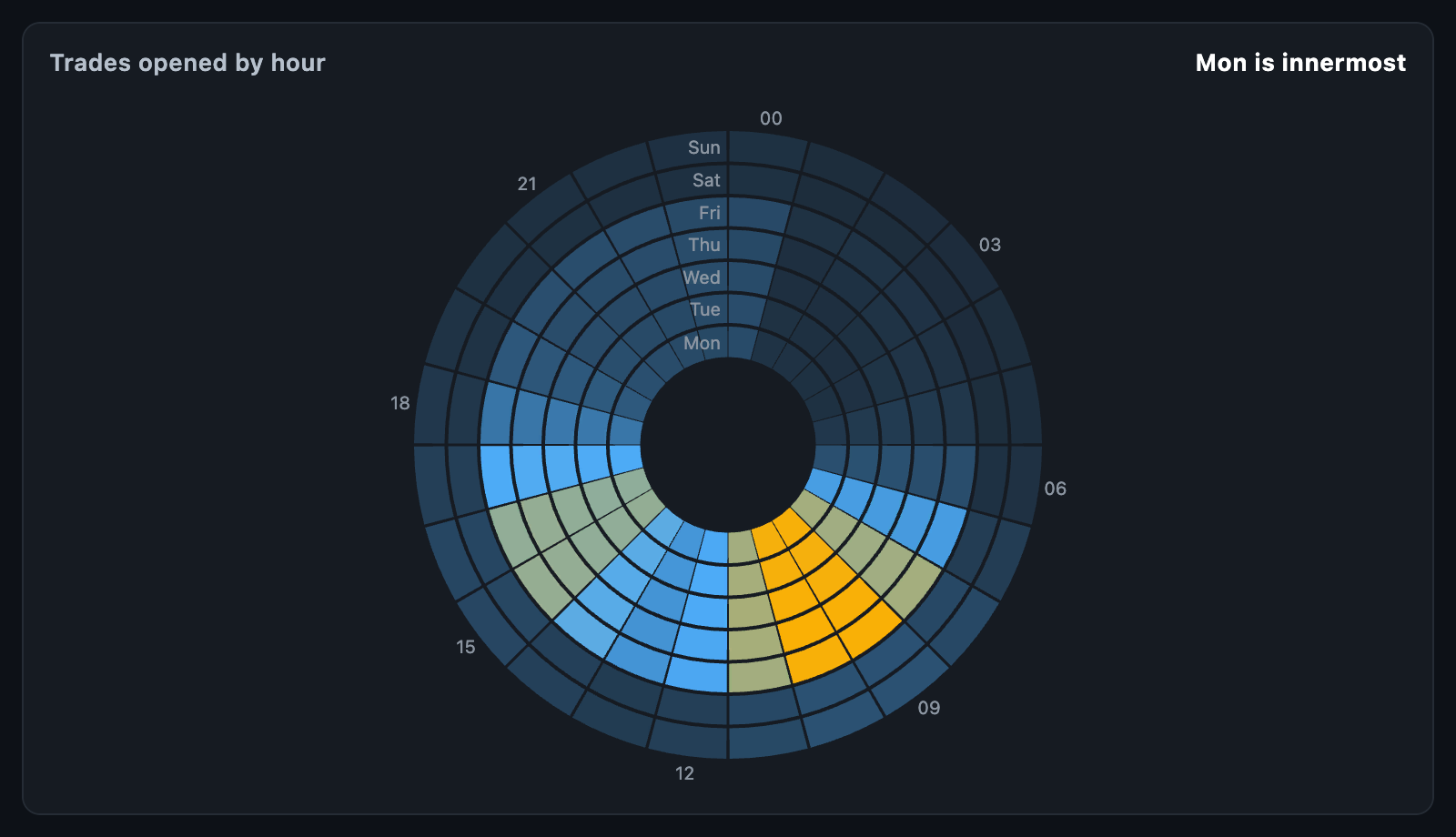
ActivityClockChart lays a week out as a clock face: the hours of the day run
round the dial, each weekday takes a ring, and every segment is coloured by what
happened then — trades opened, volume traded, profit made.
Where SeasonalityChart shows the same numbers in a grid, the clock wraps the
day round so the quiet night and the busy open are a shape rather than a
column of cells.
ActivityClockChart(
  samples: [
    for (final t in trades) SeasonalSample(time: t.openedAt, value: t.pnl),
  ],
  aggregate: SeasonalityAggregate.mean,
);
Twelve o'clock is midnight and the hours run clockwise; Monday is the innermost
ring and Sunday the outermost. The chart fills the largest square its box
allows. When the height is unbounded, it uses defaultHeight.
The chart takes SeasonalSamples, the same class SeasonalityChart does, so
seasonalReturnsFromPrices works here too. aggregate says how the samples that
land in one segment become its value:
SeasonalityAggregate |
Segment value |
|---|---|
mean (default) |
Their average |
sum |
Their total |
count |
How many there were — the scale starts at zero |
median, winRate, compound |
As their names say |
The time of a sample is read as given, so convert it to the zone you want the clock to show before passing it in.
scale is any HeatmapScale — a HeatmapGradientScale from a faint to a full
colour by default. minValue and maxValue fix its ends, and otherwise it runs
from the lowest to the highest segment. A segment with no sample takes the
scale's emptyColor.
| Function | Description |
|---|---|
layOutClock(rows, columns, bounds) |
The ClockSegments the chart paints |
clockSegmentAt(segments, center, local) |
Which segment a point is in, or null |
Both are usable without a widget.
| Parameter | Description |
|---|---|
innerFraction |
How much of the radius the empty hole in the middle takes |
ringGap |
Pixels between rings |
showHourLabels, hourLabelStep |
Hours written round the outside, every nth |
showWeekdayLabels, weekdayLabels |
Weekday names up the twelve o'clock line |
labelStyle, hoverBorder, backgroundColor, padding |
Style and box |
onTouch reports an ActivityClockTouchDetails with the weekday (0 for Monday),
hour, weekdayLabel, value and count, and null when the pointer leaves.
tooltipBuilder builds a card beside the segment.
animationDuration fades the segments in; animationCurve eases it and
animateOnMount controls the first build. It animates again only when the
samples' values change.