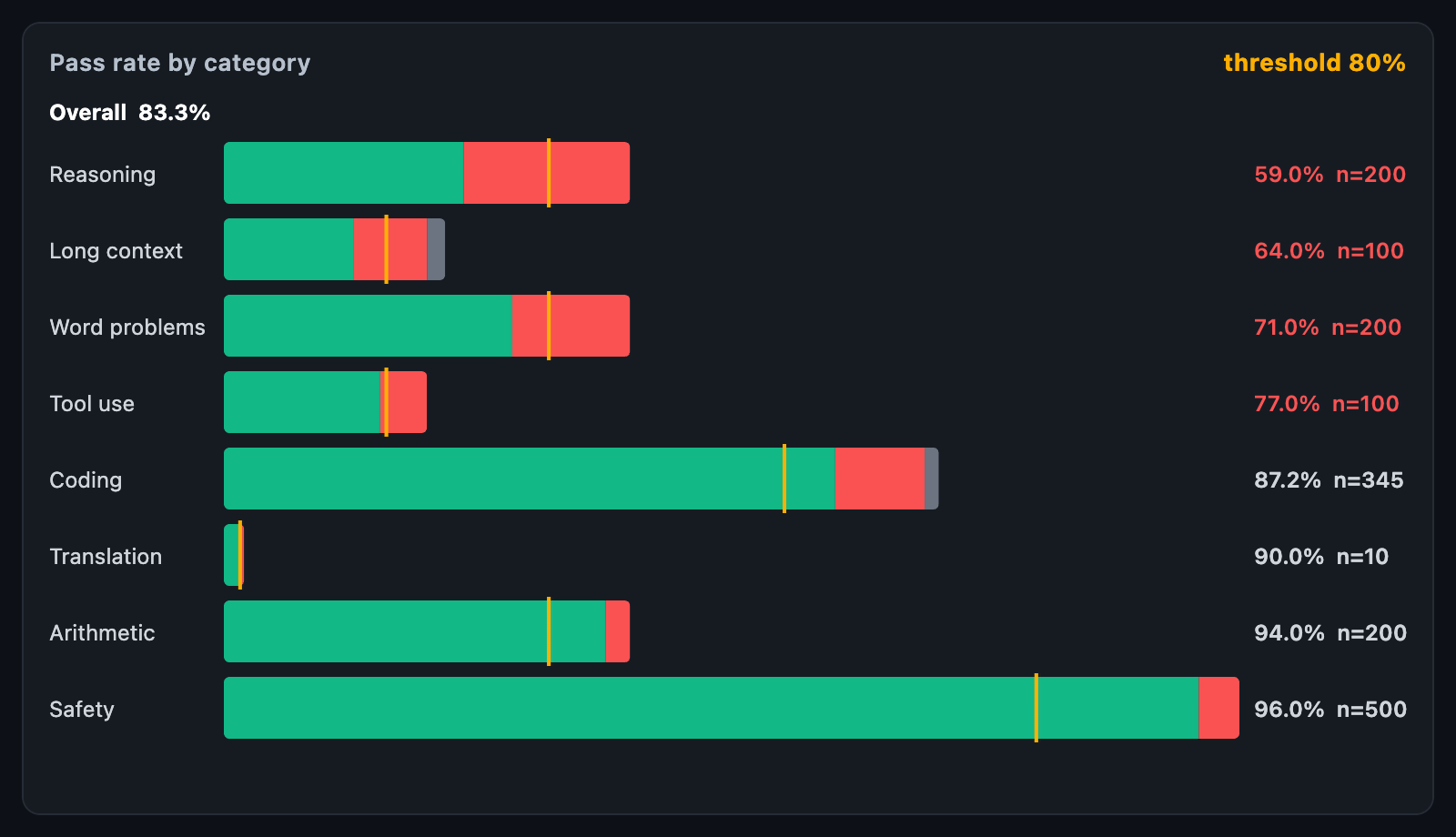
EvalBreakdownChart shows how an evaluation went by category: a bar of
passed, failed and skipped tasks for each, with the pass rate and the number of
tasks behind it, the worst category first. An overall figure sits above them,
and a threshold can be held across every bar.
EvalBreakdownChart(
  categories: const [
    EvalCategory(name: 'Math', passed: 71, failed: 29),
    EvalCategory(name: 'Coding', passed: 88, failed: 12, skipped: 3),
    EvalCategory(name: 'Safety', passed: 96, failed: 4),
  ],
  threshold: 0.8,
);
The chart fills its constraints. When the height is unbounded, it uses
defaultHeight; categories that do not fit the box are cut off at the bottom.
| Field | Description |
|---|---|
name |
What the category is called |
passed, failed |
Tasks that ran |
skipped |
Tasks that errored or were not run — drawn in grey and left out of the pass rate |
passRate |
Passed over attempted; null when none ran |
Bars share one scale, so a category with more tasks is a longer bar.
A pass rate means little without how many tasks are behind it. n= is written
beside each rate, and touching a row reports the Wilson 95% interval:
| Function | Description |
|---|---|
wilsonInterval(passed, attempted, z:) |
(low, high); stays within 0..1 and is honest about small samples — 3 of 3 is not 100% sure |
overallPassRate(categories) |
The rate over every task that ran |
sortedByPassRate(categories) |
Worst first, empty categories last, stable |
threshold — 0.8 for "must pass 80%" — marks, on each bar, how far the passed
part has to reach. A bar whose green stops short of the tick misses it, and its
rate is written in the failed colour.
| Parameter | Description |
|---|---|
sortWorstFirst |
Worst category on top, or the order given |
showOverall, overallLabel, showCounts, rateFormatter |
The figures |
passedColor, failedColor, skippedColor, thresholdColor |
Colours |
nameWidth, rateWidth, barHeight, rowGap, barRadius |
Layout |
onTouch reports an EvalTouchDetails with the category, its index in the
order drawn and the interval low and high, and null when the pointer
leaves.