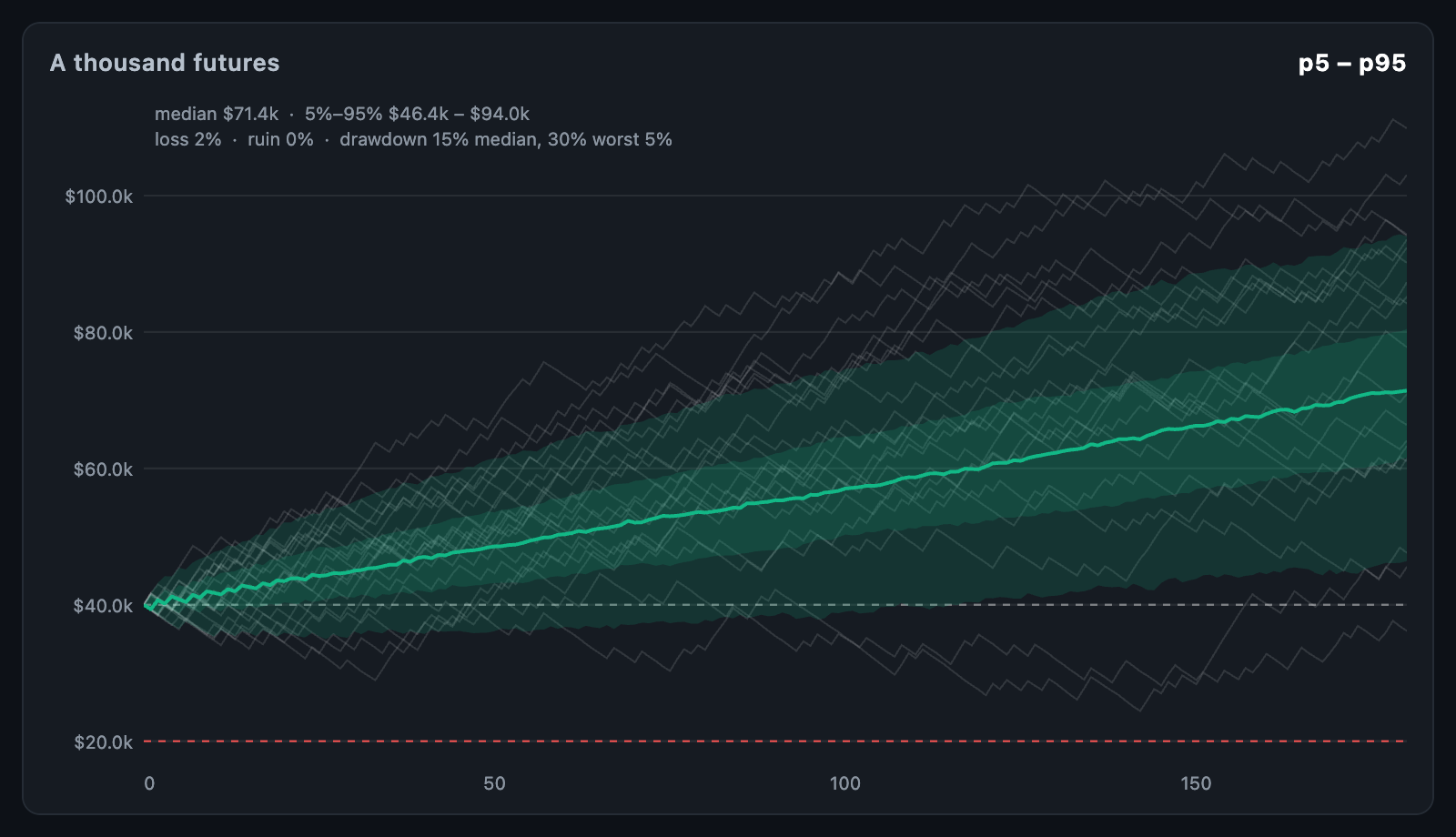
MonteCarloChart draws many simulated equity curves as percentile bands round
the median: what a strategy's trades could have made had luck dealt them in a
different order. Where EquityCurveChart shows the
one run that happened, this shows the range that could have.
final result = runMonteCarlo(
  tradeReturns, // 0.012, -0.008, … per trade
  pathCount: 1000,
  startingEquity: 10000,
  ruinLevel: 5000,
  seed: 7,
);

MonteCarloChart(
  result: result,
  actual: [for (final point in equity) point.equity],
);
Simulating is kept out of the widget so it runs once rather than on every
build: keep the MonteCarloResult in state and pass it in.
The chart fills its constraints. When the height is unbounded, it uses
defaultHeight.
runMonteCarlo(results, …) builds pathCount accounts. Each takes steps
trades drawn at random, with replacement, from results — the bootstrap.
| Parameter | Description |
|---|---|
results |
The trades a backtest produced; values that are not finite are skipped |
pathCount |
How many accounts to simulate (default 1000) |
steps |
How many trades each takes; defaults to results.length |
startingEquity |
What each account begins with |
sizing |
MonteCarloSizing.compound: results are fractions (0.02 is 2%) that compound; MonteCarloSizing.fixed: results are money, added as they are |
seed |
Makes the run repeatable |
percentiles |
What to read at every step (default 5, 25, 50, 75 and 95%) |
ruinLevel |
The account value counted as ruin |
An account never falls below zero.
Your own simulation — a different resampling, or a model — can be read with
MonteCarloResult.fromPaths(paths, startingEquity:), each path the account's
value at every step starting with the starting equity.
MonteCarloResult |
Description |
|---|---|
paths, steps |
Every path, and how many trades each runs for |
percentiles, bands, bandAt(p) |
Each percentile's value at every step |
finalEquities, finalEquityAt(p) |
Where the paths ended |
maxDrawdowns, drawdownAt(p) |
Each path's deepest fall as a fraction; drawdownAt(0.05) is the worst 5% |
lossProbability |
The share of paths that ended below where they began |
ruinProbability |
The share that touched ruinLevel |
Percentiles interpolate between neighbouring paths.
| Parameter | Description |
|---|---|
min, max |
Ends of the value axis; null reads them off everything drawn |
sampleCount |
Individual paths drawn faintly behind the fan (default 20) |
axisWidth, showValueAxis, stepAxisHeight, showStepAxis, tickCount |
The axes |
padding |
Space around the chart |
layOutMonteCarlo(result, bounds, …) returns the MonteCarloLayout the chart
paints — band, sample and actual points, xOf(step), yOf(value) and
stepAt(dx).
| Parameter | Description |
|---|---|
bandColor, bandOpacity |
Bands pair the outermost percentiles inwards; inner ones layer stronger |
medianColor, medianWidth |
The middle percentile, drawn when there is an odd number |
sampleColor |
The sample paths |
actual, actualColor, actualWidth |
The real curve, one value per trade from the start |
startLineColor, ruinColor |
Dashed lines at the starting equity and the ruin level |
showSummary, summaryStyle |
Median and outer range of the final equity, odds of loss and ruin, and drawdown |
valueFormatter, stepFormatter, axisLabelStyle, gridColor |
Axis text and grid |
crosshairColor, backgroundColor |
Crosshair and background |
Pointer events are read raw, so the crosshair follows a drag at once. onTouch
reports a MonteCarloTouchDetails with the step, every percentile's values
there (valueAt(p) reads one), the actual value and where the middle band
sits, and null when the pointer leaves.
MonteCarloChart(
  result: result,
  tooltipBuilder: (context, details) => Card(
    child: Padding(
      padding: const EdgeInsets.all(8),
      child: Text('trade ${details.step}\n'
          'median ${details.valueAt(0.5)}\n'
          'worst 5% ${details.valueAt(0.05)}'),
    ),
  ),
);animationDuration draws the fan in from the left; animationCurve eases it
and animateOnMount controls whether the first build animates. The chart
animates again whenever result changes identity.