Indicator panes can be resized by dragging their lower edge and reordered by dragging their legend row:
KChartWidget(
  candles,
  ChartColors(),
  timeFrame: const Duration(minutes: 15),
  indicators: [MacdIndicator(), RsiIndicator()],
  resizablePanes: true,
  reorderablePanes: true,
  onReorderPane: (from, to) => setState(() {
    indicators.insert(to, indicators.removeAt(from));
  }),
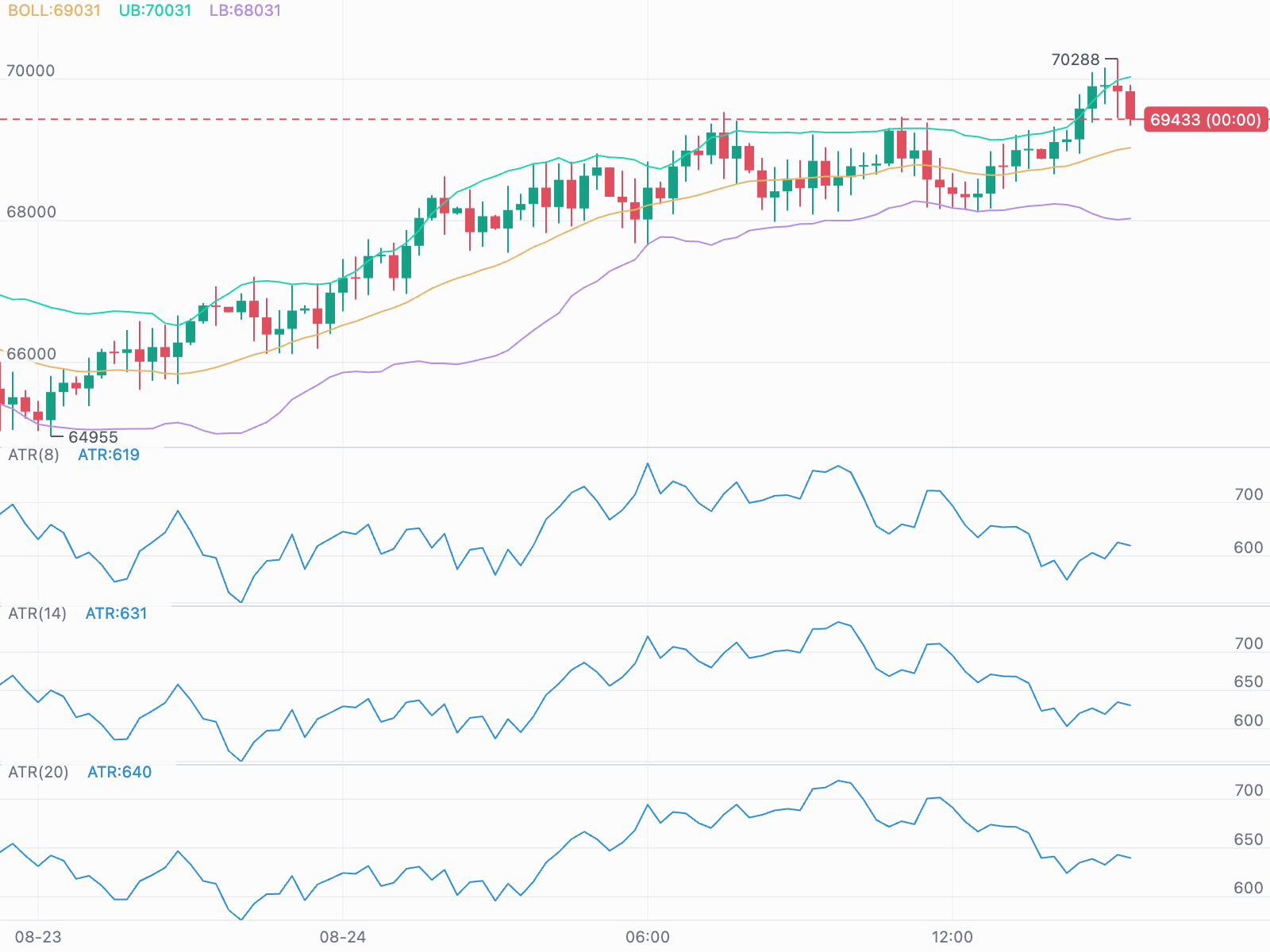
);- Each pane has its own gridlines and labels at round values, so panes such as ATRs with different periods can be compared directly.
- Indicators with a fixed range (RSI, KDJ, WR) show their guide levels instead.
- MACD and Awesome Oscillator panes draw a zero line.
- The volume pane shows a round reference level.
By default pane heights are managed by the chart: 100 each, or whatever the user
dragged them to, constrained between ChartStyle.minPaneHeight and
maxPaneHeight, and reset when panes are added or removed. A reorder carries
each height along with its pane.
Pane order is owned by your indicator list. The chart reports the move through
onReorderPane, and your code applies it.
Two ways to set heights from outside — a "maximize this indicator" button is the usual reason.
KChartController takes commands:
chart.maximizePane(1);          // pane 1 fills the chart, candles shrink to a strip
chart.restorePanes();           // …and back
chart.toggleMaximizePane(1);    // one button for both
chart.maximizeVolume();         // the volume pane instead
chart.setPaneHeight(0, 220);    // any single pane, any positive height
chart.resetPaneHeights();       // every pane back to the standard height
chart.paneHeights;              // what is drawn now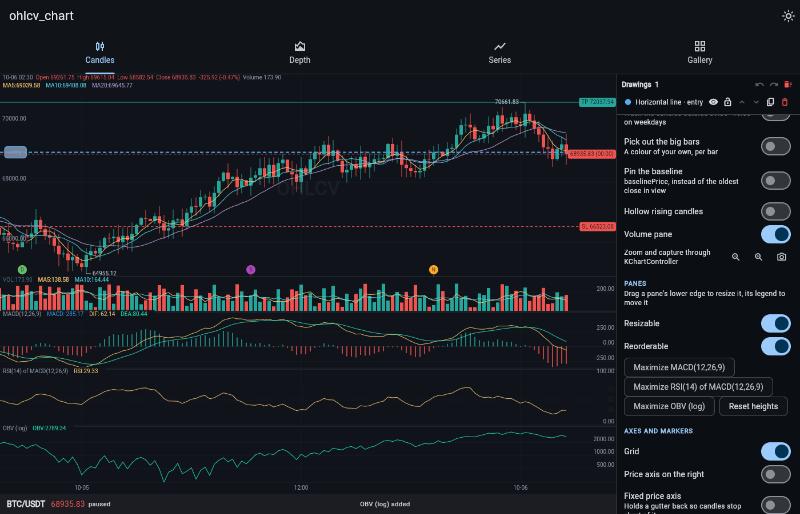
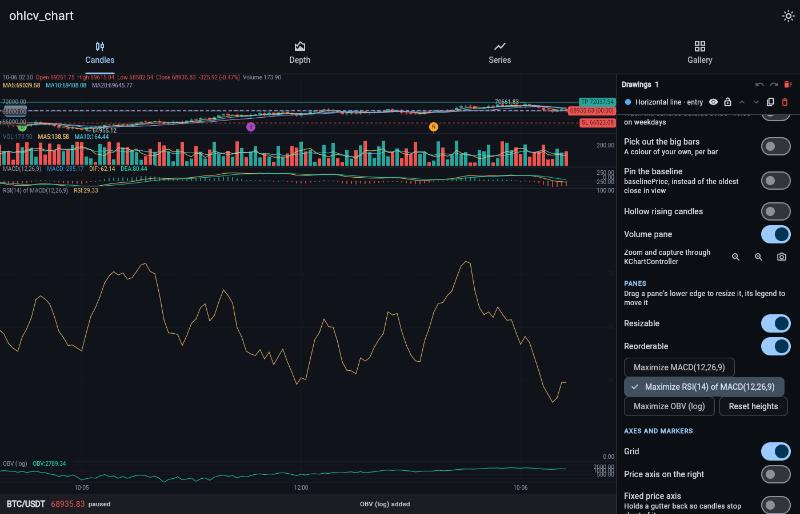
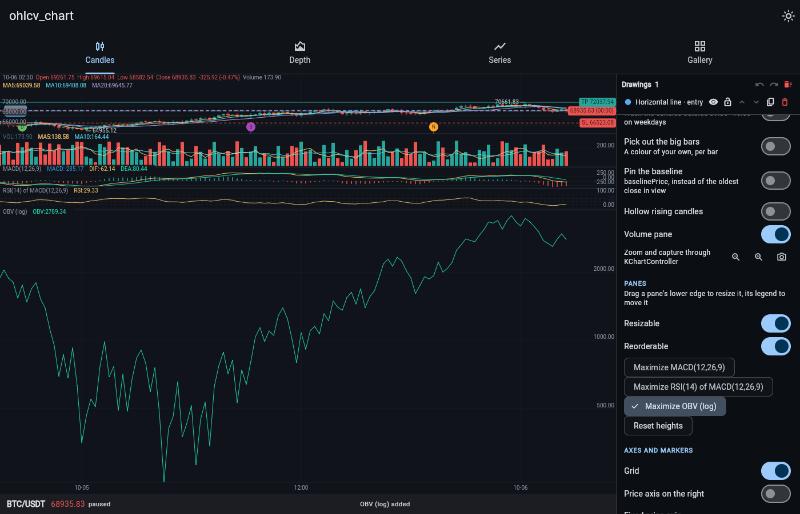
Only one pane — or the volume pane — is maximized at a time. A maximized pane follows the chart's size and moves with its indicator when you
reorder; dragging any pane lets go of it. It needs the chart to size its own
candle area, so it has no effect when mBaseHeight is set.
KChartWidget.paneHeights is the same thing as state:
KChartWidget(
  candles,
  ChartColors(),
  indicators: indicators,
  paneHeights: maximized ? [60, 500] : null,   // null: the chart's own layout
  volumeHeight: 80,                            // the volume pane, default 60
  onPaneHeightsChanged: (heights) => setState(() => saved = heights),
);- Heights set from code are used as given, not held to
minPaneHeightandmaxPaneHeight, so a pane can be taller than a user could drag it. A height too big for the box is cut back so the candles keep a strip above it. - A pane missing from a shorter list, or given a height that is not a positive number, gets the standard height.
- While a list is given you own the heights, like a controlled text field. A
drag (with
resizablePaneson) orsetPaneHeightdoes not move a pane by itself: it is reported throughonPaneHeightsChanged, and the pane moves when you pass the new list back. Passnullto give the heights back to the chart. Maximizing through the controller still works over a list, and lets go of whenever a height changes. - Panes in
paneHeightsare matched by position. WhenonReorderPanemoves one, move its height with it.
ChartStyle.paneResizeTolerance and paneGrabHeight set the size of the
resize and reorder hit areas.
paneSizeMode chooses how the heights of the candles, the volume pane and the
indicator panes are worked out:
| Mode | Heights come from | Who changes them |
|---|---|---|
PaneSizeMode.heights (default) |
pixels: 100 per pane, 60 for volume, or paneHeights / volumeHeight |
you, or the user dragging a pane's lower edge with resizablePanes |
PaneSizeMode.ratios |
proportions in paneRatios |
you |
PaneSizeMode.custom |
the user's own layout | the user, dragging lines in edit mode |
ratios and custom need the box to bound the chart's height and mBaseHeight
to be left off; otherwise the pixel heights are used.
KChartWidget(
  candles,
  ChartColors(),
  indicators: [RsiIndicator()],
  paneSizeMode: PaneSizeMode.ratios,
  paneRatios: [3, 1, 2],   // 6 units: candles 3, volume 1, RSI 2
);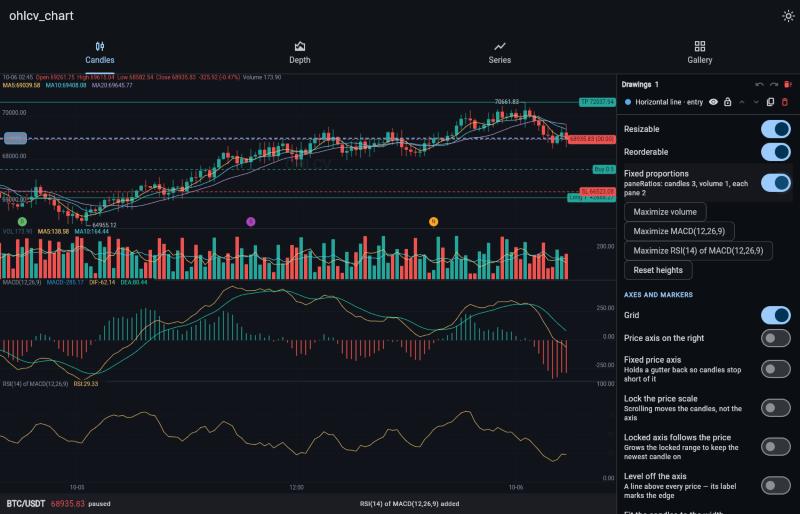
- The list runs top to bottom: the candles, the volume pane, then each indicator pane. The height left after the legend rows above the candles is split by those units, and the split holds as the box is resized.
- With
volHiddenthe volume's number is left out, so the list is one shorter. - A part missing from a shorter list, or given a number that is not above zero,
counts as 1. Without
paneRatiosthe mode has nothing to split by, and the pixel heights are used. - You own the proportions, as with
paneHeights. WithresizablePaneson, a drag moves room between the two parts either side of the edge — the last pane takes from the part above — andonPaneRatiosChangedreports the new list, keeping its total. Pass it back for the drag to take effect:
paneRatios: ratios,
resizablePanes: true,
onPaneRatiosChanged: (next) => setState(() => ratios = next),The user lays the chart out themselves. Put it in custom mode and turn editing
on from the controller; a line appears between each two parts, the candles and
volume included, to drag up or down:
final chart = KChartController();

KChartWidget(
  candles,
  ChartColors(),
  controller: chart,
  indicators: [RsiIndicator()],
  paneSizeMode: PaneSizeMode.custom,
  onPaneRatiosChanged: (ratios) => saved = ratios,   // optional
);

chart.editPanes();            // show the lines
chart.finishEditingPanes();   // put them away, keeping the layout
chart.toggleEditPanes();      // one button for both
chart.resetPaneHeights();     // back to the standard layout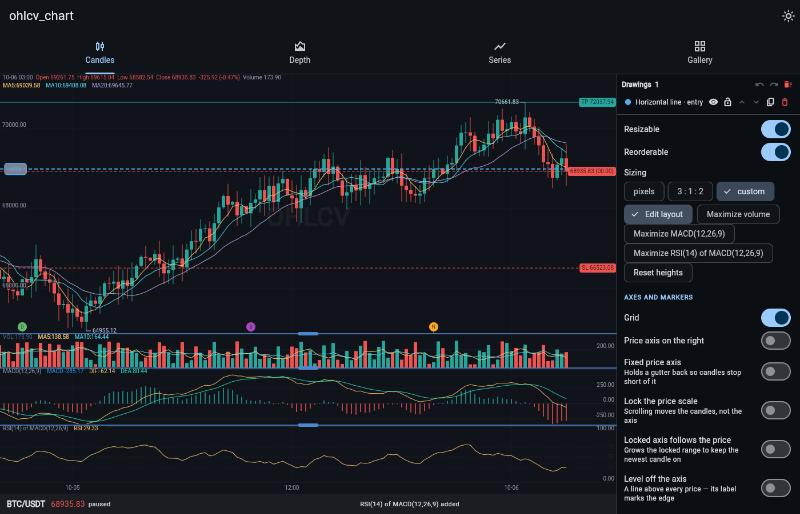
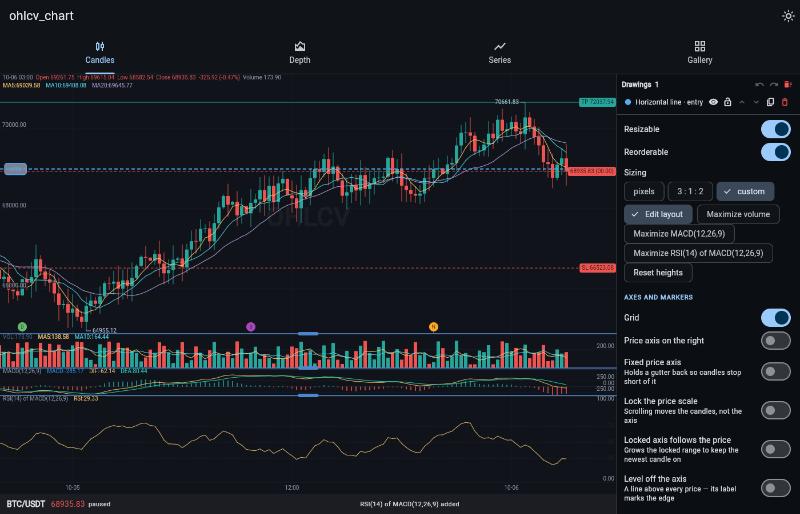
- A line moves room between the two parts either side of it, and stops where
either reaches its limit:
ChartStyle.minPaneHeightandmaxPaneHeightfor the volume and the panes, a 60 px floor for the candles, which have no ceiling because they are what is left. - However small
minPaneHeightis set, a pane or the volume pane is held at 32 px or more when dragged or maximized around, so there is always an edge or line left to pull it back out. - The chart owns the layout and keeps it as proportions, so it holds through a
resize. It starts from
paneRatioswhen you give some, or from the standard heights, and passing a differentpaneRatioslater starts it over from that. onPaneRatiosChangedreports every change inpaneRatiosorder, which is what to save and pass back aspaneRatiosnext time.- The lines are not shown while a pane is maximized, and
resizablePaneshas no effect in this mode; the lines replace it.