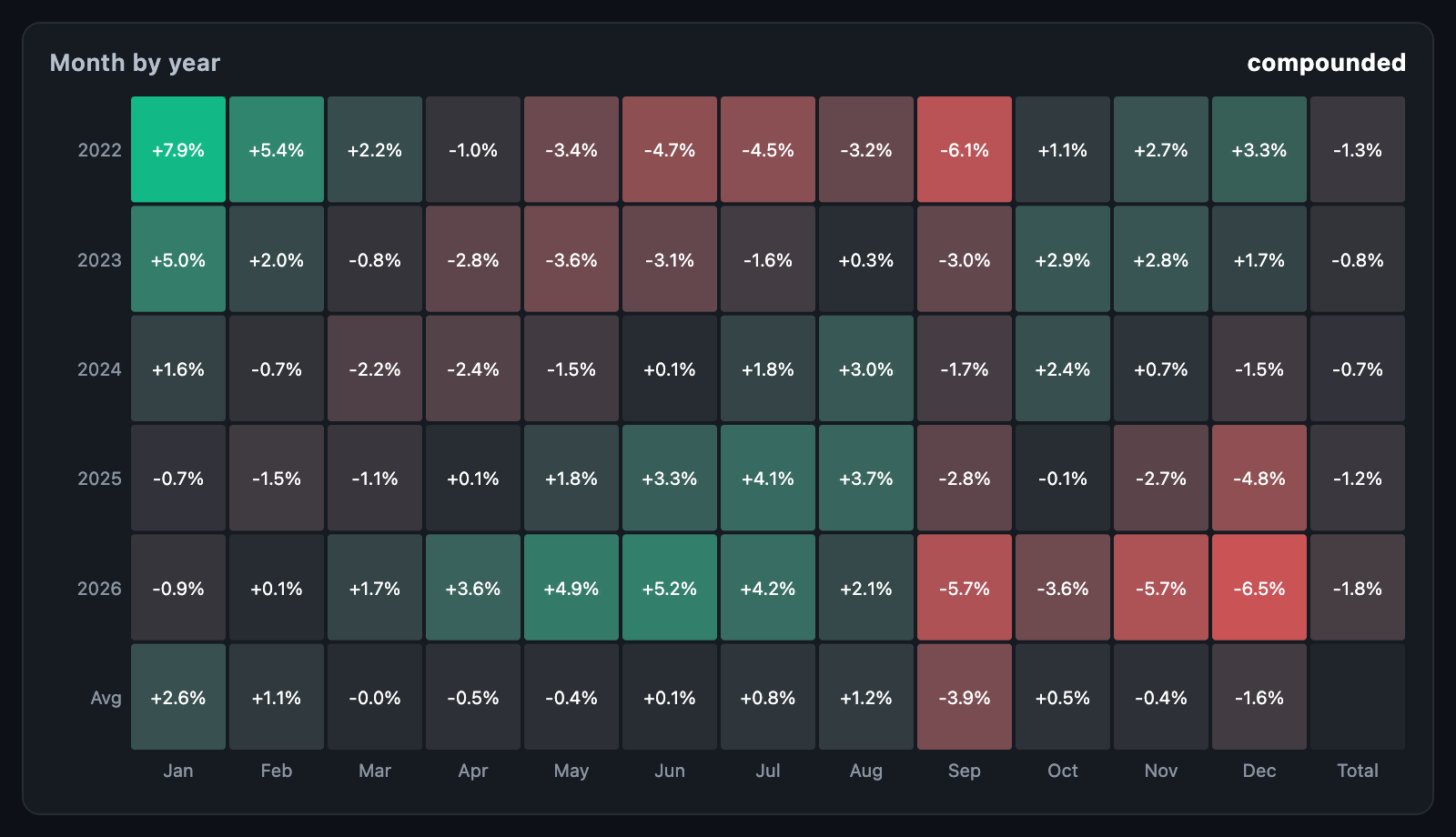
SeasonalityChart shows how results fall across the calendar: each year month
by month, the typical January, the best hour of a Tuesday. It gathers the
samples for you and draws them on a heatmap coloured from
loss through zero to profit.
SeasonalityChart(
  samples: seasonalReturnsFromPrices(dailyTimes, dailyCloses),
);
The chart fills its constraints. When the height is unbounded, it uses
defaultHeight.
samples is a list of SeasonalSample(time:, value:) — each a period's result,
usually a return as a fraction (0.012 is 1.2%). From prices,
seasonalReturnsFromPrices(times, prices) returns each period's change over the
one before, placed at the later time.
Times are read as they are given: convert to the time zone you want the hours and weekdays read in first.
grid |
Rows | Columns |
|---|---|---|
SeasonalityGrid.monthByYear (default) |
Every year from the first sample's to the last's | Months |
SeasonalityGrid.weekdayByHour |
Weekdays, Monday first | Hours 00–23, labelled every third |
SeasonalityGrid.weekdayByMonth |
Weekdays | Months |
monthLabels and weekdayLabels rename them.
How the samples in one square become its value:
aggregate |
Value |
|---|---|
compound |
Returns chained: the square's total return. The default for monthByYear |
sum |
Values added |
mean |
The average. The default for the weekday grids |
median |
The middle value |
winRate |
The share above zero, coloured round 50% |
count |
How many samples fell there, coloured from zero |
seasonalAggregate(values, aggregate) applies one to a list.
With showRowSummary, a column at the right — rowSummaryLabel, default
Total — holds each row's samples taken together with the same aggregate: a
year's return. With showColumnSummary, a row at the bottom —
columnSummaryLabel, default Avg — holds the average of each column's
squares: the typical month.
seasonalityTable(samples, grid:, aggregate:) returns the SeasonalityTable
the chart draws — rowLabels, columnLabels, values, counts, rowSummary
and columnSummary — for use in a table of your own.
| Parameter | Description |
|---|---|
profitColor, neutralColor, lossColor |
The scale, with zero at neutralColor |
limit |
The value painted at full strength either way; null takes the largest square |
showValues, valueFormatter, labelStyle |
Values in the squares; returns default to +1.2% |
axisLabelStyle, rowAxisWidth, columnAxisHeight |
Row and column names |
spacing, radius |
Square gaps, and their corner rounding as a BorderRadius |
padding, backgroundColor |
Around and behind the chart |
Setting limit keeps one extreme month from washing out the rest.
onTouch reports a SeasonalityTouchDetails with the row, column, their
labels, the value, how many samples fell there (count), whether it is a
summary square (isRowSummary, isColumnSummary) and its rect; null when
the pointer leaves.
SeasonalityChart(
  samples: samples,
  tooltipBuilder: (context, details) => Card(
    child: Padding(
      padding: const EdgeInsets.all(8),
      child: Text('${details.columnLabel} ${details.rowLabel}\n'
          '${details.value} from ${details.count} days'),
    ),
  ),
);animationDuration, animationCurve and animateOnMount are passed to the
heatmap.