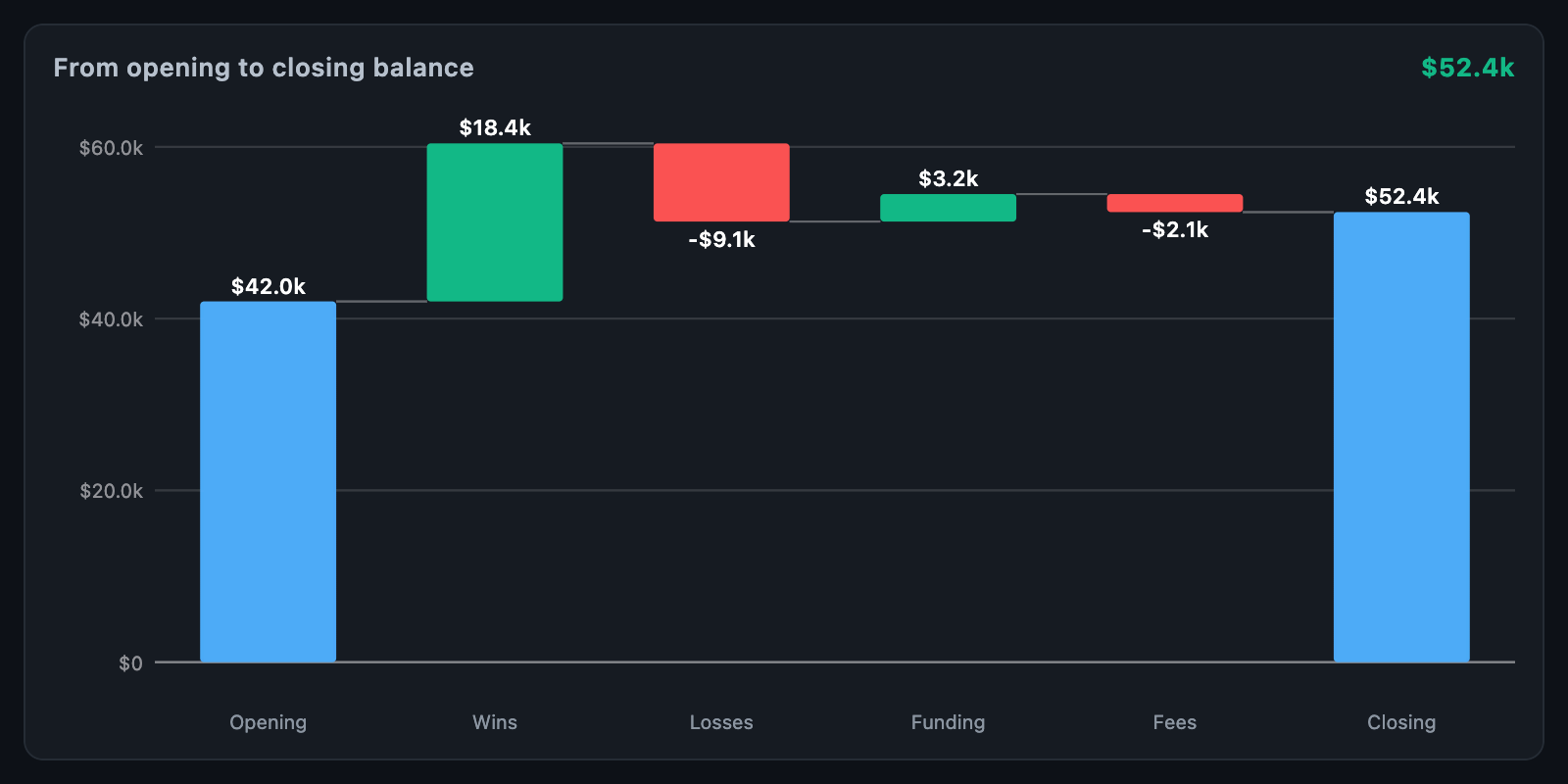
WaterfallChart shows how a total was got to, step by step. Each bar picks up
where the last left off, so gains and losses are read against the running total
rather than against zero — a bridge from an opening balance to a closing one.
WaterfallChart(
  steps: const [
    WaterfallStep.total(value: 10000, label: 'Opening'),
    WaterfallStep(value: 2400, label: 'Wins'),
    WaterfallStep(value: -1600, label: 'Losses'),
    WaterfallStep(value: -180, label: 'Fees'),
    WaterfallStep.total(label: 'Closing'),
  ],
);
The chart fills its constraints. When the height is unbounded, it uses
defaultHeight.
WaterfallStep field |
Description |
|---|---|
value |
How much the step moves the total, or what a first total starts at |
label |
Written under the bar |
kind |
WaterfallKind.delta moves the total; WaterfallKind.total reports it |
color |
A colour of this step's own |
data |
Arbitrary app data, returned on touch |
WaterfallStep.total(...) creates a bar standing on the baseline. Only the
first step's value is used for a total; later totals — subtotals and the closing
balance — draw whatever the running total is, so they never need repeating.
waterfallTotals(steps) returns the running total after each step. A value
that is not finite moves nothing. waterfallRange(steps) returns the axis
range the chart would pick: every total and zero, with a little room.
| Parameter | Description |
|---|---|
min, max |
Ends of the value axis; null uses waterfallRange |
barWidthFraction |
How much of its column a bar takes (default 0.6) |
maxBarWidth |
Upper limit on a bar's width |
barRadius |
Corner rounding, as a BorderRadius |
labelHeight, showLabels |
The label row under the bars |
axisWidth, tickCount, showValueAxis |
The value axis |
padding |
Space around the chart |
layOutWaterfall(steps, bounds, min:, max:) returns a WaterfallBar per step —
its rect, the column band it owns, the running total it starts and ends
at, change and isTotal — and waterfallBarAt(bars, offset) finds the bar
whose column holds a point. A step that moved nothing still draws a sliver
minBarHeight tall.
| Parameter | Description |
|---|---|
riseColor, fallColor, totalColor |
Bars that add, take away and report |
showConnectors, connectorColor |
The dashed lines carrying each total to the next bar |
showValues, valueStyle, valueFormatter |
The change written over each bar |
labelStyle, axisLabelStyle |
Label and axis text |
gridColor, baselineColor, hoverColor |
Grid, zero line and the touched column |
backgroundColor |
Background |
onTouch reports a WaterfallTouchDetails with the bar and its step, and
null when the pointer leaves. tooltipBuilder places a widget beside the
touched bar.
WaterfallChart(
  steps: steps,
  tooltipBuilder: (context, details) => Card(
    child: Padding(
      padding: const EdgeInsets.all(8),
      child: Text('${details.step.label}: ${details.bar.change}\n'
          'total ${details.bar.end}'),
    ),
  ),
);animationDuration grows the bars in; animationCurve eases them and
animateOnMount controls whether the first build animates. The chart animates
again whenever steps changes identity.
semanticLabel describes the chart to screen readers.