
HexMe is an open source hex editor licensed under the MIT License. Hexme has a feature rich command line interface based on the nCurses library.
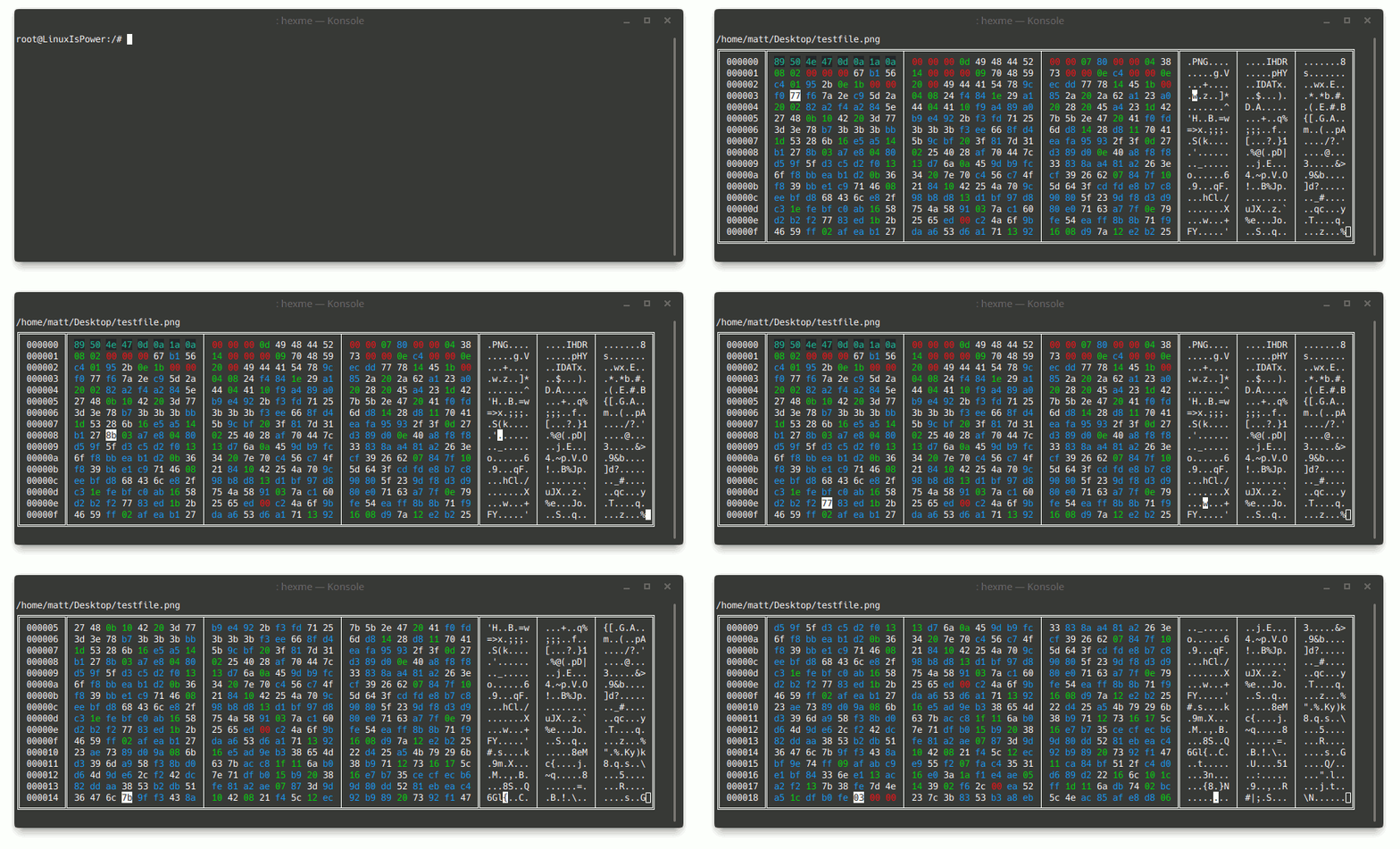
- HexMe will give different colors to different types of bytes. Allowing the user to easily identify null bytes, bytes that translate to valid ascii characters, etc.
- HexMe can recognize a variety of file types by identifying the file header bytes, which it will give a unique color.
When commands need a string, it can either be surrounded by quotation marks to enable support for C-style escape sequences or if the string does not contain any escape sequences or spaces the quotation marks may be left out.
| Syntax | Description |
|---|---|
exit |
The exit command exits the HexMe application. |
load "path/to/file" |
The load command can be used to load the contents of a different file. |
save "optional/path" |
The save command writes any changes made to the file to disk. |
goto (start/end/[int]) |
The goto command can be used to move the cursor to a specific location in the file by giving the index of the byte, either in hexadecimal or decimal format. |
find [first/next/last] "search query\n" |
The find command will move the curor to the first/next/last instance of the given search query. Where next in this case means: the first instance of the search query after the cursor. |
insert "ascii chars or \xFF\x42\x79\x74\x65\x73\x00" |
The insert command will insert the given string at the cursor. |
replace "ascii chars or \xFF\x42\x79\x74\x65\x73\x00" |
The replace command will replace the bytes after the cursor with the given string, extending the file if the replacement string is bigger than the space behind the cursor. |
delete [int] |
The delete command removes the given amount of bytes from the file starting at the cursor position. |
If you'd like to help please check out the CONTRIBUTE.md file.