Home
A native C++23 / Qt 6 SDR transceiver for the Hermes Lite 2 / 2+ (Protocol 1) and BrickSDR2 (Protocol 2) — full receive and transmit, a GPU-accelerated panadapter, and a studio-grade TX audio rack. No Python, no GIL, nothing in the signal path but native code.




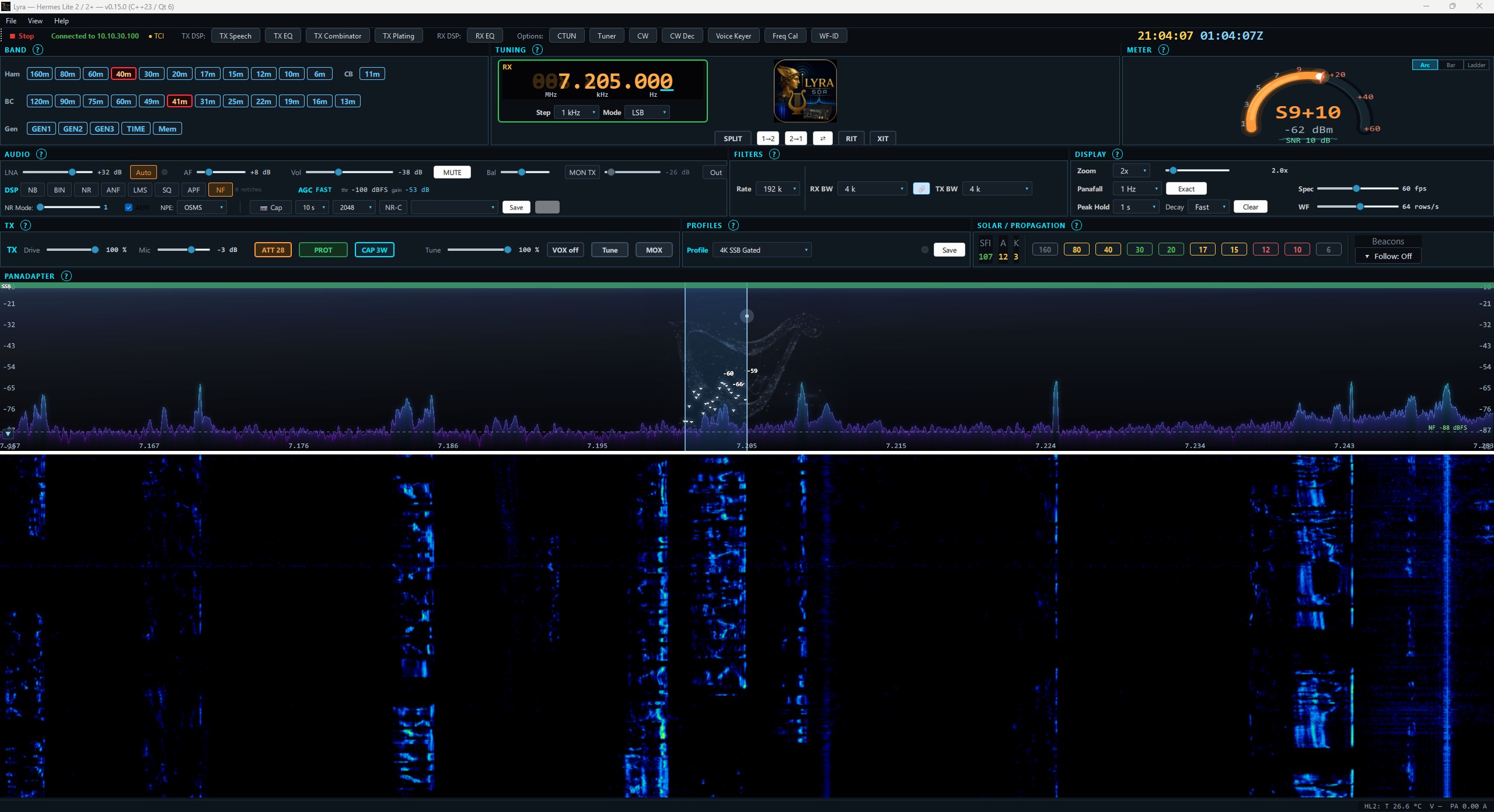
Lyra running live — panadapter, waterfall, tuning cluster, CW console and meters. See the full tour →
Shot on a 2560 × 1440 display with every panel open — you'll want a big screen to reproduce it. Lyra needs 1600 × 900 for the panels you operate with, and 1920 × 1080 to have them all open at once. Full PC requirements →
Grab
Lyra-Setup-X.Y.Z.exe, run it, click ▶ Start, pick your radio. The installer adds the Windows Firewall rules so Lyra connects without administrator rights.
New here? Start with one of these: 🚀 Quick Start · 🎙️ First Voice Setup · 💻 PC Requirements · 📻 Supported Radios
A modern, native replacement for a classic HPSDR console — built from the ground up in C++23 with a GPU-rendered spectrum and a full transmit chain that would normally mean wiring an outboard studio rack in front of the radio. Everything runs on the desktop, on the GPU where it helps, and over a plain wired Ethernet link to the radio.
| Radio | Status |
|---|---|
| Hermes Lite 2 | ✅ Supported (Protocol 1) |
| Hermes Lite 2+ (AK4951) | ✅ Supported (Protocol 1) |
| BrickSDR2 | ✅ Supported (Protocol 2) |
| ANAN family (HPSDR Protocol 2) | 🗺️ Planned (P2 wire is live on Brick; ANAN models still need bring-up) |
| Other HPSDR Protocol-1 boards | 🗺️ Planned (needs a tester with the hardware) |
Full detail on the Supported Radios page.
| OS | Status |
|---|---|
| Windows 10 (64-bit, v1809+) / Windows 11 | ✅ Supported today |
| Linux | 🗺️ On the roadmap — a future version |
| macOS | 🗺️ On the roadmap — a future version |
✅ Full receive (all modes, the complete WDSP noise/filter toolkit, RX EQ, captured-noise reduction, CTUN, RIT) · ✅ Full transmit — SSB / AM / SAM / DSB / FM / CW plus digital over TCI & VAC · ✅ a native TX audio rack (8-band EQ, multiband Combinator, plate reverb, speech processing, voice keyer, VOX, TX profiles) · ✅ CW send + on-screen CW decode · ✅ DX spots, frequency calibration, tuner memory, CAT / TCI / VAC, a session recorder, backup & restore, and a dockable Vulkan UI.
See the full checklist on Feature Status.
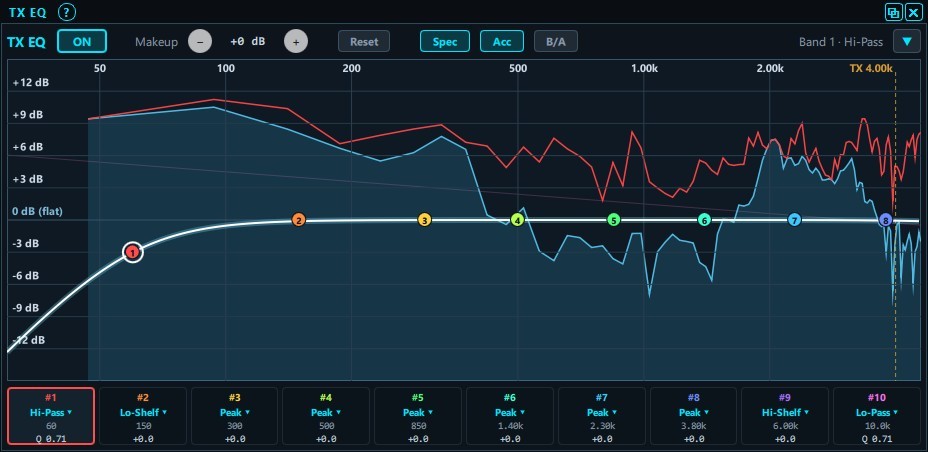
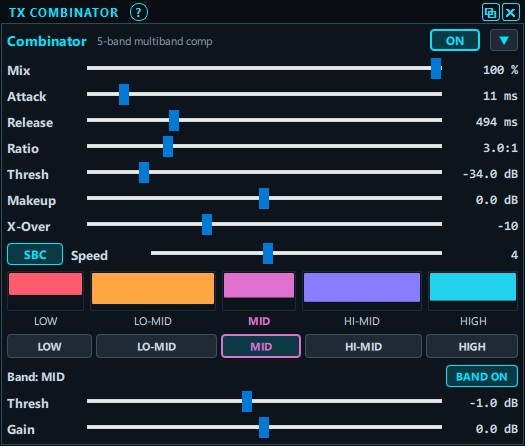
Lyra ships the kind of transmit audio chain you'd normally wire up as outboard gear — all native, all in front of the WDSP transmitter:
| 8-band parametric EQ | 5-band Combinator | Speech processing |
|---|---|---|
 |
 |
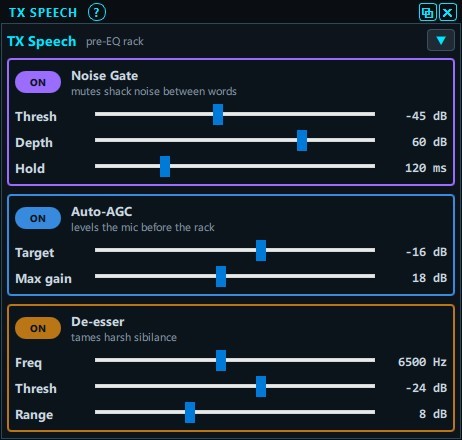 |
| Draggable response curve over a live analyzer | Multiband compression, X-Air-style | Noise gate, auto-AGC, de-esser, DX cut-through |
Screens from the feature tour. Plus plate reverb, voice keyer, VOX, and save/recall TX profiles — see Feature Status.
🗺️ RX2 dual receiver · 🗺️ PureSignal adaptive predistortion · 🗺️ ANAN family as first-class Protocol 2 radios · 🗺️ Linux, then macOS · plus a second virtual-audio channel (VAC2).
Details, ordering, and status on the Roadmap.
- 🚀 Quick Start — box on the desk to first signal in five minutes.
- 🎙️ First Voice Setup — your first phone contact (SSB / AM / FM).
- 💻 PC Requirements — CPU / GPU / video spec, in detail.
- 📖 User Guide — the full operator's manual (also built into the app: Help → User Guide).
- 🔗 SDRLogger+ Combo — the two-way link with the companion logger.
- ❓ FAQ & Troubleshooting
SDRLogger+ is Lyra's sister
application — a modern contest/DX logger by the same developer. Connect it to
Lyra over TCI and flip on the Combo link and the two
work as one: copy a call once in Lyra's CW console and it lands in the log with a
callbook lookup, the operator's name comes back to your {NAME} macro, RST-Rcvd
auto-fills from Lyra's calibrated S-meter, and a {LOG} macro logs the QSO as you
send 73. → Get SDRLogger+
- Releases — installers + release notes
- Report a bug / request a feature
- README — features + build from source
- License: GPL-3.0-or-later (WDSP-compatible) — see NOTICE
Lyra is built by Rick Langford (N8SDR) for the Hermes Lite 2 community. 73.
Get started
Reference
- 💻 PC Requirements
- 📻 Supported Radios
- ✅ Feature Status
- 🗺️ Roadmap
- 📖 User Guide
- 🔗 SDRLogger+ Combo
- ❓ FAQ & Troubleshooting