OAuth 2.0 and OpenID Connect Single Sign-On for WordPress
Let users sign in to WordPress with trusted identity providers instead of relying only on local passwords.






aOAUTH Client SSO is a WordPress Single Sign-On plugin for OAuth 2.0 and OpenID Connect providers. It helps site owners connect WordPress login to providers such as Google, Microsoft, GitHub, Keycloak, Auth0, Okta, OneLogin, GitLab, Facebook, LinkedIn, Apple, WordPress, and custom identity providers.
The plugin acts as an OAuth/OIDC client, sends users to the selected provider for authentication, validates the callback, and signs the matched WordPress user in. It also supports account linking, optional user provisioning, role and attribute mapping, bot verification, login-button themes, provider testing, logs, and admin-managed authentication settings.
- OAuth 2.0 and OIDC support for standard-compliant identity providers.
- Preconfigured providers for common services including Google, Microsoft, GitHub, Keycloak, Auth0, Okta, OneLogin, GitLab, Facebook, LinkedIn, and Apple.
- Custom provider setup with configurable authorization, token, userinfo, JWKS, issuer, and discovery endpoints.
- Secure login flow controls including state, nonce, PKCE, redirect validation, and provider endpoint validation.
- Account linking so existing WordPress users can connect SSO identities to their accounts.
- Optional user provisioning with configurable default role and role mapping.
- Silent auto-login for linked OIDC sessions when explicitly enabled by the administrator.
- Bot verification support with Cloudflare Turnstile and Google reCAPTCHA.
- Sign-in experience controls for button layout, themes, previews, and account-linking pages.
- Admin tools for logs, backup and restore, temporary session cleanup, and safe uninstall cleanup.
- WP-CLI support for safe activation, status checks, and credential-free provider inspection.
- Bundled translations for German, Dari Afghanistan, French, Russian, Turkish, Chinese, and Japanese.
| Provider | Type | Status |
|---|---|---|
| OAuth 2.0 / OIDC | Preconfigured | |
| Microsoft | OAuth 2.0 / OIDC | Preconfigured |
| GitHub | OAuth 2.0 | Preconfigured |
| Keycloak | OIDC | Preconfigured |
| Auth0 | OIDC | Preconfigured |
| Okta | OIDC | Preconfigured |
| OneLogin | OIDC | Preconfigured |
| GitLab | OAuth 2.0 / OIDC | Preconfigured |
| OAuth 2.0 | Preconfigured | |
| OAuth 2.0 / OIDC | Preconfigured | |
| Apple | OIDC | Preconfigured |
| Custom / Generic | OAuth 2.0 / OIDC | Fully configurable |
- Go to Plugins > Add New.
- Search for
aOAUTH Client SSO. - Install and activate the plugin.
- Open OAUTH SSO in the WordPress admin menu.
- Download the latest plugin ZIP.
- Go to Plugins > Add New > Upload Plugin.
- Upload the ZIP file and activate it.
- Open OAUTH SSO in the WordPress admin menu.
- Add or edit a provider in the setup wizard.
- Register your WordPress site as an application in the provider dashboard.
- Use the callback URL shown by the plugin.
- Enter the Client ID, Client Secret, scopes, and endpoints.
- Save the provider and test the connection.
- Configure user creation, role mapping, security, and sign-in experience settings as needed.
For OIDC providers, use discovery or provide issuer and JWKS metadata so identity tokens can be validated safely.
wp aoauth status
wp aoauth providers
wp aoauth provider disable keycloak
wp aoauth provider enable keycloak
wp aoauth export aoauth-backup.json
wp aoauth import aoauth-backup.json --yes
wp aoauth providers --format=json
Status and provider output never reveal client IDs, client secrets, access tokens, or bot-protection secrets. Provider changes are audit logged. Exports exclude credentials by default; encrypted credential backups require --include-credentials and the AOAUTH_BACKUP_PASSWORD environment variable. Imports require confirmation and replace current settings and providers.
| Login Screen | Providers List | Sign-In Experience |
|---|---|---|
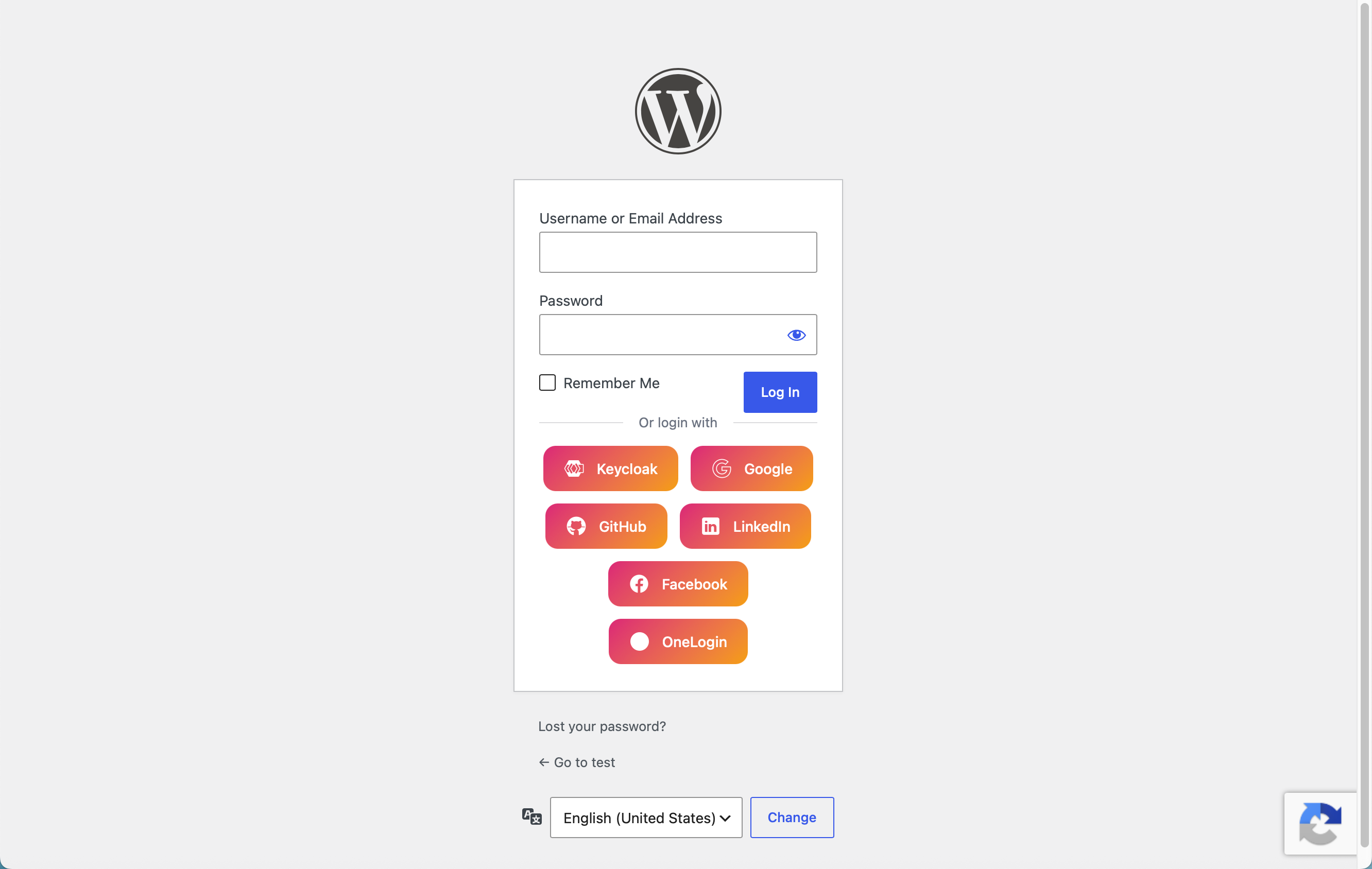 |
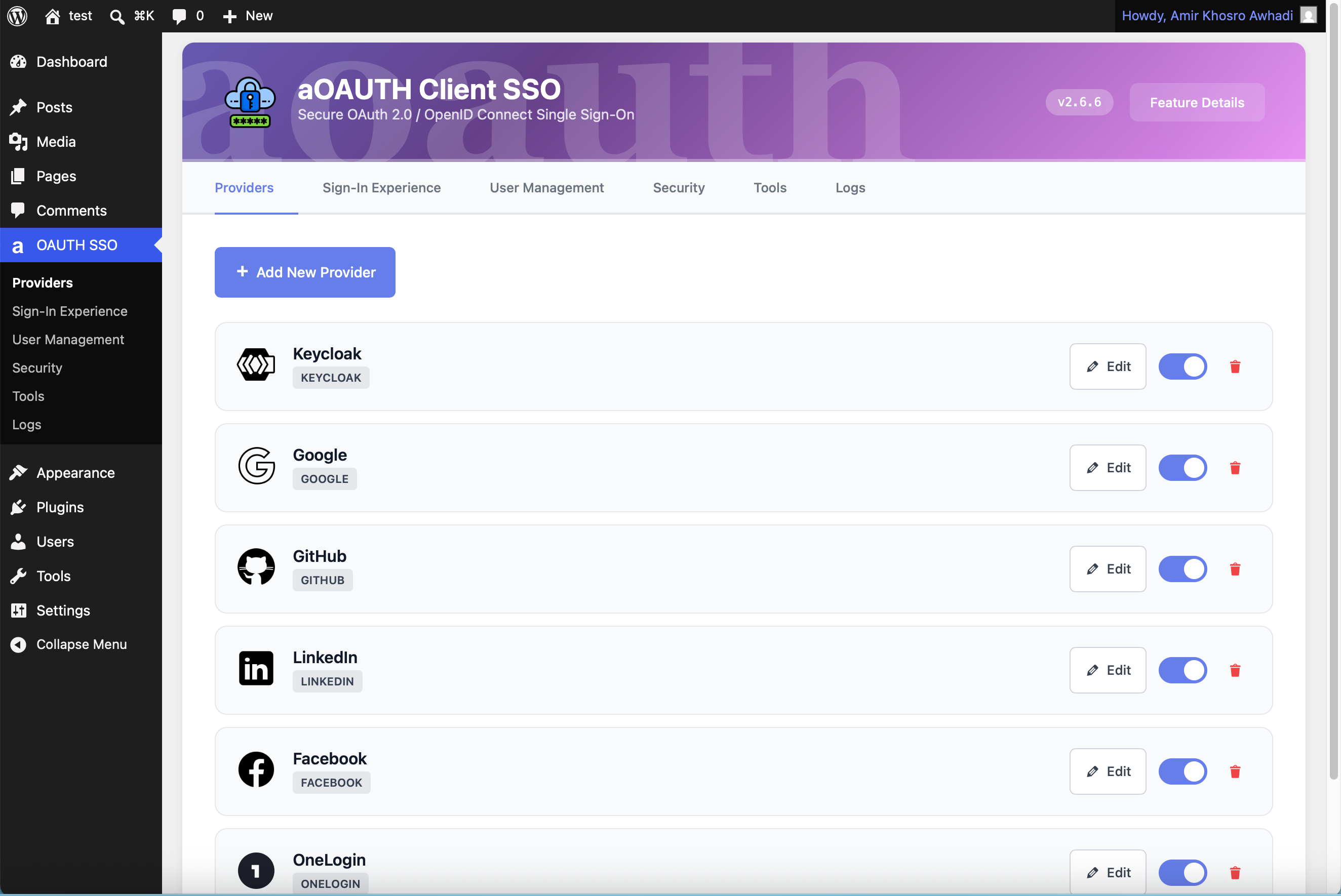 |
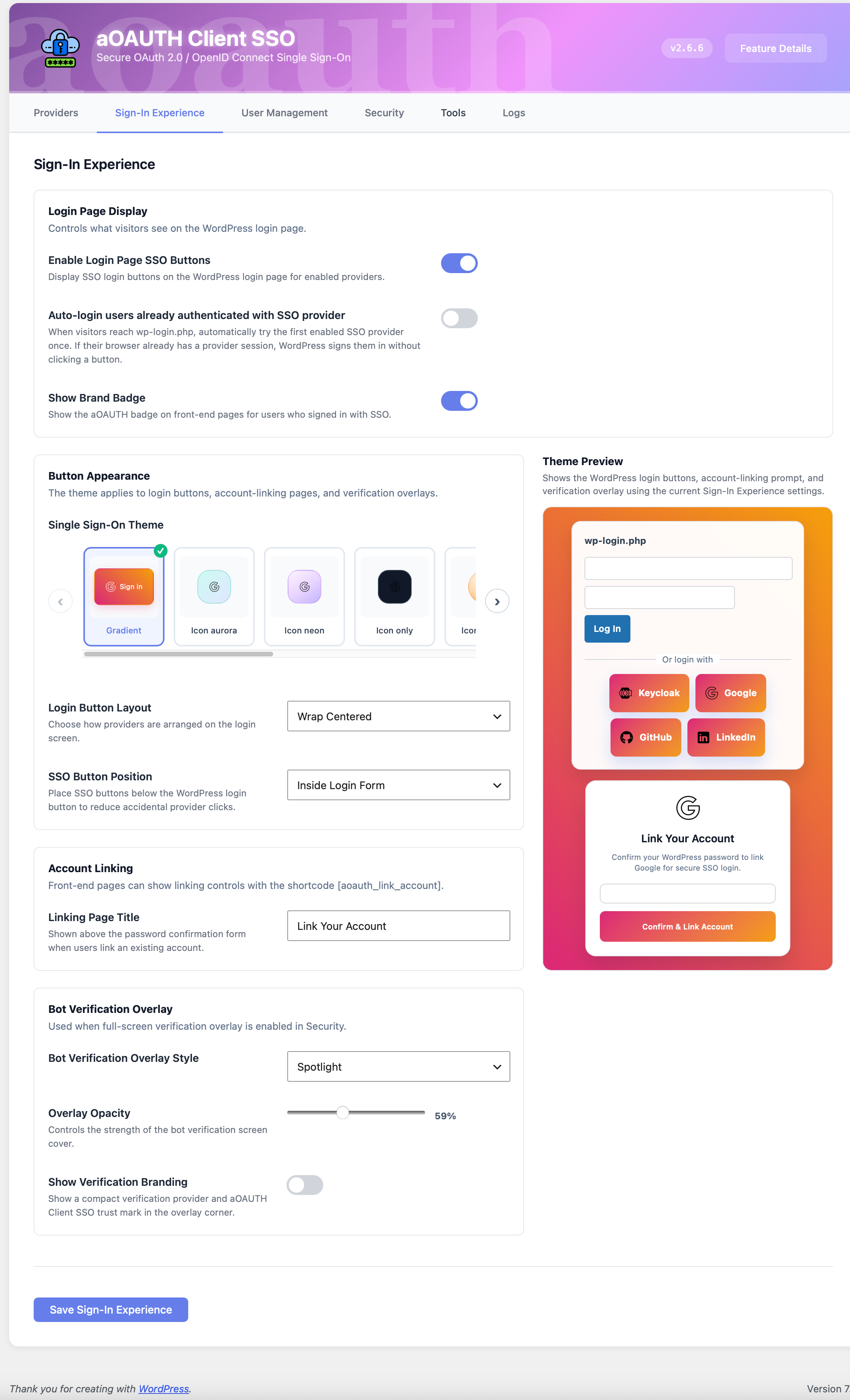 |
| User Management | Security | Logs |
|---|---|---|
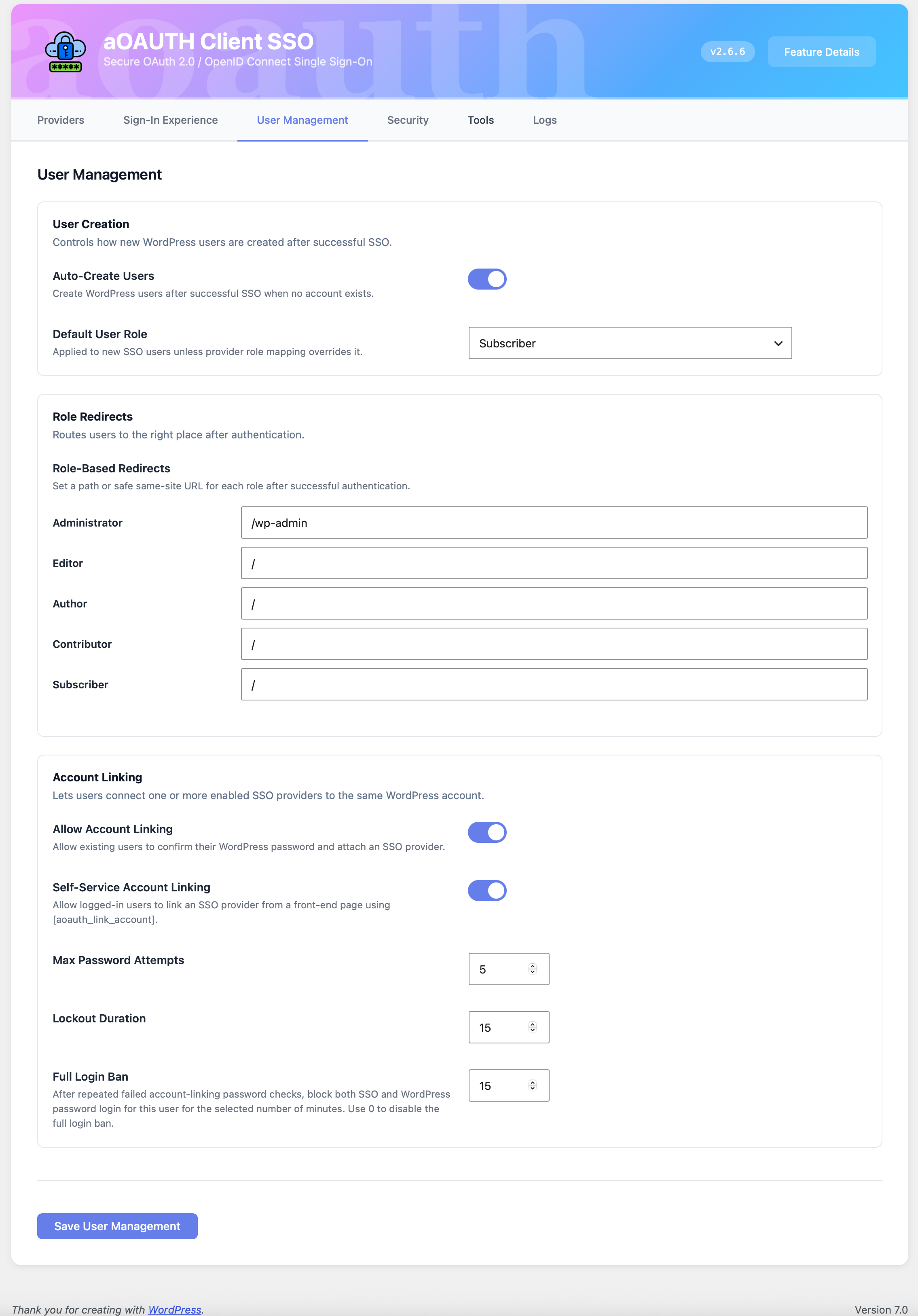 |
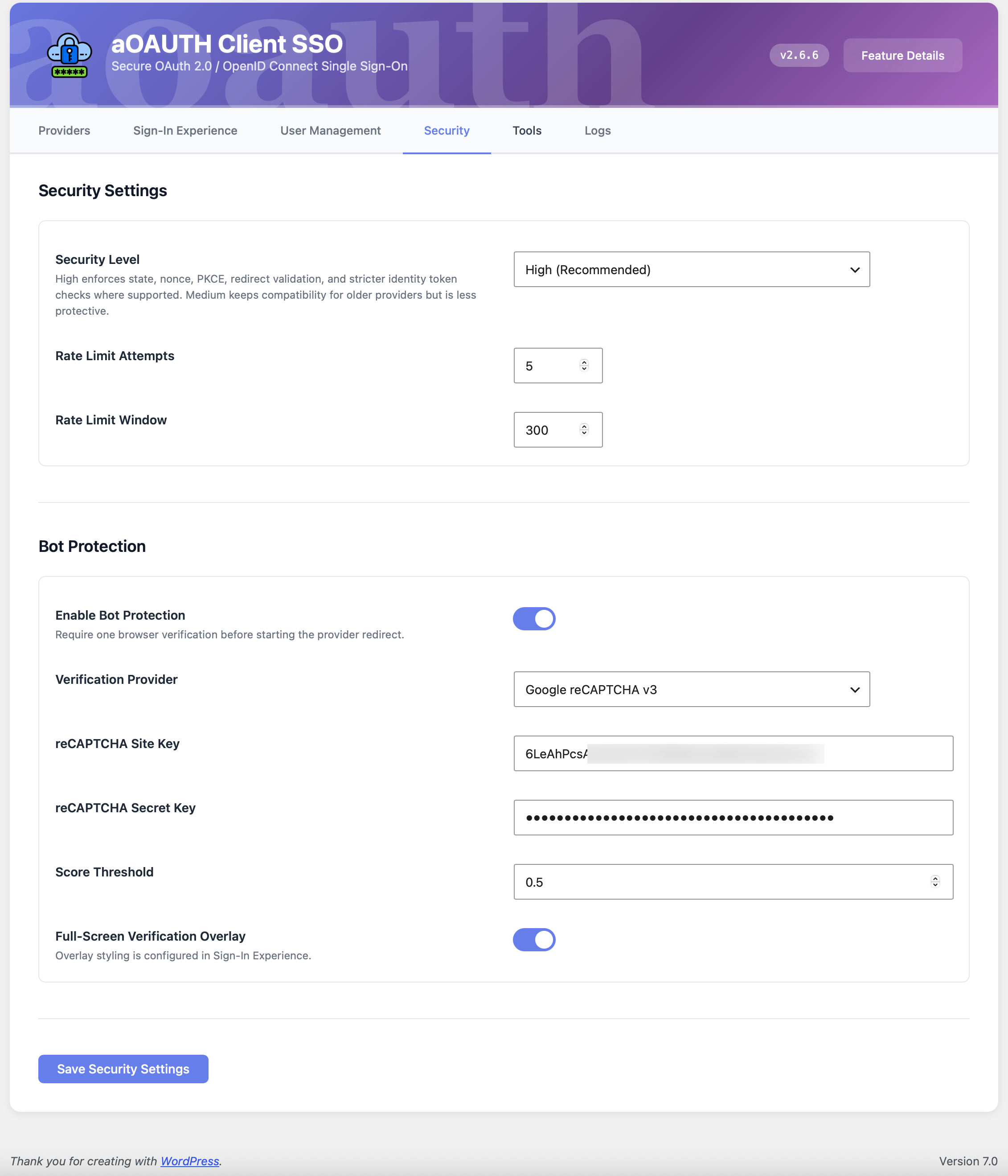 |
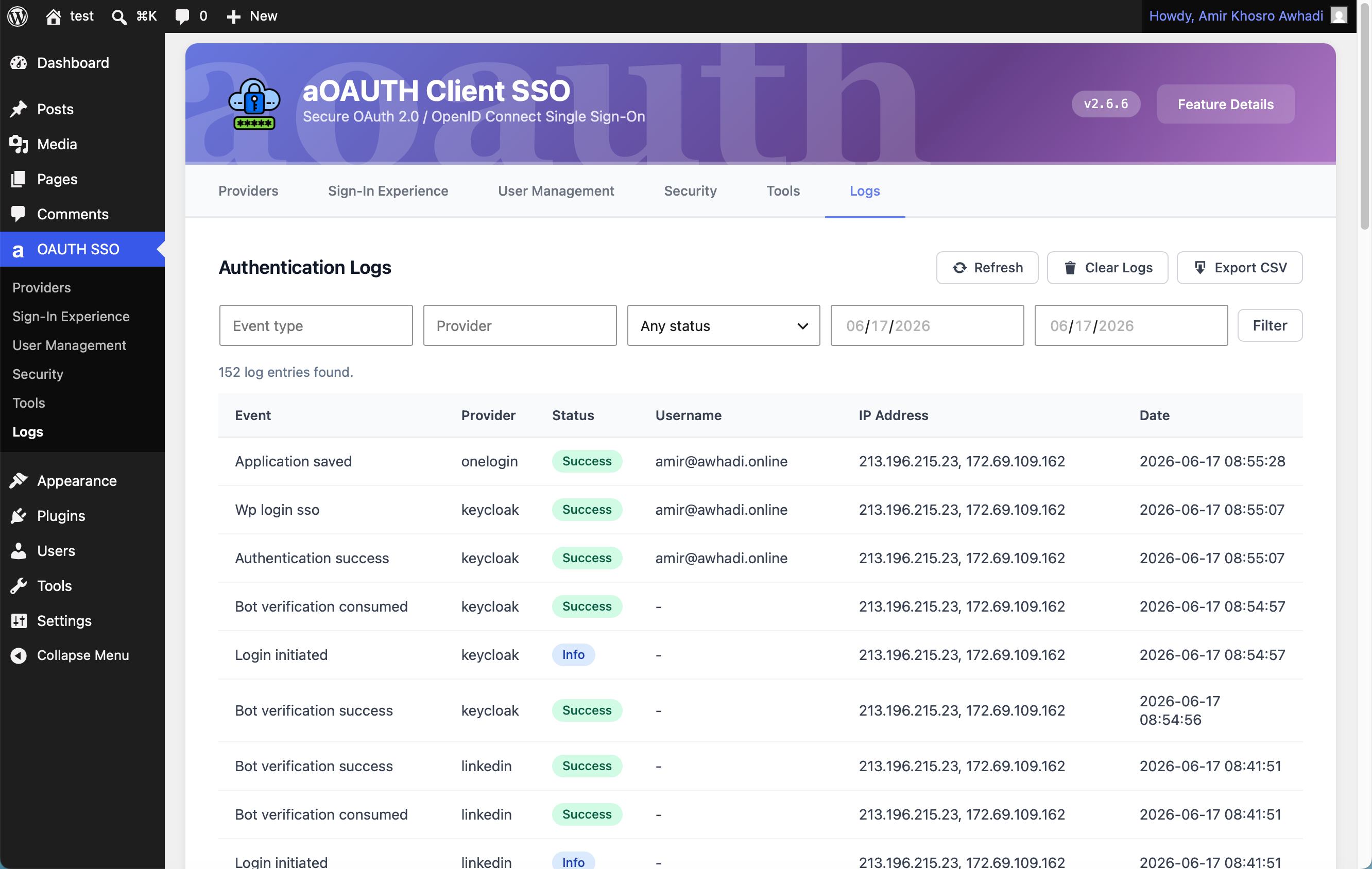 |
- Removed the bundled
logo.pngasset and remaining runtime references to it. - Updated optional public branding surfaces to use text-only plugin branding.
- Made the admin settings tabs horizontally scrollable on small screens.
- Clarified the Tools Deep Debug section with the debug log directory and daily filename pattern.
- Added bundled translations for the Tools-screen WP-CLI command reference and backup confirmation interface.
- Added WordPress administrator password confirmation before browser-based configuration export and import actions.
- Replaced visible browser password prompts with masked modal password fields.
- Removed the plugin logo image from admin page headers so the header presents the plugin name only.
- Improved the Tools-screen WP-CLI documentation with professional operational, security, backup, restore, and automation guidance.
- Fixed detailed WP-CLI help formatting and added practical examples.
- Replaced technical WP-CLI status keys and values with the administrator-facing labels used in the WordPress UI.
- Expanded secure status output to cover all operational settings.
- Added provider enable and disable commands with credential checks.
- Added secure configuration export and import commands.
- Added optional password-encrypted credential backups using an environment variable.
- Added a WP-CLI Shortcuts card to the Tools screen with a separate explanation for each command.
- Added read-only WP-CLI commands for plugin status and provider inspection.
- Prevented WP-CLI activation from leaving a browser setup redirect.
- Skipped browser-only SSO, account-linking, and admin hooks during CLI requests.
- Replaced first-provider auto redirects with silent OIDC auto-login checks.
- Limited silent auto-login to already linked WordPress users; silent checks never create users or link accounts.
- Added hidden-iframe silent checks with
prompt=nonefor supported OIDC providers. - Updated bundled translations for the new silent auto-login labels.
For the full changelog, see CHANGELOG.md.
Does the plugin create WordPress users automatically?
Only when the existing user creation setting is enabled and the user manually starts an SSO login. Silent auto-login never creates users.
Does silent auto-login redirect everyone to the first provider?
No. When enabled, it checks supported OIDC providers in the background and only logs in already linked WordPress users with an active provider session.
Can users still use normal WordPress login?
Yes. The plugin adds SSO login options and does not remove the standard WordPress username and password form by default.
Does it support custom identity providers?
Yes. Custom OAuth 2.0 and OIDC providers can be configured with their own endpoints and scopes.
Use HTTPS in production and configure providers with the correct redirect URI, issuer, scopes, and signing metadata. Client secrets and bot protection secret keys are stored encrypted in WordPress options.
Distributed under the GNU General Public License v2.0 or later. See LICENSE for details.
- Plugin page: WordPress.org
- Issues: GitHub Issues
- Author: Awhadi