- What this homework is about
- Prerequisites
- How to approach this project (Read this first!)
- Architecture and High-Level Overview
‼️ ‼️ Detailed requirements: read this whole section carefully‼️ ‼️ - How your code is checked
- That's it!
Congratulations on reaching the final project of the C++ for Yourself course!
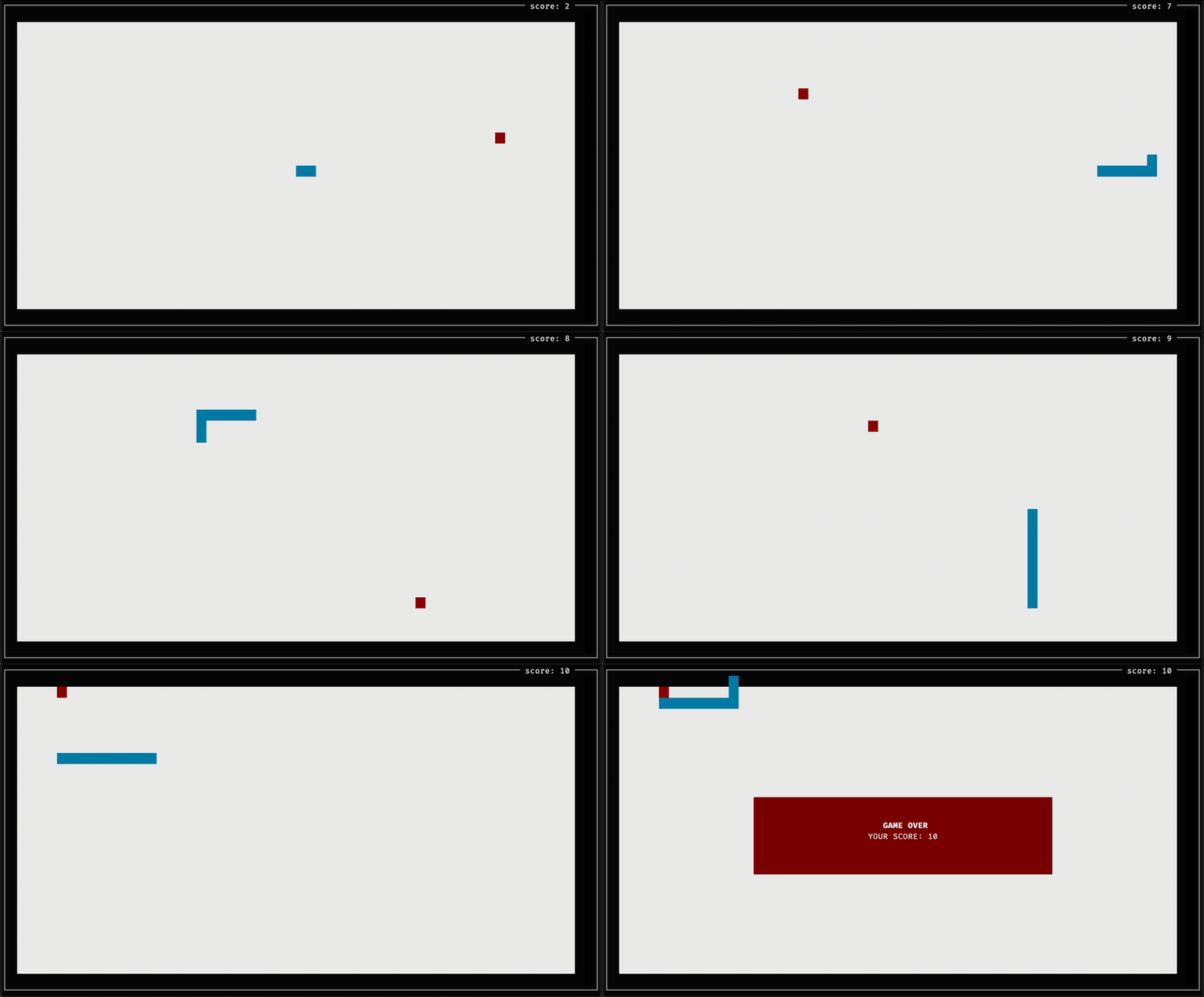
In this project, we are going to build a fully playable terminal version of the classic game Snake.
The player steers a snake around a bordered arena using the keyboard arrow keys. The objective is to eat randomly spawning fruit to grow in length and increase your score, all while avoiding colliding with the surrounding walls or with the snake's own body.
After you have built the project, you will be able to launch and play your game directly in your terminal:
cd homework_snake/snake
cmake -B build
cmake --build build
./build/snake/main
💡 Controls:
- Arrow Keys (Up, Down, Left, Right): Steer the snake.
qor Escape: Quit the game.
Please make sure you are comfortable with the topics covered in previous lectures and homeworks:
- Classes, RAII, and move semantics (Move Semantics)
- Class templates and operator overloading (Templates)
- Using
std::optionalfor error handling (Error Handling) - Storing callables and callbacks using
std::function(std::function) - Lambdas in modern C++ (Lambdas)
- Basic multithreading with
std::thread,std::mutex, andstd::lock_guard(Parallelism) - Unit testing with GoogleTest and CMake (CMake, GoogleTest)
Important
Take your time — this is a multi-stage project: This final project is intentionally designed to be challenging and substantial. It brings together almost everything you have learned throughout this course.
- Do not try to rush it in a single sitting. Treat it as a multi-stage software project. Give yourself multiple days or sessions, taking it strictly one step at a time.
- Making mistakes is an essential part of learning. Expect compiler errors, off-by-one index bugs, and race conditions. Wrestling with these issues, understanding why they happened, and solving them yourself is where true engineering competence is forged.
- Please resist the urge to use AI assistants (ChatGPT, Copilot, etc.). Having an AI write the code or debug your logic robs you of the very struggle that turns novice programmers into confident software engineers. You have all the lecture materials, your prior homeworks, and compiler diagnostics. Face the challenge on your own — you can do it!
To build a robust, testable interactive game, we strictly separate game logic from presentation and user input. The game simulation lives in its own background thread and communicates with the display drawer purely through callbacks (std::function).
graph TD
    subgraph UI_Thread ["UI Thread (Terminal I/O)"]
        Drawer["NcursesDrawer<br/>(Terminal Display & Key Input)"]
    end

    subgraph Game_Thread ["Game Thread (Background Simulation)"]
        GameEngine["Game<br/>(Game Loop & Tick Timing)"]
        World["World<br/>(Matrix Grid & Walls)"]
        Snake["Snake<br/>(Body Deque & Headings)"]
    end

    Drawer -- "OnSnakeControlEvent(Heading)" --> GameEngine
    GameEngine -- "CycleEndCallback(const Game&)" --> Drawer
    GameEngine -- "GameOverCallback(const Game&)" --> Drawer
    GameEngine --> World
    GameEngine --> Snake
Notice how Game, Snake, and World have zero dependency on the UI or terminal escape codes! This makes the entire game engine 100% testable in automated headless CI environments without requiring an interactive terminal.
The project has to be implemented in the homework_snake folder in your repository. The directory structure is organized as follows:
homework_snake/
└── snake/
    ├── CMakeLists.txt
    ├── external/
    │   ├── CMakeLists.txt
    │   ├── cmake/CPM.cmake
    │   ├── gtest.cmake
    │   ├── abseil.cmake
    │   └── fmt.cmake
    ├── examples/
    │   ├── CMakeLists.txt
    │   └── simulate_game.cpp     # Headless simulation for testing/CI
    ├── snake/
    │   ├── CMakeLists.txt
    │   ├── main.cpp              # Game entrypoint
    │   ├── core/
    │   │   ├── CMakeLists.txt
    │   │   ├── vector_2d.h
    │   │   ├── vector_2d.cpp
    │   │   ├── vector_2d_test.cpp
    │   │   ├── matrix.h
    │   │   ├── matrix.cpp
    │   │   └── matrix_test.cpp
    │   ├── game/
    │   │   ├── CMakeLists.txt
    │   │   ├── heading.h
    │   │   ├── coordinate_generator.h  # [Provided]
    │   │   ├── world.h / world.cpp / world_test.cpp
    │   │   ├── snake.h / snake.cpp / snake_test.cpp
    │   │   └── game.h  / game.cpp  / game_test.cpp
    │   └── ui/                         # [Provided]
    │       ├── CMakeLists.txt
    │       ├── terminal_input.h
    │       └── ncurses_drawer.h
    │       └── ncurses_drawer.cpp
    ├── .clang-format
    └── readme.md
💡 An empty starter skeleton with boilerplate CMake files, minimal smoke tests, and provided utilities is available in the
snakefolder.
The project relies on three external libraries:
- Googletest for unit testing.
- {fmt} for formatted terminal string output.
- Abseil (absl) for efficient hash containers (
absl::flat_hash_set).
These are managed automatically via CPM.cmake in the external/ folder. When you configure your CMake project, CPM will automatically fetch the correct versions.
All your code must live inside the snake namespace (e.g. snake::core and snake::game). Below are the conceptual descriptions and behavioral requirements for each component.
- Header:
snake/core/vector_2d.h - Target: Part of CMake library
core
Conceptual Role:
Represents a generic 2D spatial coordinate or direction vector Vector2D<T>.
Requirements & Invariants Tested by Validation Tests:
-
Construction & Factory Methods:
- Default constructor must initialize coordinates to 0.
-
FromXY(T x, T y)creates a vector wherex() == xandy() == y. -
FromRowCol(T row, T col)creates a vector from grid coordinates. In terminal graphics and matrices, row corresponds to$Y$ and col corresponds to$X$ . Therefore, for a vector created viaFromRowCol(row, col),row()andy()must equalrow, whilecol()andx()must equalcol.
-
Vector Arithmetic:
- Overloaded
operator+(const Vector2D& lhs, const Vector2D& rhs)must perform coordinate-wise addition.
- Overloaded
-
Type Aliases:
- Provide standard aliases:
Vector2i(Vector2D<std::int32_t>),Vector2f,Vector2d.
- Provide standard aliases:
- Header:
snake/core/matrix.h - Target: Part of CMake library
core
Conceptual Role:
Represents a generic 2D dense grid Matrix<T> backed internally by a flat, continuous std::vector<T>.
Requirements & Invariants Tested by Validation Tests:
- Dimensions & Storage:
- Must provide
rows()andcols()accessors. - Constructor
Matrix(rows, cols, init_val)must initialize a continuous internal vector of sizerows * colswith the provided initial value. - Must provide
data()accessor returning a reference to the underlyingstd::vector<T>.
- Must provide
- 2D-to-1D Indexing (
index(row, col)):- The element access operators
operator()and checked accessat()are already provided and delegate to an internal helperindex(row, col). - You need to implement
index(row, col)to map 2D coordinates to a 1D continuous array index following row-major order:index = row * cols + col.
- The element access operators
- Iterators:
- Iterators (
begin(),end(),cbegin(),cend()) forward to the underlying vector so thatMatrix<T>works with range-basedforloops.
- Iterators (
- Header:
snake/game/heading.h - Target: Part of CMake library
game
Conceptual Role:
Defines directional movement (kUp, kDown, kLeft, kRight) and rules for direction transitions.
Requirements & Invariants Tested by Validation Tests:
- Bitwise Cancellation:
- Overload
operator&(Heading a, Heading b)returning an underlying integer type. - The bitmasks assigned to the enum values must be designed such that opposite headings always produce 0:
(Heading::kUp & Heading::kDown) == 0(Heading::kLeft & Heading::kRight) == 0
- Any orthogonal pair (e.g.
kUp & kLeft,kDown & kRight) must produce a non-zero value. - This allows instant detection of illegal 180-degree turn requests.
- Overload
- Header:
snake/game/world.h/snake/game/world.cpp - Target: Part of CMake library
game
Conceptual Role:
Manages the arena grid using your Matrix<CellType>.
Requirements & Invariants Tested by Validation Tests:
-
Cell Types:
- Define
enum class CellType { kEmpty, kWall, kFruit };.
- Define
-
Bounds-Checked Cell Access:
-
cell(const core::Vector2i& coordinate)must returnstd::optional<CellType>. - For valid coordinates within
$[0, \text{rows})$ and$[0, \text{cols})$ , return theCellType. - For any out-of-bounds coordinates (negative or
$\ge$ dimensions), returnstd::nulloptwithout throwing or crashing. - Provide
SetCell(coordinate, type)to update cell contents.
-
-
Box World Creation:
- Static factory method
CreateBoxWorld(rows, cols)must return aWorldwhere all outer perimeter cells (row == 0,row == rows - 1,col == 0,col == cols - 1) are initialized toCellType::kWall, and all interior cells areCellType::kEmpty.
- Static factory method
- Header:
snake/game/snake.h/snake/game/snake.cpp - Target: Part of CMake library
game
Conceptual Role: Encapsulates the state and movement invariants of the snake.
Requirements & Invariants Tested by Validation Tests:
- Body Representation & Movement:
- Store the snake's body coordinates in a container (e.g.
std::deque<core::Vector2i>). head()andhead_position()return the coordinate of the front of the snake.length()returns the current number of links in the body.Advance()moves the snake forward by one cell in its current heading direction:- The new head coordinate is added to the front.
- If the snake has reached its target length, the tail coordinate is popped from the back.
- If the snake runs into its own body,
Advance()must returnfalse. Otherwise, it returnstrue.
- Store the snake's body coordinates in a container (e.g.
- Steering & 180° Reversal Rejection:
Turn(Heading new_heading)updates the direction. Ifnew_headingis directly opposite to the current heading, the request must be ignored, preserving the current direction.
- Growth Invariant:
EatFruit()signals that the snake has consumed fruit. It increases the expected length.- Calling
EatFruit()does not instantly grow the body; the growth occurs on subsequentAdvance()calls because the tail is not popped until the new expected length is reached.
- Fast Membership:
Contains(cell)must efficiently return whethercellis part of the snake's body.
- Header:
snake/game/game.h/snake/game/game.cpp - Target: Part of CMake library
game
Conceptual Role:
The multithreaded simulation engine coordinating the World and Snake.
Requirements & Invariants Tested by Validation Tests:
- Lifecycle & Thread Management:
Game(World&& world, Snake&& snake)takes ownership of the world and snake via move semantics.Start(initial_cycle_period)setsis_running_ = true, generates an initial fruit, and launches the simulation loop (GameLoop) on a backgroundstd::thread.End()stops the loop.- Destructor must safely join the background thread if joinable.
- Simulation Tick (
NextCycle):- Must be thread-safe: synchronize access to internal state using
std::mutexandstd::lock_guard. - Advances the snake. If
!snake_.Advance()(self-collision), the simulation ends. - Checks the cell at the new head position:
- If the cell is out of bounds or a wall, the simulation ends.
- If the cell contains fruit: the snake eats the fruit, the cell is cleared, a new fruit is generated, and the loop delay is decreased (speeding up the game).
- If the game continues, returns the next cycle duration. If game over, returns
std::nullopt.
- Must be thread-safe: synchronize access to internal state using
- Callbacks & Steering:
- Provide
RegisterCycleEndCallbackandRegisterGameOverCallbackusingstd::function. - Invoke
cycle_end_callback_on each loop iteration (allowing the UI to redraw). - Invoke
game_over_callback_when the loop exits. OnSnakeControlEvent(Heading)allows external threads (like the UI input thread) to safely steer the snake.score()returns the current snake length.
- Provide
To keep your focus squarely on modern C++ and clean design, we have pre-built the terminal I/O components for you:
snake::game::CoordinateGenerator(snake/game/coordinate_generator.h): Generates random coordinates usingstd::mt19937and uniform distributions.snake::ui::TerminalIo(snake/ui/terminal_input.h): Handles low-level POSIX terminal control (termios), raw mode, cursor hiding, and non-blocking input parsing.snake::ui::NcursesDrawer(snake/ui/ncurses_drawer.h/.cpp): Translates world coordinates to terminal character coordinates and handles incremental screen drawing.
In snake/main.cpp, you will instantiate your components and wire them together:
- Create the
NcursesDrawer,World,CoordinateGenerator, andSnake. - Instantiate
Gameby moving the world and snake into it. - Hook up the game callbacks (
CycleEndCallback,GameOverCallback, and random coordinate generator) to the drawer. - Start the game engine thread.
- Hook up the drawer's input callbacks (
SnakeDirectionChangeCallbackand exit callback) to steer the game. - Call
drawer.WaitForInput()on the main thread to run the interactive input loop.
Important
The starter project provides only minimal smoke tests in each test file (vector_2d_test.cpp, matrix_test.cpp, etc.).
Writing thorough unit tests is a major part of this assignment. You are expected to write your own test cases covering the behavioral requirements outlined above. When you submit your code, our automated checker will run your tests, and then inject our comprehensive validation test suite to verify all requirements.
Follow this incremental roadmap to build the project without getting overwhelmed:
- Milestone 1 (Core Math): Implement
Vector2DandMatrix::index(). Write unit tests invector_2d_test.cppandmatrix_test.cppverifying constructors, coordinate mapping, operators, and bounds checking. - Milestone 2 (Game Rules): Implement
Heading,World, andSnake. Write unit tests verifying wall generation, 180-degree turn rejection, movement, fruit growth, and self-collision. - Milestone 3 (Game Engine & Concurrency): Implement
Gamewithstd::thread,std::mutex, andNextCycle(). Write unit tests verifying that callbacks fire, walls end the game, eating fruit increments the score, and multithreading causes no data races. - Milestone 4 (Integration & Play!): Connect everything in
main.cpp, build the executable, run./build/snake/main, and enjoy playing the game you built from scratch!
When you submit your homework, the automated homework checker bot will run the following pipeline:
- Configure & Build: Your project is configured with strict compiler flags (
-Wall -Wextra -Wpedantic) and built. - Student Tests: All unit tests defined in your project are executed via
ctest. - Injected Validation Tests: Hidden validation tests are injected in four distinct stages (
core,world,snake, andgame) to verify edge cases and requirements for each component independently. - Headless Simulation: The bot executes
./build/examples/simulate_gameto confirm end-to-end simulation correctness in a non-interactive environment.
You are about to build a full-featured, multi-threaded interactive game from scratch using modern C++. Take your time, write clean tests, embrace the errors as learning opportunities, and have fun!
If you have questions or encounter tricky bugs, share them in the course Discussions page!