|
| 1 | +# CurseForge page (copy from here; this folder is not packaged) |
| 2 | + |
| 3 | +## Summary (one line, under 100 characters) |
| 4 | + |
| 5 | +A floating "!" over every quest mob and item you still need, with live progress (8/12). |
| 6 | + |
| 7 | +## Description (Markdown) |
| 8 | + |
| 9 | + |
| 10 | + |
| 11 | +**Never hunt the wrong mob again.** A floating, animated **"!"** marks every mob you still need for an active quest, and the quest item lying nearest to you, with your progress (**8/12**) right beside it. When an objective is done, the icon turns into a green check mark and goes. |
| 12 | + |
| 13 | +### Highlights |
| 14 | + |
| 15 | +- **Quest mobs and quest items** marked on their nameplates, with the objective count next to the icon. |
| 16 | +- **37+ icons** in three categories (Standard, Themed, States), picked from a visual icon window. |
| 17 | +- **A setup guide** on first login: start with the defaults, or choose your icon, size and position with a live preview. |
| 18 | +- **Its own options window**, clean dark and gold: switches, sliders with typed values, menus and a live preview that matches your real nameplates. |
| 19 | +- **Check mark when done**, a count that pulses when it goes up and turns gold when one is left, and a **"ready to turn in"** line in chat. |
| 20 | +- **Quest summary** on the minimap button: hover it to see what is left of each quest. |
| 21 | +- **Sound when an objective completes**: pick from several sounds, hear each one first, set its volume. |
| 22 | +- **Anchor and position**: top, bottom, left or right of the nameplate, then fine-tune X and Y. |
| 23 | +- **Quest items can have their own look** (icon, float, glow). |
| 24 | +- **Quick themes**: Classic, Subtle or Flashy in one click. |
| 25 | +- **Color by quest type**: daily quests in blue, group quests in red. |
| 26 | +- **Hidden in instanced content** (dungeons and raids) by default; keep, fade or hide icons in combat. |
| 27 | +- **Profiles** per character, with export and import to share them. |
| 28 | +- **6 languages**: English, Português (Brasil), Español, Deutsch, Français, Italiano. |
| 29 | + |
| 30 | +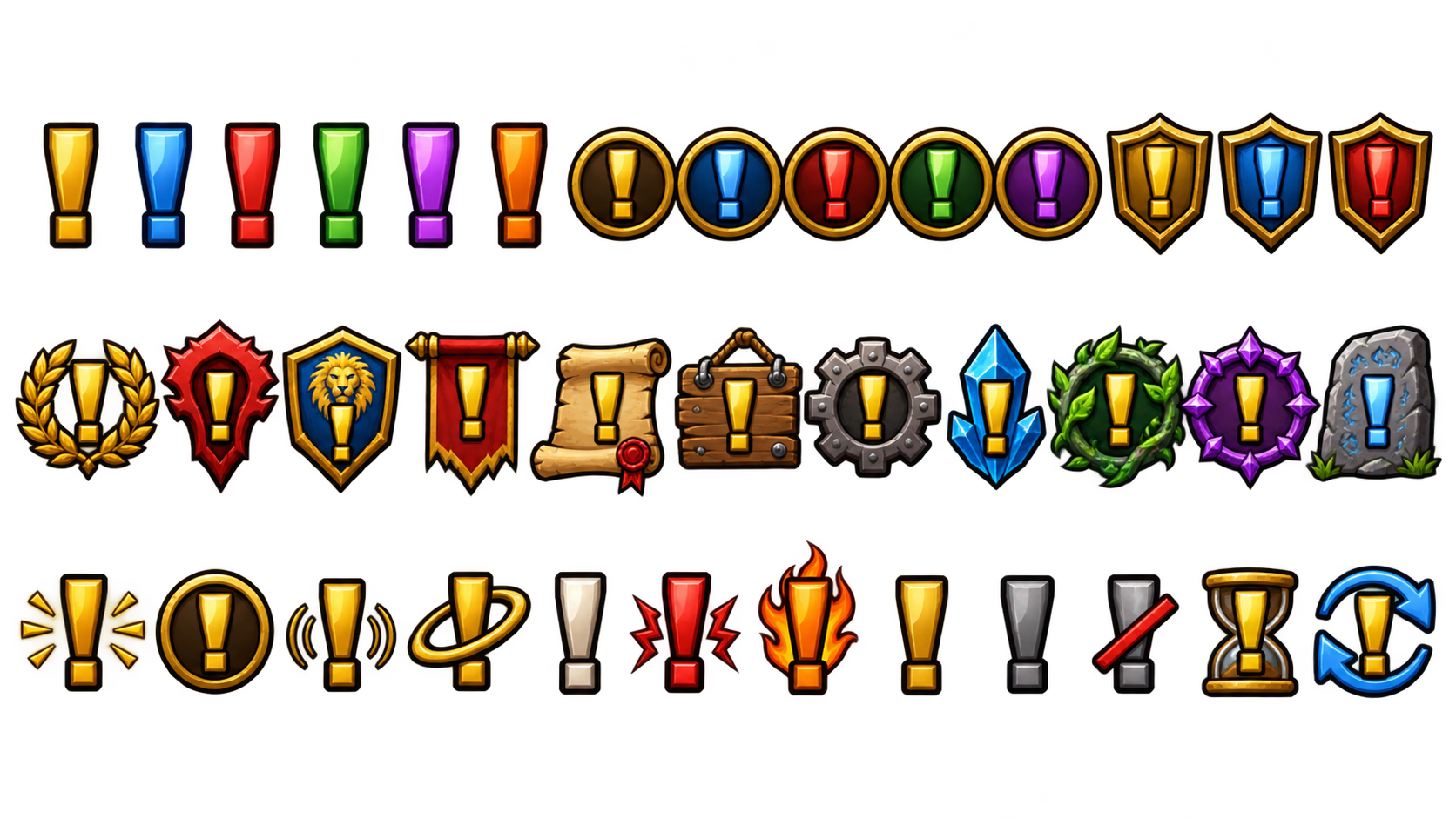 |
| 31 | + |
| 32 | +### How to use |
| 33 | + |
| 34 | +1. Turn on enemy nameplates (default key **V**). |
| 35 | +2. Follow the setup guide, or open the options any time with **/cqi** or the minimap button. |
| 36 | + |
| 37 | +| Command | What it does | |
| 38 | +|---|---| |
| 39 | +| `/cqi` | Opens the options | |
| 40 | +| `/cqi toggle` | Turns the addon on or off | |
| 41 | +| `/cqi setup` | Opens the setup guide again | |
| 42 | +| `/cqi news` | Shows what's new in this version | |
| 43 | + |
| 44 | +### Notes |
| 45 | + |
| 46 | +- Made for **WoW Forever**. |
| 47 | +- Quest items use the game's interact soft target, so the nearest item in front of you shows the icon. |
| 48 | +- Works alongside ForeverLootSparkles. |
| 49 | + |
| 50 | +Found a bug or have an idea? Leave a comment or open an issue on [GitHub](https://github.com/cscoder69/CSCoder_QuestIndicator/issues). |


0 commit comments