Original integration by @mla157: https://github.com/mla157/hacs-obienergytracker-integration
This fork focuses on:
- improved robustness
- Home Assistant statistics compatibility
- hourly handling improvements
- long-term stability# "OBI Energy Tracker" - HACS Integration This integration allows you to monitor your OBI Energy Tracker device directly within Home Assistant. The OBI Energy Tracker is a cost-effective solution for reading smart energy meters, typically accessed via the heyOBI smartphone application.e.
Add this repository, via custom repository: https://www.hacs.xyz/docs/faq/custom_repositories/
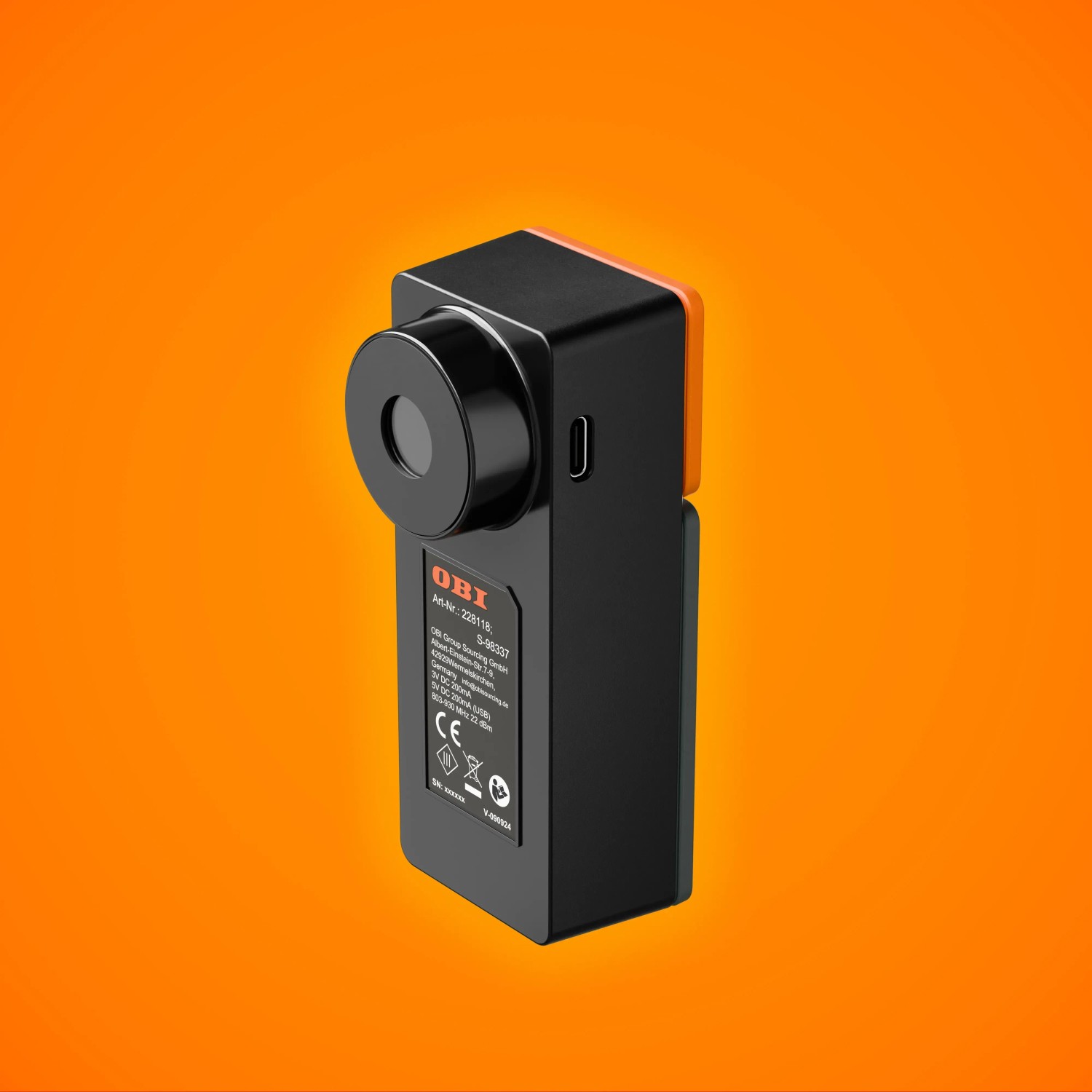
The "OBI Energy Tracker" is a low cost device to read out smart energy meters. In default you can access the data in the "heyOBI" application on our smartphone. I extracted the API Calls from the backend of the application, and created this "Home Assistant" Integration.
Besides the five-minute polling, the integration holds open the same websocket the heyOBI app uses and publishes what the reader pushes:
| Entity | |
|---|---|
sensor.*_live_power |
instantaneous draw in W |
sensor.*_reader_battery |
reader battery level |
sensor.*_reader_signal_strength |
radio signal in dBm |
sensor.*_last_live_message |
when the last frame arrived |
switch.*_live_mode |
two-second reporting, off by default |
The socket is worth holding open on its own: readings arrive as they happen rather than waiting for the next poll. The switch additionally asks the reader to report every two seconds instead of every five minutes — that is what the app does while its live view is open, and it costs battery on the reader, so it stays opt-in and is reset when the integration unloads.
The live sensors go unavailable after 90 seconds of silence rather than holding
a stale number on screen. last_live_message deliberately stays available, since
its whole purpose is to show how long the silence has lasted.
The live protocol is undocumented. Frames are parsed tolerantly — the payload is searched for
power,rssiandbatterywherever they sit — so a change in nesting degrades to missing values rather than a crash.
If live_power stays unavailable while battery and signal strength report
normally, the meter is withholding the value rather than the integration losing
it. A frame then looks like this:
{"event":"mqttMessage","data":{"rssi":-106,"power":null,"battery":82}}Modern German meters only publish the cumulative register until the PIN for the extended display is entered at the meter itself. Instantaneous power stays locked, so the reader has nothing to forward. Battery and signal strength come from the reader rather than the meter, which is why they keep working — and the meter reading and gap recovery are unaffected, since they only need the cumulative register.
Until the PIN is entered, live mode costs reader battery without gaining
anything: the faster upload interval carries the same null.
A Home Assistant sensor can only publish its current value, so any period the integration could not reach the API — an outage, a DNS/ad blocker, a restart — used to leave a permanent hole in the history: when polling resumed, only the newest reading was recorded.
The integration now replays missed readings into long-term statistics under
obi_energy_tracker:meter_reading. On every refresh it compares the last stored
hour against the meter endpoint and imports whatever is missing, reaching back
up to 30 days. The endpoint samples every five minutes and appears to cap a
response at 48 records, so gaps are fetched in 3-hour chunks, at most 32 per
refresh; a multi-week gap therefore closes over several refreshes rather than
all at once.
To use it in the Energy dashboard, pick OBI Energy Tracker Meter Reading
under Settings → Dashboards → Energy → Grid consumption. The existing
sensor.obi_energytracker_meter_reading entity keeps working unchanged.
Only what the OBI backend actually stored can be recovered. If the tracker itself was offline during the outage, those hours were never uploaded and stay empty — enable debug logging and look for
Meter chunk ... returned 0 recordsto tell the two cases apart.
The API reports the meter reading as whole watt-hours ("value": 17320752),
which Home Assistant converts to 17320.752 kWh for display. Both the sensor
and the imported statistics are therefore declared in Wh (METER_UNIT in
const.py) and carry the raw value.
During setup, you'll need:
- Email: Your "OBI" account email address
- Password: Your "OBI" account password
- Country: Country code (default## API Details & Credits
Disclaimer: This integration is not affiliated with or endorsed by OBI. Use at your own risk.