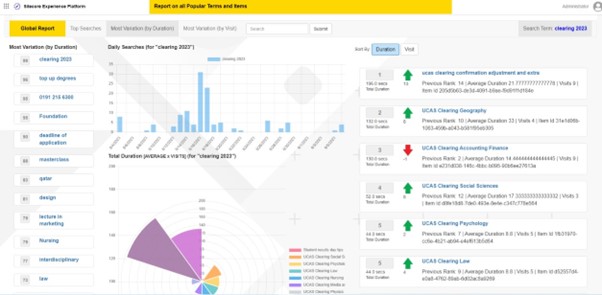
Some of the key benefits of this module are as follows:
- Access statistics for searchs globally or specific to an Item
- Track which items rank for which search terms over time
- See the frequency of searchs over time
- Track click throughs and see which terms lead to the highest engagement
- Compare actual search rankings to rankings based on engagement
- Access the data to create autocomplete and engagement enhanced search listings
Detailed information about the module DeanOBrien: Search Analytics Module for Sitecore
Installation Instructions
- Download zip file and unpack
- Install new SearchAnalytics database using DACPAC
- Install Sitecore package
- Update your code to register searches and rank order
- Update the config file
- Go to Dashboard => Search Report
Detailed install guide can be found here: DeanOBrien: How to install the Search Analytics Module for Sitecore.
If you try this module and find it helpful or have any issues - it would be nice to know via LinkedIn or Slack!