| Project Readme | Bifröst Reach Node v1 Engineering Design | Software Readme | Glossary | Software Roadmap | Engineering Doctrine | Notice | License | Apache-2.0 License | CERN Open Hardware License V2-S | Legal Notice | Third Party Notices | Technical Manual to Volmarr for AI | Heathen Third Path and Cyber-Viking Ethos | Guide to Volmarr's Writings and Philosophy |
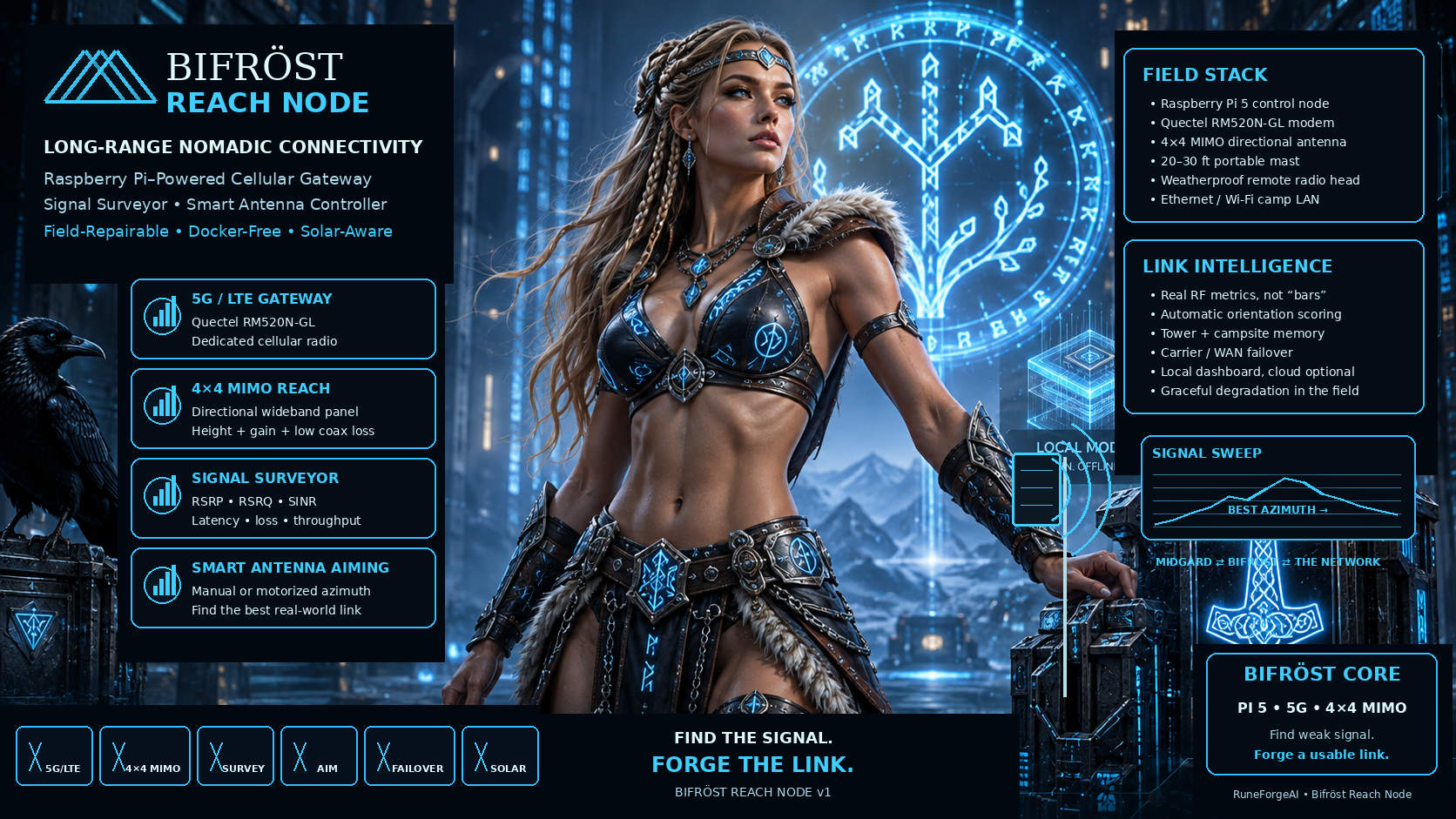
A Raspberry Pi–Powered Long-Range Cellular Gateway, Signal Surveyor, Smart Antenna Controller, and Nomadic Connectivity Platform
Document type: Engineering architecture / build specification
Version: 1.0
Date: 2026-09-01
Primary platform: Raspberry Pi 5
Secondary control options: Raspberry Pi Zero 2 W / RP2040-class microcontroller
Primary modem target: Quectel RM520N-GL 5G/LTE M.2 module
Primary antenna target: 4×4 MIMO directional wideband cellular panel, exemplified by Poynting XPOL-24
Operating philosophy: legal, carrier-safe, field-repairable, modular, Docker-free, power-aware, and optimized for weak-signal nomadic use
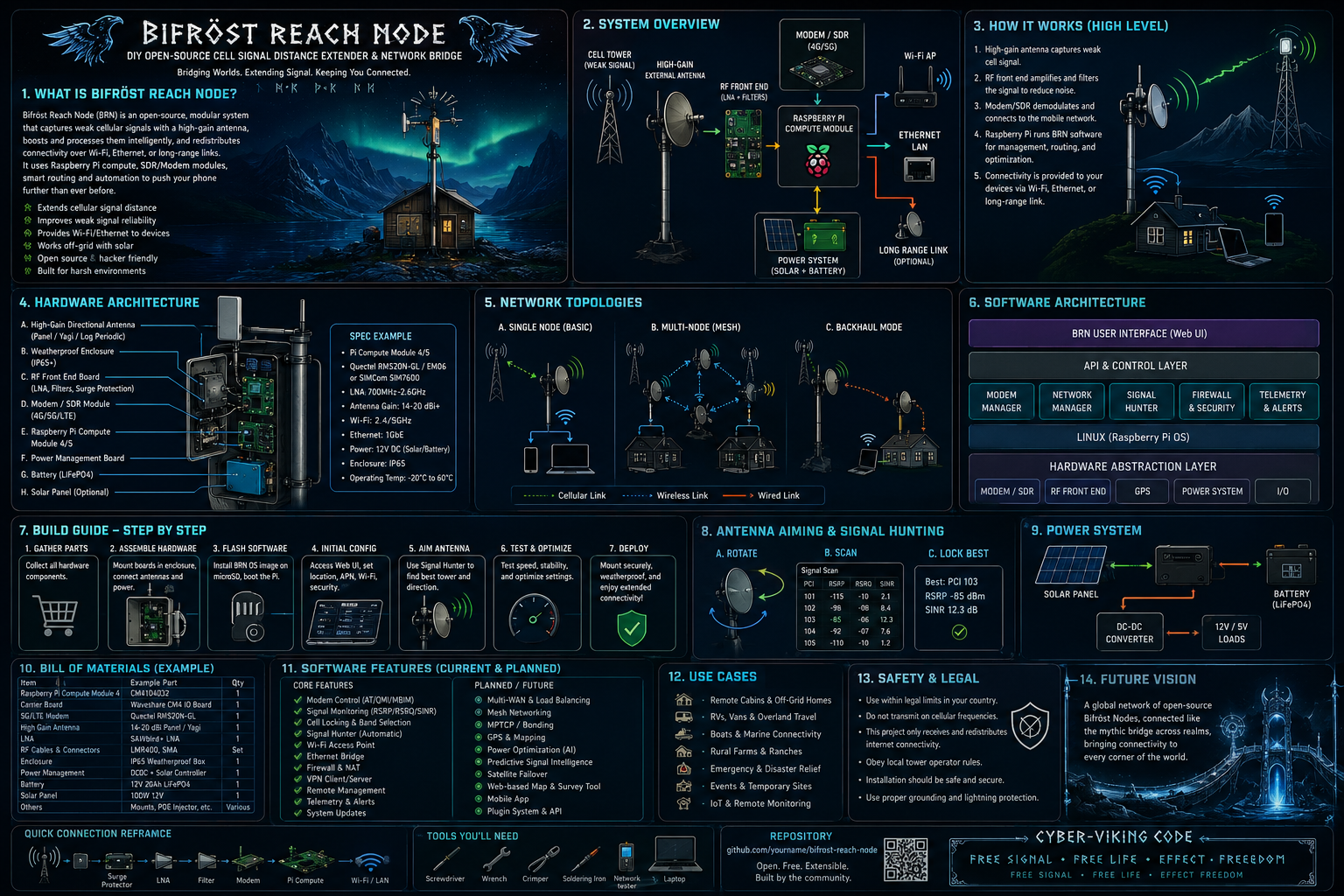
- Executive Summary
- What the Bifröst Reach Node Is
- Design Goals
- Non-Goals and Legal Boundaries
- Why This Can Beat a Phone in Weak-Signal Country
- RF Fundamentals That Matter in the Field
- Core System Architecture
- The Critical Design Decision: Keep RF Cables Short
- Build Tiers
- Recommended v1 Hardware Architecture
- Raspberry Pi 5 Subsystem
- 5G/LTE Modem Subsystem
- Antenna Subsystem
- Mast and Mechanical System
- Motorized Antenna Rotator
- Power System
- Weatherproof Remote Radio Head
- Vehicle and Camp Deployment
- Network Architecture
- Operating System Choices
- Software Architecture
- Signal Survey Engine
- Automatic Antenna Aiming
- Connection Scoring Algorithm
- Tower and Campsite Memory
- Band and Network Strategy
- Multi-WAN, Failover, and Multiple Carriers
- Phone Integration
- Optional Certified Cellular Booster Co-Pilot
- Security Architecture
- Thermal Design
- Power Budget and Runtime Estimates
- Solar Operation
- Bill of Materials
- Cost Estimates by Build Tier
- Wiring Diagrams
- Connector and Cable Plan
- Software Directory Layout
- Database Schema
- Configuration File Example
- Service Architecture
- Installation Outline: Raspberry Pi OS Lite
- Installation Outline: OpenWrt
- Signal Measurement Commands
- Survey and Aiming Pseudocode
- Field Operating Procedure
- Fast Deployment Procedure
- Storm, Wind, and Lightning Procedure
- Troubleshooting
- Failure Modes and Graceful Degradation
- Testing Plan
- Performance Expectations
- Future Upgrades
- Bifröst Reach Node v2 Possibilities
- Recommended Build Sequence
- Final Recommended Configuration
- Reference Sources
The Bifröst Reach Node is a portable, Raspberry Pi–controlled communications system designed to extract the best possible usable Internet connection from weak terrestrial cellular coverage without attempting to build an illegal homebrew cellular repeater.
The core concept is simple:
Do not try to make a phone into a better radio. Put a better radio and a better antenna where radio conditions are best, then bring the resulting Internet connection back to the phone over Wi-Fi or Ethernet.
A normal smartphone is constrained by pocket-sized antennas, body absorption, vehicle shielding, battery limits, thermal limits, and the need to support many bands without external antenna connectors. The Bifröst system replaces those compromises with:
- a dedicated 4G/5G modem;
- four external cellular antenna paths for 4×4 MIMO where supported;
- a physically large directional antenna;
- antenna placement several meters above the ground;
- a weatherproof remote radio head that keeps RF cable runs short;
- Raspberry Pi software that continuously measures real radio quality;
- optional automatic antenna rotation;
- actual throughput and latency testing rather than trusting “bars”;
- campsite and tower memory;
- optional multi-carrier failover;
- Wi-Fi distribution to phones, laptops, VR systems, other Raspberry Pis, and local servers;
- optional integration with a certified consumer cellular booster when direct phone service is desired.
The result is not magic and cannot create RF energy where absolutely no tower signal reaches the site. What it can do is exploit the large gray zone between “good phone service” and “true radio dead zone.” In that gray zone, antenna gain, height, orientation, polarization, lower cable loss, better modem diagnostics, and intelligent network selection can be decisive.
The recommended v1 configuration is:
- Raspberry Pi 5 as router, controller, survey engine, database, web dashboard, and optional VPN endpoint.
- Waveshare PCIe-to-5G HAT+ or equivalent M.2 carrier.
- Quectel RM520N-GL 5G/LTE modem.
- 4×4 MIMO directional wideband antenna, ideally a model with approximately 617–4200 MHz coverage.
- 20–30 ft portable fiberglass mast for stationary camp use.
- Weatherproof remote radio head positioned close to the antenna so cellular coax runs are short.
- 12 V or higher-voltage DC distribution up the mast, converted locally to clean 5 V power for the Pi/HAT.
- Ethernet downlink from the remote head to the camp/vehicle LAN when practical.
- Optional motorized azimuth rotator with hard rotation limits, home sensor, and absolute or incremental position feedback.
- Custom
bifrost-reachsoftware for signal surveying, scoring, logging, aiming, failover, and dashboard control.
A practical complete manual-aiming system is expected to land around $700–$1,100 if buying all major parts new. A more elaborate motorized expedition build can plausibly reach $900–$1,500+, depending heavily on antenna, mast, enclosure, cable, and mechanical choices. A certified in-vehicle booster is a separate optional subsystem and currently adds roughly $500 for top-tier consumer vehicle products.

Bifröst is best understood as five systems living in one box:
-
Cellular gateway
It converts LTE/5G service into ordinary routed IP networking. -
RF survey instrument
It reads real cellular metrics such as RSRP, RSRQ, SNR/SINR, technology, band, serving cell information, and registration state. -
Smart directional antenna controller
It can guide a human or a motorized mount toward the best azimuth. -
Nomadic router
It distributes the connection to camp devices and can fail over between cellular, phone tethering, campground Wi-Fi, Ethernet, or a future satellite source. -
Memory system
It remembers which directions, bands, networks, and settings worked at a given campsite.
The system is deliberately not dependent on cloud infrastructure. If the Internet is terrible, the Bifröst management interface must still work locally.
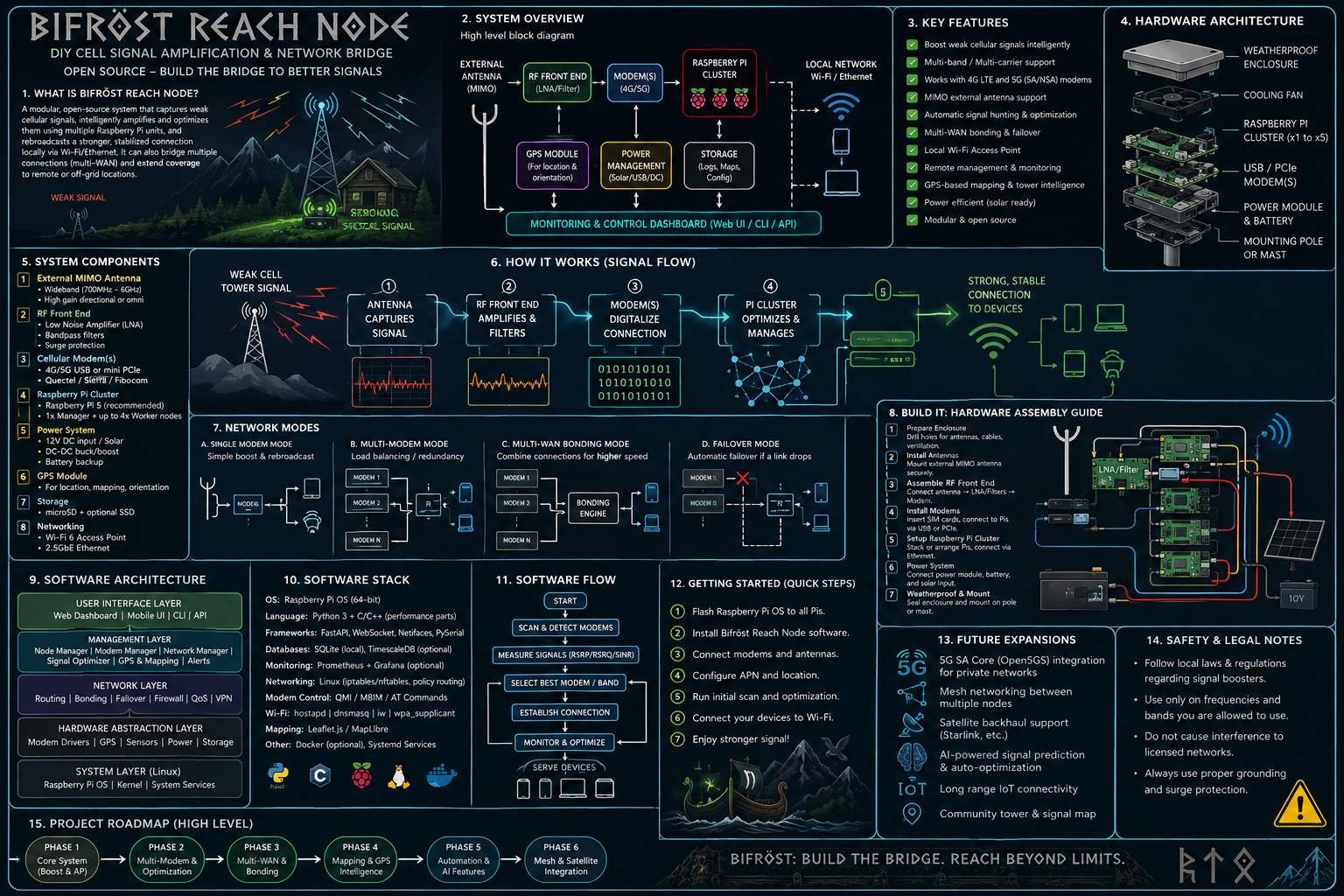
- Maximize usable LTE/5G connectivity in marginal rural locations.
- Favor reliability over headline speed when the two conflict.
- Support long stationary camping deployments and quick temporary stops.
- Remain portable enough for car-based nomadic use.
- Be field-serviceable with common tools.
- Avoid Docker entirely.
- Function from DC battery systems and solar power.
- Expose enough radio telemetry for meaningful engineering decisions.
- Keep a local history of successful configurations.
- Support manual operation when automation fails.
- Remain legal and network-safe.
- Support more than one carrier.
- Support Wi-Fi WAN as a fallback.
- Support USB phone tethering.
- Support Tailscale or another VPN overlay.
- Offer a local dashboard usable from a phone browser.
- Make future integration with Project Aesir or another local AI stack straightforward.
- Allow a future AI agent to recommend changes without giving it raw unsafe RF control.
Bifröst follows four principles:
No algorithm can compensate for 10 dB of unnecessary coax loss. Antenna placement and cable architecture come first.
“Five bars” is not an engineering metric. Bifröst cares about signal strength, signal quality, interference, latency, packet loss, throughput, technology, and stability over time.
If the antenna motor dies, aim manually. If the Pi dashboard dies, basic routing should remain recoverable. If 5G is unstable, fall back to LTE. If carrier A vanishes, try carrier B.
The Pi controls networking and measurement. It does not become an unauthorized cellular RF power amplifier.
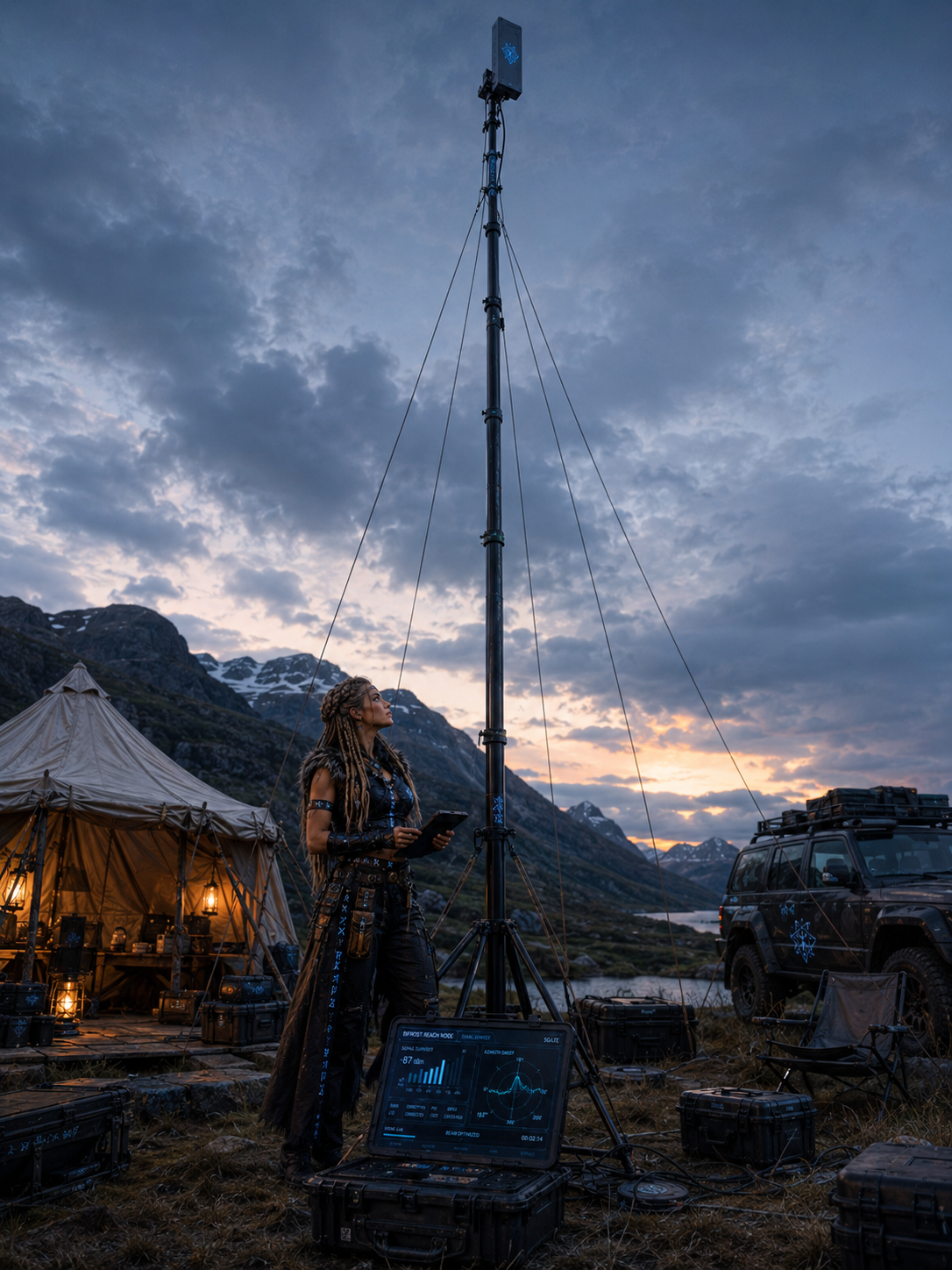
A cellular repeater or signal booster transmits into licensed cellular spectrum. In the United States, consumer signal boosters are governed by FCC rules and a Network Protection Standard. Consumer devices must be certified, used with approved antennas/cables, and normally registered with the relevant wireless provider. Providers may require consent and can require a booster to be shut down if it causes interference.
Therefore:
- Do not insert a generic broadband RF power amplifier between the antenna and cellular modem.
- Do not build a homemade cellular repeater from SDRs and RF amplifiers for field operation.
- Do not modify a certified consumer booster beyond its approved antenna/cable system.
- Do not radiate arbitrary LTE/5G waveforms.
Bifröst instead uses a normal certified cellular modem as the endpoint on the cellular network.
The system does not impersonate a carrier tower, IMSI catcher, femtocell, or private LTE/5G base station on public carrier spectrum.
If the site is genuinely outside radio reach, only changing location, gaining elevation, using a different carrier, or switching to a non-terrestrial link such as satellite can solve the problem.
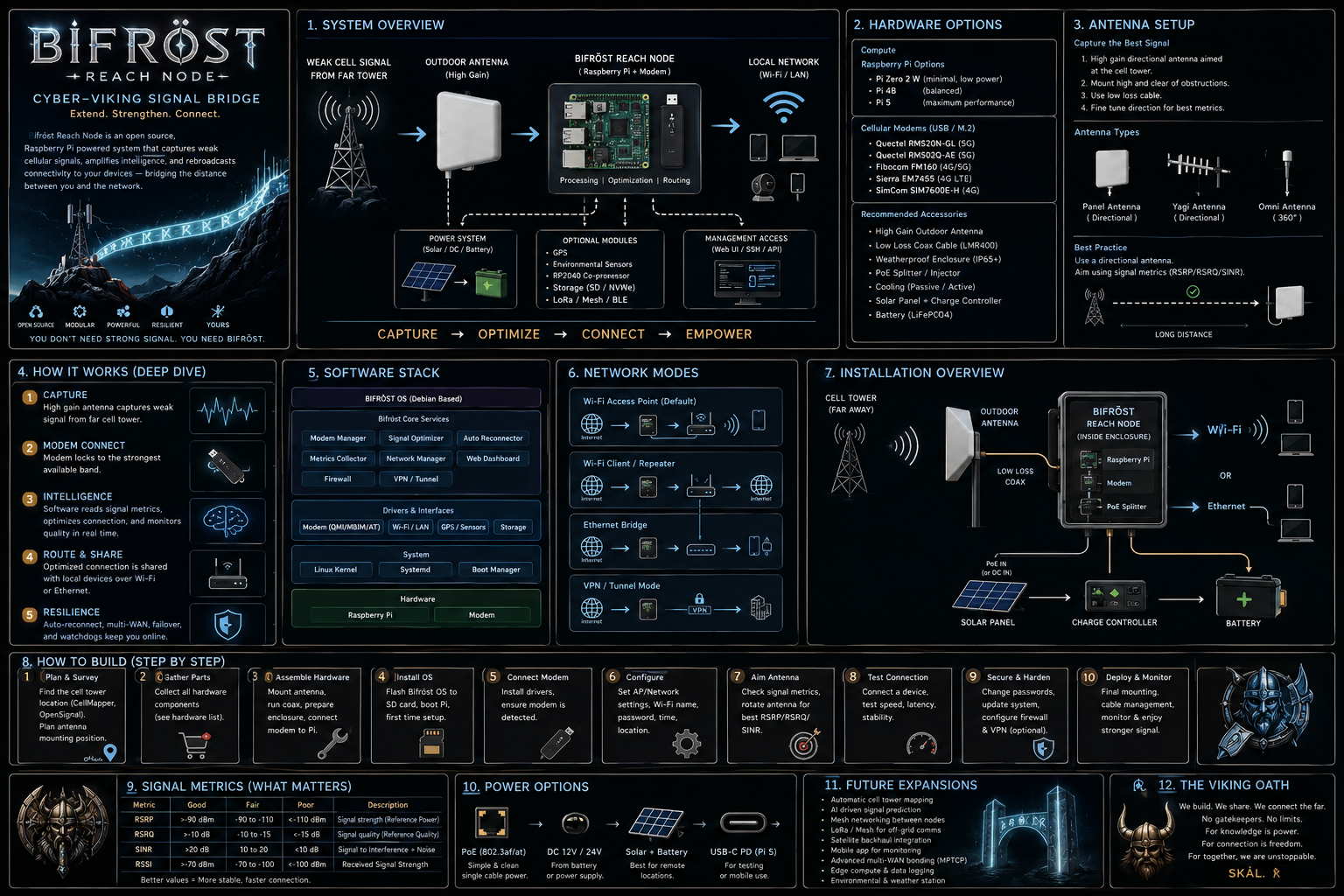
A smartphone is an astonishing radio, but it is a compromise machine.
A phone antenna must:
- fit inside a thin enclosure;
- work next to a human hand and head;
- share space with cameras, batteries, displays, speakers, NFC, Wi-Fi, Bluetooth, and other radios;
- operate over many cellular bands;
- survive arbitrary orientation;
- consume little battery;
- avoid excessive heat;
- remain aesthetically invisible.
Bifröst does not have those constraints.
A dedicated external panel antenna can have meaningful directional gain. A mast can raise it above the roof of a vehicle, brush, nearby people, and some local obstructions. A 4×4 MIMO modem can use separate receive paths. The radio can sit physically near the antenna rather than behind automotive steel and glass.
The largest improvements often come from four things:
- Height
- Directionality
- Low feed-line loss
- Better signal quality, not merely stronger signal
The fifth improvement is intelligence: Bifröst can test multiple orientations and prefer the one that actually delivers the best connection.
A 3 dB change is roughly a factor of two in power. A 10 dB change is a factor of ten in power.
That means an antenna system that gains several dB through better placement and lower loss can make a dramatic difference near the edge of coverage.
RSRP is Reference Signal Received Power. It is a useful measure of cellular reference-signal strength.
Illustrative interpretation only:
| RSRP | Rough field interpretation |
|---|---|
| better than -80 dBm | very strong |
| -80 to -90 dBm | strong/good |
| -90 to -100 dBm | usable to good |
| -100 to -110 dBm | weak |
| -110 to -120 dBm | very weak / edge conditions |
| below -120 dBm | often difficult, but not automatically impossible |
Exact usable thresholds vary by band, modem, network configuration, bandwidth, interference, and load.
RSRQ expresses quality relative to received signal and network loading/interference conditions. A strong RSRP with poor RSRQ can still produce miserable performance.
SINR is often the metric that explains why two directions with similar RSRP behave completely differently.
A directional antenna can improve SINR by favoring the serving cell while rejecting energy arriving from unwanted directions.
This is one reason Bifröst should not simply rotate until RSRP is maximum.
A tower can show excellent radio metrics and still be congested.
Therefore Bifröst scoring should include:
- RSRP;
- RSRQ;
- SINR/SNR;
- latency;
- packet loss;
- download throughput;
- upload throughput;
- short-term stability;
- connection technology;
- band;
- cell identity when available.
Lower-frequency cellular bands generally propagate farther and penetrate obstacles better. Mid-band 5G often has much greater capacity but may require a cleaner path.
A rural connection strategy may therefore intentionally prefer a slower low-band LTE or 5G connection because it remains stable through weather, foliage, and small antenna movement.
Radio line of sight is not merely a laser-thin visual line. Nearby terrain, trees, ridges, and structures can intrude into the Fresnel zone and degrade a link even when the tower is technically visible.
Height can help enormously because moving an antenna several meters upward may clear a local obstruction or reduce ground interactions.
Wet foliage is especially unfriendly to higher cellular frequencies. A beautiful n77 5G link in winter may degrade when foliage is dense and wet.
That argues for:
- broad-band antenna support;
- LTE fallback;
- campsite memory that stores seasonal observations;
- a mast rather than a low vehicle-roof antenna for stationary use.
4×4 MIMO improves capacity and resilience when the network, band, channel conditions, and modem support it. It does not produce a fourfold range multiplier.
The real reasons to preserve four antenna paths are:
- spatial diversity;
- polarization diversity;
- higher-rank MIMO where available;
- better handling of multipath;
- improved modem flexibility across bands.
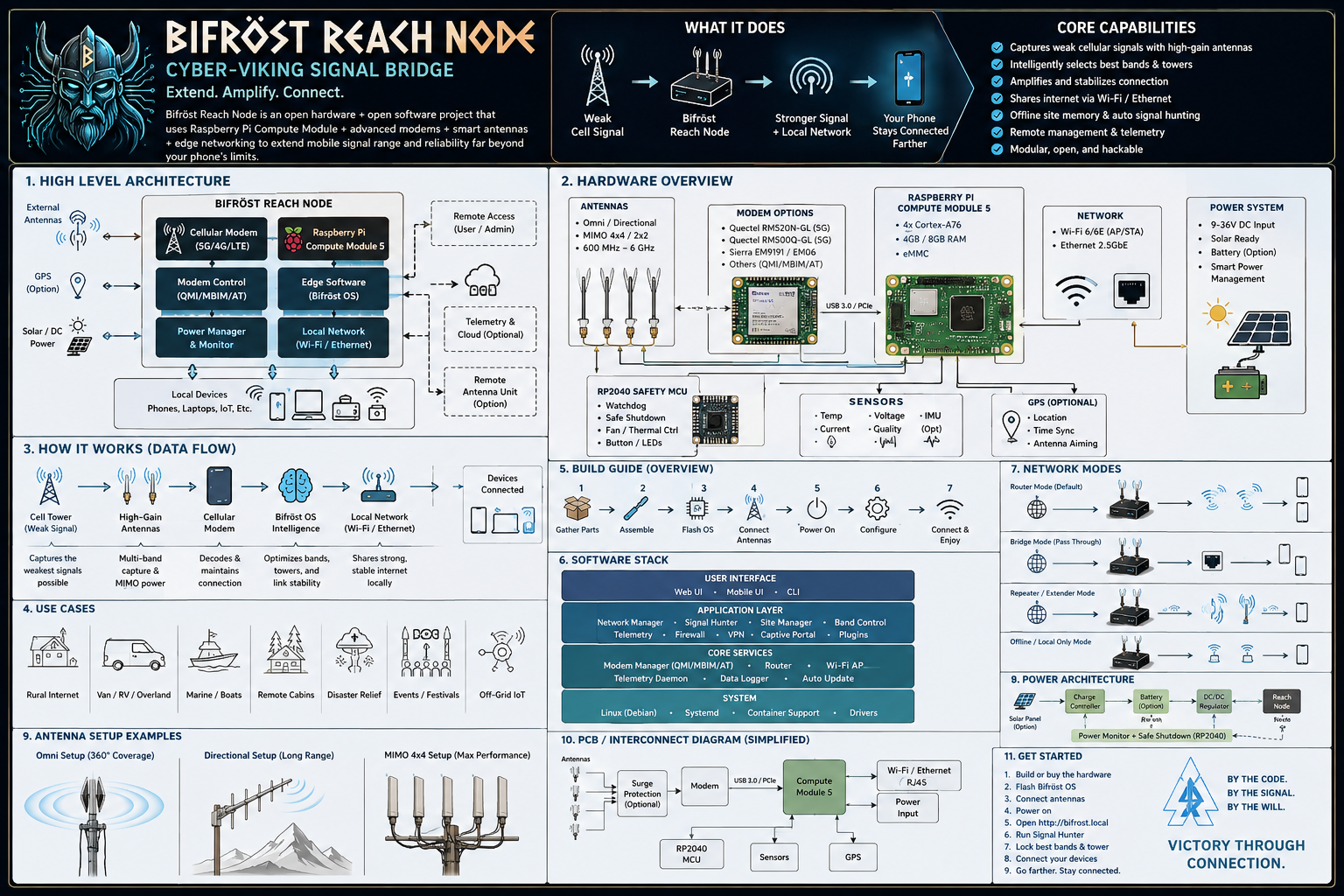
                           DISTANT CELL SITE
                                  │
                         LTE / 5G radio link
                                  │
                                  ▼
                  ┌────────────────────────────┐
                  │  4×4 MIMO directional     │
                  │  wideband cellular panel  │
                  └──────┬────┬────┬────┬─────┘
                         │    │    │    │
                         │ short low-loss RF paths
                         │    │    │    │
                  ┌──────▼────▼────▼────▼─────┐
                  │  Weatherproof Remote       │
                  │  Radio Head                │
                  │                            │
                  │  RM520N-GL 5G/LTE modem   │
                  │  M.2 carrier / HAT        │
                  │  Raspberry Pi 5           │
                  │  local power conversion   │
                  │  Ethernet                 │
                  └─────────────┬──────────────┘
                                │
                       Ethernet + DC power
                          down the mast
                                │
                                ▼
                       ┌─────────────────┐
                       │ Camp LAN / AP   │
                       │ Wi-Fi + wired   │
                       └───────┬─────────┘
                               │
             ┌─────────────────┼───────────────────┐
             │                 │                   │
           Phone             Laptop              Pi / VR
A simpler variant leaves the Pi in the vehicle and uses USB from the modem enclosure, but the recommended serious weak-signal architecture keeps the RF paths short.
This is one of the most important conclusions in the entire project.
A high-gain antenna mounted 25 feet above camp can be partially defeated if the signal then travels through 25 or 30 feet of mediocre coax before reaching the modem.
Loss increases with frequency. The exact number depends on cable type and length, but the general rule is merciless:
At cellular mid-band frequencies, long thin coax is expensive in dB.
Quectel's RM520N-GL hardware guidance itself recommends controlling insertion loss, with stricter targets at low, mid, and high bands.
Place the modem close to the antenna.
Instead of:
ANTENNA
   │
   │ 25 ft cellular coax × 4
   │
MODEM IN CAR
use:
ANTENNA
   │
   │ 1–5 ft low-loss RF × 4
   │
MODEM + PI REMOTE HEAD
   │
   │ 25 ft Ethernet / DC
   │
CAR / CAMP NETWORK
Ethernet does not care about a few dozen feet in the way a 3.5 GHz RF signal does.
That is possible and may ultimately be ideal, but it complicates USB or PCIe transport. The clean v1 engineering solution is to put the modem carrier and Pi in the same protected remote head and run Ethernet downward.
For a remote radio head, a no-cable or short-cable antenna variant can be attractive because it allows the installer to choose short, high-quality feed lines rather than accepting a long factory cable that is unnecessary in this architecture.
Purpose: Learn signal behavior before buying expensive RF hardware.
Hardware:
- Raspberry Pi already available;
- phone USB tethering or Wi-Fi hotspot;
- optional USB GPS.
Capabilities:
- campsite database;
- speed/latency logging;
- mapping;
- Wi-Fi distribution;
- no direct modem RF diagnostics beyond what the phone exposes.
Approximate added cost: $0–$80.
Hardware:
- Pi 5;
- RM520N-GL;
- compatible M.2 carrier/HAT;
- four small supplied antennas or compact omni antenna;
- indoor/vehicle enclosure.
Capabilities:
- proper cellular diagnostics;
- 4G/5G routing;
- hotspot replacement;
- no tall mast required.
Approximate total hardware cost if starting from nothing: $400–$600.
Adds:
- 4×4 MIMO directional panel;
- fiberglass mast;
- remote radio head;
- low-loss short coax;
- weatherproof enclosure;
- compass/aiming marks;
- guy lines and mast base.
Approximate total: $700–$1,100.
This is the recommended first serious build.
Adds:
- geared azimuth rotator;
- encoder;
- home/limit sensors;
- motor controller;
- automated sweep and scoring;
- stronger mechanical mounting;
- more robust power conditioning.
Approximate total: $900–$1,500+.
Adds:
- second modem or second WAN device;
- second SIM/carrier;
- mwan3 or custom policy routing;
- automated failover.
Approximate additional cost: $250–$450+ plus service plan.
Adds a completely separate FCC-certified consumer booster for ordinary direct phone cellular service.
Current top-tier vehicle booster systems are around $500 before optional premium antennas or mounting hardware.
The v1 design should optimize for reliability and learning rather than immediately motorizing everything.
- Raspberry Pi 5, 4 GB or greater.
- Raspberry Pi active cooler or equivalent reliable cooling.
- High-endurance microSD or SSD boot storage.
- Waveshare PCIe to 5G HAT+ or equivalent carrier.
- Quectel RM520N-GL.
- Nano-SIM data plan compatible with the selected carrier.
- 4×4 MIMO directional cellular antenna.
- Short low-loss RF jumpers.
- Weather-resistant polycarbonate remote-head enclosure.
- Cable glands.
- Hydrophobic/ePTFE pressure equalization vent.
- Desiccant as secondary moisture control.
- Wide-input DC-to-5.1 V regulator sized for Pi + modem transient load.
- Inline fuse near the battery/power source.
- Ethernet from remote head to local network.
- 20–30 ft telescoping fiberglass mast.
- Guy lines and nonconductive line where practical.
- Ground-level tripod, drive-over mast base, or other stable mounting system.
- Manual azimuth scale for v1.
- Optional small travel router or dedicated Wi-Fi access point at ground level.
The Pi 5 is far more compute than simple routing requires, but Bifröst uses the headroom for:
- database logging;
- live dashboard;
- speed tests;
- multiple WAN health checks;
- VPN;
- local DNS filtering;
- telemetry;
- future machine-learning signal prediction;
- future local AI integration;
- storage of historical campsite behavior.
The official Raspberry Pi 5 brief lists a 2.4 GHz quad-core Cortex-A76 CPU, dual-band 802.11ac Wi-Fi, Gigabit Ethernet, two 5 Gbps USB 3 ports, two USB 2 ports, and a PCIe 2.0 ×1 interface.
Bifröst itself does not need 16 GB of RAM. Even 4 GB is comfortable for router, database, dashboard, and telemetry work.
Extra RAM becomes useful if the same Pi later runs:
- local AI services;
- vector search;
- larger map caches;
- local speech services;
- additional containers, although this design intentionally does not use Docker;
- heavier monitoring software.
Recommended:
- 32–128 GB high-endurance microSD for a pure router appliance; or
- USB/PCIe SSD if the HAT layout permits and more logging is planned.
Because the 5G HAT may consume the Pi's exposed PCIe interface, a USB SSD is often mechanically simpler.
Use active cooling in the remote head.
The enclosure may be in direct sun while the modem and Pi are both active. A normal indoor ambient-temperature assumption is not good enough.
Minimum recommendation:
- Pi active cooler;
- modem thermal pad/heatsink as recommended by the carrier design;
- enclosure shade when possible;
- temperature sensors logged by software;
- automatic thermal warning;
- optional fan control.
Raspberry Pi recommends a 5 V/5 A supply for Pi 5. A 3 A supply can impose peripheral current limits. The remote-head power system should therefore be engineered for the full 5 V/5 A class even if normal consumption is lower.
The RM520N-GL is attractive because it supports:
- 5G NR SA;
- 5G NR NSA;
- LTE FDD and TDD;
- broad global band coverage;
- Linux support;
- USB and PCIe host interfaces;
- MBIM/QMI/QRTR/AT connectivity modes;
- integrated multi-constellation GNSS capabilities;
- four cellular antenna interfaces;
- 4×4 downlink MIMO on many LTE and 5G bands.
Quectel lists LTE support including common US rural bands such as B12, B13, B14, B66, and B71, and 5G support including n5, n12, n13, n14, n25, n41, n66, n71, n77, and many others.
The RM520N-GL supports 4×4 downlink MIMO on many, but not every, band. This is normal. Four antenna ports remain useful because the modem dynamically uses the appropriate RF paths according to band and technology.
The module hardware documentation states that USB mode supports MBIM, QMI, QRTR, and AT control. PCIe mode is also supported, and the Waveshare Pi 5 HAT+ specifically advertises PCIe MHI support with Raspberry Pi OS and OpenWrt.
Use the interface mode that is best-supported by the exact HAT, kernel, and firmware combination you buy.
Do not make PCIe an ideological requirement. USB 3 can already move far more data than many rural cellular links will deliver.
Reliability is more important than winning a synthetic interface benchmark.
Quectel's hardware design guide gives useful reference currents at 3.7 V. Examples include roughly:
- about 69 mA in a referenced USB 3.1 active idle condition;
- about 520 mA for one LTE low-band transmit example;
- about 1.08 A for one LTE mid-band transmit example;
- about 1.51 A for a referenced LTE carrier-aggregation case;
- roughly 0.46–0.97 A for several referenced 5G SA transmit cases;
- about 1.17 A for one LTE+5G EN-DC example.
These are not a complete worst-case power specification. The carrier board and regulator must be designed for transient headroom.
Before buying a data plan:
- confirm the modem IMEI is accepted by the carrier;
- confirm the plan permits router/hotspot use;
- confirm the APN requirements;
- confirm whether the plan is deprioritized after a threshold;
- confirm whether video or VPN traffic is shaped;
- confirm whether IPv6 is provided;
- confirm whether CGNAT is used;
- confirm whether inbound ports are blocked.
Bifröst should not assume a public IPv4 address.
A wideband, directional, cross-polarized 4×4 MIMO panel is the ideal stationary weak-signal antenna.
The Poynting XPOL-24 is a strong reference design because the manufacturer specifies:
- 617–960 MHz and 1710–4200 MHz coverage;
- up to 11 dBi gain;
- 4×4 MIMO;
- four cross-polarized elements;
- directional pattern;
- IP65 environmental rating.
Current US retail listings found during preparation of this document were roughly $365–$440 depending on seller and cable variant.
An omni antenna is excellent while driving because the tower direction constantly changes.
At a stationary camp, a directional panel offers two advantages:
- useful forward gain;
- rejection of interference from directions you do not care about.
The second benefit can matter as much as the first.
- Must be aimed.
- Can accidentally select the wrong tower if aimed only by signal strength.
- More wind load than a small omni.
- May require readjustment if the modem changes bands or serving cells.
- A 4×4 panel has four cable paths, increasing cost and mechanical complexity.
If the radio head will sit immediately behind or below the antenna, prefer the configuration that allows the shortest practical feed line.
Antenna gain is specified before cable loss unless otherwise stated. Always account for the actual cable path.
Use permanent labels:
- CELL-A
- CELL-B
- CELL-C
- CELL-D
Then map them to modem ANT0–ANT3 according to the modem/carrier-board instructions.
Do not casually swap paths after a working configuration is established. Consistent labeling makes debugging possible.
For a portable vehicle/camp system, a 20–30 ft telescoping fiberglass mast is a useful target.
It is high enough to get meaningfully above many local obstructions but still manageable by one person with proper technique and guying.
Advantages:
- lighter than many metal masts;
- nonconductive mast body;
- portable;
- common in temporary radio deployments.
This does not make the entire installation electrically safe. The antenna, cables, hardware, moisture, and nearby power lines remain hazards.
A plate sits under a vehicle tire and holds the mast socket.
Advantages:
- excellent for car camping;
- no ground stakes required for basic base stability;
- fast deployment.
Disadvantage:
- still guy the mast when wind or antenna area warrants it.
Good for primitive camps where the car cannot be positioned beside the antenna.
Possible, but avoid damaging bark and do not rely on a living tree as the only safety structure.
Use three guy directions separated by roughly 120° when terrain permits.
Use bright flags or reflective markers on lines. Invisible guy lines are ankle traps with ambitions.
A large directional panel has much more wind loading than a whip antenna.
Bifröst software should allow the user to record a maximum deployed wind threshold and remind the operator to lower the mast when conditions exceed it.
The correct threshold must come from the weakest component in the real mechanical assembly, not from the antenna's laboratory wind rating alone.
Motorization is a v1.5 or v2 feature. Build manual first.
The rotator should:
- rotate at least 300–350°;
- know its current azimuth;
- have a repeatable home position;
- stop before cables twist dangerously;
- hold position without continuous high power;
- survive outdoor humidity;
- move slowly enough that the mast is not violently shocked;
- allow manual override.
Use a worm-geared 12 V DC motor or slow geared stepper driving a belt or ring gear at the mast head or lower rotating section.
Why worm gear?
- high reduction;
- good holding behavior;
- resistance to wind back-driving;
- modest control requirements.
Preferred hierarchy:
- absolute rotary encoder;
- incremental encoder + hard home switch;
- step counting only as a last resort.
Step counting without a physical reference eventually drifts.
Do not casually use an unlimited-rotation scheme.
Four cellular RF lines, power, and Ethernet make a proper multi-channel rotary interface complicated and expensive.
Instead:
- restrict travel to about 350°;
- establish a home azimuth;
- refuse commands that would cross the cable-wrap boundary;
- automatically “unwind” before a new survey if necessary.
A Raspberry Pi should not directly drive a motor.
Recommended:
Pi 5
 │ USB/UART
 ▼
RP2040 / Pi Pico / small controller
 │
 ├─ motor driver
 ├─ home switch
 ├─ CW limit
 ├─ CCW limit
 └─ encoder
The microcontroller enforces hard safety limits even if Linux freezes.
Do not trust a cheap compass module mounted beside a motor, steel bracket, or power wiring.
Use the encoder for relative heading and manually calibrate zero/north during setup. A magnetometer can be added later on a physically separated boom if testing proves it reliable.
Recommended stationary camp architecture:
12 V / power-station DC output
        │
        ├─ inline fuse
        │
        ├─ optional low-voltage disconnect
        │
        └──────── DC cable up mast ────────┐
                                           │
                                  Remote Radio Head
                                           │
                                  wide-input buck
                                      5.1 V / 5 A+
                                           │
                                  Pi 5 + modem HAT
For the same power, higher voltage means lower current and therefore less voltage drop in the long cable.
Example:
20 W at 5 V requires 4 A.
20 W at 12 V requires about 1.67 A before conversion losses.
That makes 12 V distribution much friendlier to a 20–30 ft run.
A nominal 12 V automotive system is not a clean 12.000 V laboratory supply.
Use a regulator designed for automotive-like variation if powering from the car.
Fuse close to the battery or power source.
The fuse protects wiring, not the Pi.
Size the fuse according to:
- conductor gauge;
- maximum expected load;
- startup surges;
- regulator rating.
Use keyed, locking DC connectors for the remote head. Avoid fragile barrel connectors dangling outdoors.
Good field systems make it difficult to plug 12 V directly into a 5 V rail by accident.
Use a polycarbonate or similar outdoor enclosure with at least splash/rain protection appropriate for the intended deployment.
A practical target is an IP65-class enclosure, but the complete assembled box is only as weatherproof as its glands, seals, vents, holes, and workmanship.
Inside the box:
┌─────────────────────────────────────┐
│  RF bulkhead / short antenna leads  │
│  A   B   C   D                      │
│                                     │
│  ┌──────────────────────────────┐   │
│  │ RM520N + carrier/HAT         │   │
│  └──────────────────────────────┘   │
│               │                     │
│  ┌────────────▼─────────────────┐   │
│  │ Raspberry Pi 5 + cooler      │   │
│  └──────────────────────────────┘   │
│                                     │
│  DC buck     temp sensor    fan     │
│                                     │
│  Ethernet gland   DC gland          │
└─────────────────────────────────────┘
Sealing a box does not automatically eliminate moisture. Temperature cycling can cause condensation.
Use:
- quality gasket;
- downward-facing cable entries where possible;
- pressure equalization vent;
- small desiccant pack as a secondary measure;
- conformal coating only where appropriate and only if it does not interfere with connectors or heat transfer.
A sealed box in sun can become an oven.
Mitigations:
- light-colored enclosure;
- mount on the shaded side of the antenna when possible;
- small rain/sun shield with an air gap;
- internal temperature telemetry;
- thermal shutdown logic;
- avoid putting the box directly against a hot vehicle roof.
Do not drive with a 20–30 ft mast deployed.
For motion, use:
- phone direct cellular;
- compact roof/magnetic omni connected to the modem;
- certified vehicle booster if installed;
- Bifröst Pi running as an ordinary cellular router.
At camp:
- park safely;
- place mast away from overhead wires;
- erect mast at low height first;
- connect antenna and remote head;
- power system;
- verify basic registration;
- extend mast;
- run coarse survey;
- aim antenna;
- run fine survey;
- lock physical mount or engage motor hold;
- save campsite profile.
The mast is intentionally a stationary-camp tool, not a permanent external car modification. It can live inside the vehicle when moving, preserving a visually ordinary vehicle profile.
Recommended LAN structure:
                  Cellular WAN
                      │
                 RM520N-GL
                      │
                 Raspberry Pi 5
                      │
        ┌─────────────┼─────────────┐
        │             │             │
    Ethernet       Wi-Fi AP      Tailscale
        │             │             │
   local switch     phone       remote admin
        │
  laptop / Pi / VR / storage
Example only:
- Bifröst LAN:
10.77.0.0/24 - infrastructure devices:
.2–.49 - DHCP clients:
.100–.220 - Pi management:
.1
Options:
- carrier DNS;
- encrypted DNS upstream;
- local caching resolver.
Caching improves responsiveness on high-latency weak links.
Most carrier plans already place clients behind CGNAT. Bifröst can still NAT the local LAN normally.
Prefer supporting IPv6 when the carrier provides it. Do not disable it reflexively. Mobile carriers often use IPv6 heavily.
Recommended for the custom Bifröst research platform.
Advantages:
- standard Debian-like environment;
- excellent Pi hardware support;
- Python, Rust, Go, SQLite, systemd;
- easy ModemManager integration;
- easy development of custom services;
- no GUI required;
- excellent for local dashboards.
Disadvantages:
- router functions require more manual configuration than OpenWrt.
Recommended if the device becomes primarily a router appliance.
OpenWrt now has official Raspberry Pi 5 support. Its hardware data page lists Pi 5 support since release 24.10.2 and a current 25.12.x release family at the time this document was researched.
Advantages:
- excellent firewall/router model;
- LuCI;
- mwan3 multi-WAN support;
- package ecosystem for WWAN;
- ModemManager package available;
- compact immutable-style router architecture.
Disadvantages:
- custom Python/database/dashboard development is less natural than on Raspberry Pi OS;
- package versions may lag desktop Linux;
- unusual modem drivers sometimes require custom image work.
Start v1 on Raspberry Pi OS Lite.
Once hardware behavior is well understood, either:
- keep it and harden the router configuration; or
- port the routing layer to OpenWrt while running Bifröst intelligence as a small daemon.
Bifröst software should be modular.
                         ┌────────────────────┐
                         │  Web Dashboard     │
                         └─────────┬──────────┘
                                   │ REST/WebSocket
                         ┌─────────▼──────────┐
                         │ Bifröst Core       │
                         └─────────┬──────────┘
                                   │
         ┌─────────────────────────┼──────────────────────────┐
         │                         │                          │
 ┌───────▼────────┐      ┌────────▼─────────┐      ┌────────▼────────┐
 │ Modem Adapter  │      │ Survey Engine    │      │ Network Manager │
 └───────┬────────┘      └────────┬─────────┘      └────────┬────────┘
         │                         │                          │
 ModemManager/QMI             scoring/tests              routes/mwan
         │                         │
 ┌───────▼────────┐      ┌────────▼─────────┐
 │ RM520N         │      │ Rotator Service  │
 └────────────────┘      └────────┬─────────┘
                                   │ USB/UART
                         ┌─────────▼──────────┐
                         │ RP2040 Controller  │
                         └────────────────────┘
bifrost-modemdbifrost-surveydbifrost-rotatordbifrost-netdbifrost-webbifrost-healthdbifrost-gpsdbifrost-syncdoptional
Use a local Unix socket or lightweight message bus.
Avoid turning the system into a distributed-enterprise cathedral. It is a field router, not a bank.
The survey engine is the heart of the invention.
At each measurement point:
- azimuth;
- timestamp;
- GPS coordinates;
- carrier/operator;
- registration state;
- LTE/NR technology;
- band;
- serving cell/PCI when available;
- RSRP;
- RSRQ;
- SINR/SNR;
- RSSI if exposed;
- channel/bandwidth if exposed;
- modem temperature;
- ping latency;
- ping jitter;
- packet loss;
- short download sample;
- short upload sample;
- DNS resolution time;
- route status.
Manual or motorized sweep in 30° increments:
0°, 30°, 60° ... 330°
At each angle:
- wait 5–15 seconds for RF conditions to settle;
- sample radio metrics several times;
- compute median values;
- perform a small network test;
- store result.
Take the top three directions.
Around each finalist, test ±15° in 5° steps.
Example:
Coarse winner: 90°
Fine scan: 75, 80, 85, 90, 95, 100, 105°
If the link is extremely marginal, test 2° increments around the winner.
Cellular modems may:
- change serving cell;
- change MIMO rank;
- add/remove carrier aggregation;
- transition between LTE and NR;
- adapt modulation;
- change transmit power.
A one-second reading immediately after rotation may be misleading.
IDLE
  │
  ▼
HOME
  │
  ▼
COARSE_SWEEP
  │
  ▼
RANK_CANDIDATES
  │
  ▼
FINE_SWEEP
  │
  ▼
THROUGHPUT_CONFIRMATION
  │
  ▼
SELECT_WINNER
  │
  ▼
HOLD
  │
  ├── quality drops ──> RECHECK
  └── user request ───> IDLE
Do not continuously twitch the antenna because one direction scored 1% better for thirty seconds.
Require a meaningful improvement before moving.
Example:
- stay on current bearing unless alternative score exceeds it by 10%;
- or current connection remains degraded for more than 3 minutes.
Networks change with load.
Optional policy:
- quick health check every minute;
- no physical movement while link remains healthy;
- small recheck every 2–6 hours;
- full survey only on explicit request, major degradation, reboot at a new GPS location, or major network transition.
A simplistic “maximum RSRP wins” algorithm is wrong.
A better score combines radio quality and actual service quality.
score =
    0.20 * rsrp_score
  + 0.20 * sinr_score
  + 0.10 * rsrq_score
  + 0.15 * latency_score
  + 0.10 * loss_score
  + 0.15 * download_score
  + 0.10 * upload_score
Weights should be profile-dependent.
For messaging, remote admin, coding, and general connectivity:
RSRP      15%
SINR      25%
RSRQ      15%
latency   15%
loss      20%
download   5%
upload     5%
For downloading a large model:
RSRP      10%
SINR      15%
RSRQ       5%
latency    5%
loss      10%
download  45%
upload     10%
Add penalties for:
- frequent network detach/reattach;
- LTE/5G flapping;
- large SINR variance;
- repeated packet loss bursts;
- thermal throttling;
- excessive modem resets.
A 60 Mbps link that disconnects every ten minutes is often worse than a stable 18 Mbps link.
Bifröst should remember places.
Key records by:
- rounded GPS location;
- optional human-readable name;
- date/time;
- season;
- weather note;
- carrier/SIM.
Example:
site: HoosierNF-Camp-017
latitude: 38.xxxxx
longitude: -86.xxxxx
carrier: example-carrier
preferred:
  azimuth_deg: 82
  technology: LTE
  band: B13
  score: 0.84
alternates:
  - azimuth_deg: 107
    technology: NR5G
    band: n77
    score: 0.79
notes:
  - "B13 slower but stable after rain"
- "n77 faster after midnight"When GPS indicates a previously known campsite:
- load prior profile;
- aim to last known best bearing;
- verify current metrics;
- only run a full sweep if performance is materially worse.
That cuts setup time dramatically.
Let the modem and carrier choose bands automatically.
Modern cellular scheduling is complicated. Manual band locking should be a troubleshooting and optimization tool, not a permanent superstition.
- 5G NSA flaps constantly;
- low-band LTE is substantially more stable;
- modem camps on a congested cell despite a better alternative;
- a particular rural band is known to be reliable;
- a higher-frequency connection is fast only during certain hours.
Bifröst should separate:
- observe;
- recommend;
- apply reversible preference.
Any persistent band lock should be:
- recorded in the database;
- visible in the UI;
- easy to clear;
- automatically cleared during recovery mode.
A setting that is brilliant in one forest may be terrible fifty miles away.
A second carrier may improve real-world availability more than another 3 dB of antenna gain.
- RM520N modem, carrier A;
- second modem, carrier B;
- phone USB tether;
- campground Wi-Fi;
- Ethernet from another router;
- future satellite terminal.
Example:
- primary cellular;
- secondary cellular;
- phone tether;
- campground Wi-Fi;
- satellite, depending on data cost and power budget.
OpenWrt provides mwan3 tooling for multi-WAN policy routing and failover.
Important distinction:
Multi-WAN is not automatically link bonding. A normal mwan3 configuration routes sessions through selected WANs; it does not magically combine two 10 Mbps links into one 20 Mbps TCP stream.
Add cost awareness:
wan:
  cellular_primary:
    priority: 10
    metered: true
    cost_per_gb: medium
  campground_wifi:
    priority: 20
    metered: false
    trust: low
  satellite:
    priority: 30
    metered: true
power_cost: highThe phone connects to the Bifröst LAN just like any normal Wi-Fi network.
If the phone and carrier support Wi-Fi Calling, ordinary carrier voice/SMS services may work over Bifröst's Internet path even when the phone's direct local cellular signal is poor.
Behavior varies by carrier, plan, handset configuration, emergency-address requirements, and network conditions.
If the external modem loses service but the phone has a usable carrier connection:
Phone USB tether
      │
      ▼
Bifröst Pi
      │
      ▼
Camp LAN
This turns the phone into a backup WAN.
Even with no Internet, Bifröst should keep the local network alive for:
- local AI;
- file sharing;
- local web apps;
- media;
- device control;
- maps cached locally;
- system telemetry.
There are two different goals that people often confuse:
-
Get Internet into camp.
The Bifröst modem + external antenna is ideal. -
Make the phone itself receive ordinary cellular service directly.
A certified consumer booster can help.
At the time of research:
- weBoost Drive Reach: about $499.99, listed with up to 50 dB gain and 12 V / 1.8 A power input.
- SureCall Fusion2Go Max: about $499.99, with manufacturer-listed power consumption at or below 10 W.
These are examples, not mandatory recommendations.
Consumer booster instructions explicitly require provider registration/consent procedures and use of the approved antenna/cable system.
Bifröst does not electrically modify the booster.
Instead it can tell the human:
Best external direction: 074°
Best observed band: B13
RSRP: -101 dBm
SINR: 14 dB
Recommendation: aim booster exterior antenna toward 074°
That gives the legal booster a much smarter operator.
A nomadic router lives on hostile networks by definition.
- deny unsolicited inbound WAN traffic;
- permit established/related connections;
- management UI only on LAN and VPN;
- no open SSH on cellular WAN;
- disable password SSH once keys are configured;
- separate guest Wi-Fi from infrastructure devices.
Use WPA2/WPA3 as supported by clients.
Suggested SSIDs:
BIFROST— trusted devices;BIFROST-GUEST— isolated clients;- optional hidden management SSID is not a real security boundary and should not replace authentication.
Tailscale is well-suited for secure remote administration. Its Linux subnet-router documentation requires enabling IP forwarding and advertising selected LAN routes.
Use an ACL that exposes only what is necessary.
Keep:
- API keys;
- VPN credentials;
- SIM management credentials;
- dashboard admin tokens
outside world-readable configuration files.
- Pi SoC;
- 5G modem;
- DC regulator;
- solar loading;
- sealed enclosure.
Log:
- Pi CPU temperature;
- modem temperature if exposed;
- enclosure air temperature;
- regulator temperature if sensor available.
NORMAL
  < warning threshold

WARM
  increase fan / reduce background workloads

HOT
  pause speed tests / AI jobs / motor sweeps

CRITICAL
  preserve connectivity, shut down nonessential services
Do not choose thresholds without checking the limits of the exact components used.
A sensible electrical design should allow approximately 30–40 W peak system input for the complete remote head even though normal average use may be much lower.
That headroom covers:
- Pi load spikes;
- modem RF transmit demand;
- conversion losses;
- USB/peripheral demand;
- fan;
- temporary motor/control electronics if shared.
For rough field planning, assume:
- low/idle routing: 10–15 W;
- active cellular traffic + Pi services: 15–25 W;
- short peaks: potentially higher.
These are system planning values, not manufacturer guarantees.
runtime_hours = battery_Wh × usable_fraction / average_load_W
If the battery is 1,000 Wh and 85% of its rated energy is practically available to the load:
1000 × 0.85 / 15 ≈ 56.7 hours
1000 × 0.85 / 20 ≈ 42.5 hours
1000 × 0.85 / 25 ≈ 34 hours
A 200 Wh battery under the same assumptions gives approximately:
- 11.3 h at 15 W;
- 8.5 h at 20 W;
- 6.8 h at 25 W.
Real runtime depends on regulator efficiency, battery temperature, battery age, DC vs AC conversion, modem behavior, Wi-Fi load, and solar input.
If the power station has regulated DC output, feed the Bifröst DC conversion system directly rather than doing:
battery DC → inverter AC → wall adapter DC
Every unnecessary conversion wastes energy.
A 20 W average load for 24 hours consumes:
20 W × 24 h = 480 Wh/day
A 15 W average consumes:
360 Wh/day
A 100 W panel does not normally produce 100 W for 24 hours.
For rough planning, 3–5 equivalent peak-sun-hours can yield approximately 300–500 Wh before real-world losses under favorable conditions.
Thus a 100 W panel may roughly support a carefully power-managed Bifröst node in good weather, but it is not a guaranteed perpetual-power solution.
- run full-power surveys only when needed;
- disable unnecessary HDMI;
- allow modem/Pi low-power states when idle;
- schedule large downloads around strong solar production;
- use battery capacity to bridge night and clouds;
- consider 200 W of deployed solar for comfortable margin if Bifröst becomes an always-on camp infrastructure device.
Prices are planning ranges in USD and can change rapidly.
| Item | Recommended specification | Planning price |
|---|---|---|
| Raspberry Pi 5 | 4 GB+ | $60–$120 new depending RAM |
| Pi active cooler | official or equivalent | $5–$20 |
| Boot storage | 64–128 GB endurance microSD | $10–$25 |
| 5G carrier/HAT | Pi 5 compatible M.2 Key-B | $30–$80 without modem, product dependent |
| Quectel RM520N-GL | global 5G Sub-6 M.2 modem | roughly $250–$300 retail module-only listings |
| HAT + modem bundle | Waveshare or equivalent | roughly $300–$380+ depending bundle/region |
| Item | Specification | Planning price |
|---|---|---|
| 4×4 MIMO directional panel | 617–4200 MHz class, ~11 dBi peak | $365–$440 for XPOL-24 class |
| Four short low-loss jumpers | correct N/SMA/I-PEX chain | $40–$120 |
| RF weather boots/tape | outdoor sealing | $10–$30 |
| RF strain relief | mechanical support | $10–$30 |
| Item | Specification | Planning price |
|---|---|---|
| Fiberglass mast | 20–30 ft portable | $70–$200+ |
| Drive-over base/tripod | stable mast support | $40–$150 |
| Guy kit | line, stakes, tensioners | $20–$60 |
| Antenna bracket | adjustable az/el | often included / $20–$80 |
| Item | Specification | Planning price |
|---|---|---|
| Polycarbonate enclosure | weather resistant | $30–$90 |
| Cable glands | Ethernet, DC, RF as required | $10–$30 |
| ePTFE vent | pressure equalization | $5–$20 |
| DC buck converter | wide input, clean 5.1 V / 5 A+ | $20–$50 |
| Fuse holder + fuses | automotive DC | $5–$15 |
| Outdoor Ethernet | 25–50 ft | $15–$35 |
| DC cable | appropriate gauge | $15–$40 |
| temp/humidity sensor | optional | $5–$20 |
| Item | Specification | Planning price |
|---|---|---|
| 12 V worm-gear motor | slow, high torque | $25–$60 |
| motor driver | current-rated H-bridge | $10–$30 |
| RP2040/Pico controller | real-time safety controller | $5–$15 |
| absolute encoder | shaft/azimuth feedback | $10–$50 |
| limit/home switches | sealed preferred | $5–$20 |
| gears/belt/bearings | mechanical drive | $30–$100 |
| weatherproof motor box | outdoor | $20–$60 |
If a Pi 5 and battery system already exist, the expensive additions are primarily modem + antenna + mast.
- modem/HAT: $300–$380
- enclosure/power/cables: $60–$150
Estimated added cost: $360–$530
Add:
- directional 4×4 antenna: $365–$440
- mast/mechanics: $130–$300
- improved remote-head cabling: $50–$150
Estimated added cost beyond existing Pi/power: approximately $800–$1,250 at the high end, but careful sourcing can reduce this.
Because some HAT bundles include antennas, cables, or cases, do not simply add every line item mechanically.
A realistic planning envelope:
- Basic: $450–$650
- Serious manual weak-signal: $700–$1,100
- Motorized expedition: $900–$1,500+
- Dual carrier: add $250–$450+ plus service
- Certified phone booster: add about $500
                4×4 MIMO PANEL
              ┌───┬───┬───┬───┐
              A   B   C   D
              │   │   │   │
              │ short RF jumpers
              │   │   │   │
      ┌───────▼───▼───▼───▼─────────┐
      │ WEATHERPROOF REMOTE HEAD      │
      │                              │
      │  RM520N-GL + HAT             │
      │          │                   │
      │      Raspberry Pi 5          │
      │          │                   │
      │      Ethernet PHY            │
      │          │                   │
      │  5.1 V buck converter        │
      └─────┬───────────────┬────────┘
            │               │
          Ethernet        12 V DC
            │               │
            │               │
      ┌─────▼───────────────▼───────┐
      │ GROUND / VEHICLE EQUIPMENT  │
      │                             │
      │ battery/power station       │
      │ fuse                        │
      │ Ethernet switch / AP        │
      └─────────────────────────────┘
Pi 5 ──USB/UART──> RP2040 controller ──> motor driver ──> rotator motor
                         ▲                    │
                         │                    └─ current sense optional
                         │
              encoder / home / limits
Carrier A modem ─┐
                 ├── Bifröst routing core ── LAN/Wi-Fi
Carrier B modem ─┤
Phone tether ────┤
Camp Wi-Fi ──────┘
Avoid adapter chains.
Bad:
antenna → adapter → adapter → pigtail → adapter → modem
Every connector adds loss and failure points.
Preferred:
antenna N-female
      │
short N-male to SMA-male low-loss cable
      │
HAT SMA-female
      │
short internal pigtail
      │
RM520N antenna port
The exact chain depends on the HAT and antenna variant.
Use a rugged outdoor-rated Ethernet lead for the mast run.
Add a service loop near both ends, but do not leave a giant flapping coil at the antenna.
Use an appropriate gauge based on:
- cable length;
- voltage;
- maximum current;
- acceptable drop.
Provide strain relief so cable weight does not pull on the board connector.
/opt/bifrost-reach/
├── bin/
│   ├── bifrost-core
│   ├── bifrost-scan
│   ├── bifrost-net
│   └── bifrost-cli
├── config/
│   └── bifrost.toml
├── src/
│   ├── modem/
│   ├── survey/
│   ├── rotator/
│   ├── network/
│   ├── gps/
│   ├── storage/
│   └── web/
├── web/
│   ├── static/
│   └── templates/
├── migrations/
├── scripts/
│   ├── recovery.sh
│   ├── export-site.sh
│   └── modem-reset.sh
└── README.md

/var/lib/bifrost-reach/
├── bifrost.db
├── exports/
└── cache/

/var/log/bifrost-reach/
├── core.log
├── modem.log
├── survey.log
└── health.log
SQLite is ideal for v1.
CREATE TABLE sites (
    id INTEGER PRIMARY KEY,
    name TEXT,
    latitude REAL NOT NULL,
    longitude REAL NOT NULL,
    radius_m REAL DEFAULT 250,
    created_at TEXT NOT NULL,
    updated_at TEXT NOT NULL
);CREATE TABLE surveys (
id INTEGER PRIMARY KEY,
site_id INTEGER,
started_at TEXT NOT NULL,
ended_at TEXT,
carrier TEXT,
sim_slot INTEGER,
profile TEXT,
FOREIGN KEY(site_id) REFERENCES sites(id)
);CREATE TABLE samples (
id INTEGER PRIMARY KEY,
survey_id INTEGER NOT NULL,
captured_at TEXT NOT NULL,
azimuth_deg REAL,
technology TEXT,
band TEXT,
cell_id TEXT,
pci INTEGER,
rsrp_dbm REAL,
rsrq_db REAL,
sinr_db REAL,
rssi_dbm REAL,
ping_ms REAL,
jitter_ms REAL,
packet_loss REAL,
down_mbps REAL,
up_mbps REAL,
modem_temp_c REAL,
score REAL,
FOREIGN KEY(survey_id) REFERENCES surveys(id)
);CREATE TABLE preferred_links (
id INTEGER PRIMARY KEY,
site_id INTEGER NOT NULL,
carrier TEXT NOT NULL,
azimuth_deg REAL,
technology TEXT,
band TEXT,
score REAL,
confidence REAL,
last_verified TEXT,
notes TEXT,
FOREIGN KEY(site_id) REFERENCES sites(id)
);[system]
name = "bifrost-reach-01"
mode = "stationary"
database = "/var/lib/bifrost-reach/bifrost.db"
[modem]
backend = "modemmanager"
modem_index = 0
allow_band_preferences = false
reset_on_hard_failure = true
[survey]
coarse_step_deg = 30
fine_step_deg = 5
settle_seconds = 10
samples_per_angle = 5
run_speed_test = true
max_test_megabytes = 20
[scoring.reliability]
rsrp = 0.15
rsrq = 0.15
sinr = 0.25
latency = 0.15
loss = 0.20
download = 0.05
upload = 0.05
[rotator]
enabled = false
controller = "/dev/ttyACM0"
min_deg = 0
max_deg = 350
home_deg = 0
max_speed_deg_s = 4
[network]
lan_interface = "eth0"
wifi_interface = "wlan0"
health_target_1 = "1.1.1.1"
health_target_2 = "8.8.8.8"
[thermal]
warn_c = 70
hot_c = 78
critical_c = 83
[web]
bind = "10.77.0.1"
port = 8080The temperatures are placeholders and must be set based on actual component limits and enclosure testing.
Example systemd services:
bifrost-modemd.service
bifrost-surveyd.service
bifrost-rotatord.service
bifrost-netd.service
bifrost-web.service
bifrost-healthd.service
network-pre.target
       │
       ▼
bifrost-modemd
       │
       ├──> bifrost-netd
       │
       └──> bifrost-surveyd
                 │
                 └──> bifrost-rotatord

bifrost-web waits for database + core API
Enable the Pi hardware watchdog where appropriate.
Each daemon should:
- emit health status;
- restart cleanly;
- avoid rebooting the whole machine for minor faults;
- rate-limit modem resets.
This is an architecture-level outline, not a frozen copy/paste installer. Package names and interface behavior should be verified against the image actually installed.
Use current Raspberry Pi OS Lite 64-bit.
- enable SSH;
- set unique hostname;
- create SSH key access;
- update packages;
- set timezone;
- configure persistent logging limits;
- configure Wi-Fi AP only after modem connectivity works.
Install:
- ModemManager;
- libqmi tools;
- libmbim tools;
- NetworkManager or chosen network stack;
- USB/serial kernel support as required by carrier board;
- MHI support if using PCIe mode.
Before automating anything:
- confirm modem enumerates;
- read modem identity;
- verify SIM detected;
- verify registration;
- connect data session;
- verify DNS;
- verify IPv4/IPv6;
- record baseline signal metrics;
- test all four antenna connections physically.
Never debug custom software and basic modem enumeration simultaneously if you can avoid it.
At the time of research, OpenWrt lists Raspberry Pi 5 support in current releases.
- ModemManager;
- libqmi;
- libmbim;
- relevant USB serial/network kernel modules;
- mwan3;
- LuCI mwan3 package if desired;
- Tailscale package if supported by the selected release/image;
- SQLite only if using the intelligence layer directly on OpenWrt.
A clean split is:
OpenWrt = routing/firewall/WAN
Bifröst daemon = signal intelligence/database/rotator
The daemon can be written in Go or Rust for a small dependency footprint.
Commands vary by modem mode and software stack.
Typical discovery:
mmcli -L
mmcli -m 0
Enable periodic signal reporting where supported:
mmcli -m 0 --signal-setup=5
mmcli -m 0 --signal-get
Modern ModemManager output supports LTE and 5G signal fields including RSRP, RSRQ, and SNR where the modem/backend exposes them.
Typical inspection:
qmicli -d /dev/cdc-wdm0 --nas-get-signal-strength
qmicli -d /dev/cdc-wdm0 --nas-get-signal-info
qmicli -d /dev/cdc-wdm0 --nas-get-serving-system
qmicli -d /dev/cdc-wdm0 --nas-get-system-info
Device paths vary.
Use AT commands for modem-specific diagnostics only after identifying the correct serial port.
Do not spray commands at every /dev/ttyUSB* device blindly.
Maintain a read-only diagnostic mode in Bifröst by default.
for angle in range(0, 360, 30):
    rotator.move_to(angle)
    wait_for_motion_stop()
    sleep(10)

    radio = median(read_radio_metrics(5))
    net = run_small_network_test()

    score = score_link(radio, net, profile="reliability")
    store(angle, radio, net, score)

candidates = top_results(3)fine = []
for candidate in candidates:
for angle in around(candidate.angle, radius=15, step=5):
move_and_measure(angle)
fine.append(result)
winner = select_best_stable(fine)
rotator.move_to(winner.angle)hold(winner.angle)
observe_for(minutes=3)
if stability_score < minimum:
choose_next_best_candidate()
else:
save_preferred_link()- Check for overhead power lines.
- Check wind.
- Check whether a storm is approaching.
- Place mast base.
- Assemble antenna at low height.
- Connect RF cables before fully extending mast.
- Connect remote head.
- Connect Ethernet and DC.
- Power Bifröst.
- Verify LAN access.
- Verify modem registration.
- Extend mast.
- Run survey.
- Save result.
Try, in order:
- rotate antenna 90° and recheck;
- verify all four RF connectors;
- lower and inspect mast-head cables;
- move the whole mast 10–30 feet horizontally;
- increase mast height;
- reduce mast height slightly if multipath is pathological;
- try LTE-only temporarily;
- try alternate carrier;
- move vehicle/camp to higher ground if practical.
Horizontal movement can matter more than intuition suggests because local reflections and obstructions create small-scale hot and dead spots.
For an overnight stop where a 30-minute RF ritual would be ridiculous:
- use compact omni or antenna at 6–10 ft;
- power Bifröst;
- run 4-direction scan only: N/E/S/W;
- choose best;
- stop optimizing once connection clears a target threshold.
Example threshold:
- packet loss under 2%;
- ping stable;
- 5 Mbps down;
- 1 Mbps up.
Once the link is “good enough,” sleep instead of hunting another 8 Mbps at 2 AM.
A tall outdoor communications mast is not something to negotiate with during lightning.
- stop survey;
- disconnect power;
- lower the mast well before the storm reaches the site;
- move the system to safe storage;
- do not handle mast or outdoor cabling during active lightning nearby.
Never erect the mast where any failure direction could contact overhead power lines.
Fiberglass does not make an installed mast system magically safe around utility lines.
Lower the mast if wind exceeds the tested safe limit of the complete assembly.
Do not use the antenna manufacturer's survivable wind number as permission to leave a portable improvised mast up in a storm.
Check:
- HAT power;
- USB/PCIe selection switches;
- PCIe FFC orientation;
- kernel logs;
lsusb/lspci;- MHI drivers for PCIe mode;
- modem reset line;
- SIM seating;
- carrier-board documentation.
Check:
- antenna connections;
- carrier compatibility;
- plan activation;
- APN;
- modem mode;
- supported bands;
- carrier IMEI acceptance;
- local coverage.
Likely suspects:
- poor SINR;
- congestion;
- packet loss;
- bad RSRQ;
- backhaul congestion;
- throttling/deprioritization;
- DNS problems.
Rotate for better quality, not stronger signal.
Possible causes:
- downlink can hear tower but modem uplink is marginal;
- antenna path issue;
- carrier scheduling;
- band combination;
- network congestion;
- excessive coax loss particularly hurting transmitted power at the antenna.
This is another reason to keep modem-to-antenna cables short.
That is entirely possible.
Use LTE if it is more stable. A “5G” icon is not a sacred rune of bandwidth.
Check:
- power rail sag;
- thermal condition;
- HAT regulator;
- USB cable quality;
- firmware;
- kernel logs;
- RF connector problems.
Power instability is a prime suspect whenever failure correlates with heavy upload activity.
| Failure | Desired behavior |
|---|---|
| antenna motor fails | manual aiming still works |
| encoder fails | home switch + manual mode |
| 5G unstable | fall back to LTE |
| primary carrier down | secondary WAN |
| Internet down | LAN remains operational |
| dashboard crashes | routing continues |
| database corrupted | use last config backup, rebuild metrics DB |
| modem wedges | controlled modem reset |
| Pi overheats | stop nonessential jobs |
| remote head loses power | ground router reports mast offline |
| GPS unavailable | site can be selected manually |
Before field deployment:
- 24-hour idle run;
- sustained download test;
- sustained upload test;
- repeated modem reconnect cycles;
- Pi reboot recovery;
- power removal/reapply;
- antenna disconnect detection if possible;
- database durability test.
Test enclosure in sun-like conditions without exceeding component limits.
Record:
- enclosure temperature;
- Pi CPU temperature;
- modem temperature;
- regulator temperature;
- fan behavior.
Run full mast-length DC cable.
Measure:
- voltage at source;
- voltage at remote-head regulator input;
- voltage at Pi under heavy upload;
- minimum transient voltage if instrumentation permits.
At a marginal site compare:
- phone alone;
- modem with stock antennas in car;
- modem with panel at car-roof height;
- panel at 10 ft;
- panel at 20–30 ft;
- best manual aim;
- optional booster phone result.
Record actual throughput and radio metrics.
Run 100+ full sweep cycles at ground level before trusting it on a mast.
Verify:
- no cable binding;
- repeatable home;
- encoder accuracy;
- emergency stop;
- hard limits;
- wind holding behavior.
Examples of realistic wins:
- phone shows intermittent service but Bifröst maintains a stable LTE connection;
- phone has unusable data in the car but mast antenna provides several Mbps;
- omni antenna sees strong but noisy signal while directional panel improves SINR enough to stabilize service;
- LTE becomes preferable to unstable 5G;
- a second carrier provides service when the primary is dead.
Do not promise:
- a specific distance to a tower;
- 27-mile service because an antenna marketing page mentions a theoretical coverage figure;
- 5G in every rural area;
- perfect voice service over Wi-Fi calling;
- connectivity through a mountain;
- a fixed dB improvement at every location.
Radio propagation is terrain- and network-dependent.
The final metric is not antenna gain or bars.
It is:
Can the system maintain the applications you actually need, at this location, for hours rather than seconds?
Add a second RM520N-class modem or lower-cost LTE modem on another carrier.
Not necessary for rural links, but potentially useful if the Pi becomes a high-speed local server.
Put a dedicated AP at ground level while the Pi remains at the mast head.
Advantages:
- better local Wi-Fi placement;
- remote head can focus on cellular;
- easier Wi-Fi upgrades.
Use solar forecast and battery state to choose when to:
- scan;
- download models;
- run backups;
- run AI workloads.
Given GPS coordinates and known tower bearings, Bifröst can cache elevation profiles and predict likely azimuths before scanning.
A local small model could interpret telemetry:
“The current B13 link is weaker than last night but SINR is still healthy. Do not rotate. The throughput reduction looks like congestion rather than antenna misalignment.”
The AI should recommend. Deterministic safety code should control motors and power.
One high-gain directional panel plus one omni.
Use cases:
- omni for fast acquisition;
- panel for steady-state performance;
- automatic selection by environment.
Instead of physically rotating one panel, mount several directional antennas pointing different directions and switch RF paths using properly rated RF switching hardware.
This becomes expensive at 4×4 MIMO because four synchronized RF paths are required.
Place two independent modem heads:
- one high on mast;
- one on vehicle;
Then route between them at IP level.
This is cleaner than attempting to merge RF signals.
Bifröst becomes the WAN gateway for:
- Pi compute node;
- local AI node;
- storage node;
- environmental sensors;
- security cameras;
- VR/entertainment devices.
If a satellite terminal is later added, Bifröst can choose traffic by policy:
messaging / SSH / telemetry → cheapest reliable cellular
large download → fastest link
critical update → any available link
background sync → only unmetered or solar-surplus window
Do not buy every component at once and then debug the entire machine as one gigantic mystery.
Build:
- Pi 5;
- RM520N-GL;
- HAT;
- supplied antennas;
- Raspberry Pi OS Lite;
- ModemManager.
Success criteria:
- stable Internet;
- metrics readable;
- modem survives long transfers.
Add panel antenna on a temporary pole at 6–10 ft.
Success criteria:
- prove directional gain/quality benefit;
- learn aiming behavior;
- validate all four RF chains.
Move Pi/modem close to antenna.
Success criteria:
- Ethernet and DC stable over full cable length;
- no undervoltage;
- thermal behavior acceptable.
Deploy 20–30 ft mast.
Success criteria:
- one-person safe setup;
- repeatable guying;
- meaningful RF improvement at at least one test site.
Automate:
- metric collection;
- database;
- manual-angle recording;
- ranking.
Success criteria:
- software picks same direction an experienced human would pick.
Only after manual aiming is understood.
Success criteria:
- 100+ sweep-cycle bench reliability;
- zero cable-wrap incidents;
- hard limit protection independent of Linux.
Add second WAN only when the primary system is boringly reliable.
If building one version now, build this:
- Raspberry Pi 5
- active cooling
- 64–128 GB endurance storage
- Raspberry Pi OS Lite 64-bit
- Quectel RM520N-GL
- Pi 5 compatible 5G M.2 carrier/HAT
- Nano SIM
- ModemManager + QMI/MBIM tools
- Poynting XPOL-24 class 4×4 MIMO directional panel
- shortest practical low-loss RF runs
- four clearly labeled antenna paths
- 20–30 ft fiberglass telescoping mast
- drive-over base or tripod
- three-point guying
- manual azimuth scale
- weather-resistant polycarbonate enclosure
- light exterior color
- pressure vent
- temperature telemetry
- local 5.1 V high-current buck converter
- Ethernet down mast
- fused 12 V DC feed
- Ethernet to vehicle/camp switch or travel router
- trusted and guest Wi-Fi
- local dashboard
- Tailscale optional
- IPv4 + IPv6
bifrost-modemdbifrost-surveydbifrost-netdbifrost-web- SQLite campsite/tower history
- manual aiming first
- motor controller interface designed but disabled in v1
- motorized rotator;
- second carrier;
- certified booster co-pilot;
- solar-aware scheduling;
- local AI advisor;
- optional satellite WAN.
This configuration captures most of the real RF benefit before adding the mechanical complexity of automatic rotation.
The following sources were consulted during preparation. Specifications and pricing can change; verify exact current product variants before purchasing.
Raspberry Pi 5 Product Brief
Raspberry Pi Ltd.
https://datasheets.raspberrypi.com/rpi5/raspberry-pi-5-product-brief.pdf
Raspberry Pi documentation: power requirements
https://www.raspberrypi.com/documentation/
Key facts used:
- BCM2712 2.4 GHz quad-core Cortex-A76;
- dual-band 802.11ac Wi-Fi;
- Gigabit Ethernet;
- 2 × USB 3.0;
- PCIe 2.0 ×1 exposed interface;
- 5 V/5 A recommended Pi 5 power class.
Quectel RM520N-GL Hardware Design, Version 1.0
https://forums.quectel.com/uploads/short-url/1zkjPRnxF5BZ2woox386baCZx4g.pdf
Quectel RM520N Series Product Page
https://www.quectel.com/product/5g-rm520n-series/
Key facts used:
- supported LTE and 5G bands;
- four antenna interfaces;
- 4×4 MIMO support on many bands;
- USB/PCIe host support;
- MBIM/QMI/QRTR/AT support;
- GNSS support;
- 3.7 V typical module supply;
- published reference current-consumption examples;
- recommended antenna cable insertion-loss limits.
Waveshare PCIe to 5G HAT+ / RM520N-GL 5G HAT+
https://www.waveshare.com/product/rm520n-gl-5g-hat-plus.htm
Key facts used:
- Pi 5 PCIe connectivity;
- M.2 Key-B modem support;
- RM5XX compatibility;
- USB-C interface option;
- Nano-SIM slot;
- Raspberry Pi OS and OpenWrt support claims;
- onboard power monitoring.
Poynting XPOL-24
https://poynting.tech/antennas/xpol-24/
Key facts used:
- 617–4200 MHz class coverage;
- 4×4 MIMO;
- directional design;
- peak gain up to 11 dBi;
- IP65 enclosure rating;
- cable/no-cable variants.
OpenWrt Raspberry Pi 5 hardware data
https://openwrt.org/toh/hwdata/raspberry_pi_foundation/raspberry_pi_foundation_raspberry_pi_5
OpenWrt WWAN / ModemManager documentation
https://openwrt.org/docs/guide-user/network/wan/wwan/modemmanager
OpenWrt Multi-WAN documentation
https://openwrt.org/docs/guide-user/network/wan/multiwan/start
Key facts used:
- Raspberry Pi 5 supported in current OpenWrt release family;
- ModemManager availability;
- QMI/MBIM package support;
- mwan3 multi-WAN architecture.
ModemManager project
https://www.freedesktop.org/wiki/Software/ModemManager/
qmicli manual
https://www.freedesktop.org/software/libqmi/man/latest/qmicli.1.html
Key facts used:
- modem control abstraction;
- signal-information retrieval;
- QMI NAS signal and serving-system commands.
Configure a subnet router
https://tailscale.com/docs/features/subnet-routers/how-to/setup
Key facts used:
- Linux IP forwarding requirement;
- route advertisement model.
FCC KDB 935210: Signal Booster / Amplifier guidance
https://apps.fcc.gov/oetcf/kdb/forms/FTSSearchResultPage.cfm?id=20673&switch=P
FCC 18-35
https://docs.fcc.gov/public/attachments/FCC-18-35A1.pdf
Key points used:
- consumer signal boosters operate under FCC rules and Network Protection Standard requirements;
- registration/consent framework;
- approved antenna/cable requirements;
- requirement to cease operation if harmful interference is identified.
weBoost Drive Reach
https://www.weboost.com/products/drive-reach
Research-time listing:
- approximately $499.99;
- manufacturer lists 50 dB max gain;
- 12 V / 1.8 A power specification.
SureCall Fusion2Go Max
https://surecall.com/car-boosters/fusion2go-max/
Research-time listing:
- approximately $499.99;
- manufacturer lists ≤10 W power consumption;
- consumer-device registration/consent warning included by manufacturer.
- Height first, gain second, software third.
- Short cellular coax beats long fancy cellular coax.
- Measure SINR, not just RSRP.
- Test throughput, but do not waste metered data.
- LTE is allowed to win.
- One reliable second carrier may outperform an expensive antenna upgrade.
- Do not motorize what you have not learned to aim manually.
- Keep motor safety below Linux in a microcontroller.
- Never let a software bug rotate through the cable stop.
- Do not erect a mast near power lines or during lightning.
- Do not build an uncertified cellular repeater.
- Make every persistent optimization reversible.
- Store what worked at each campsite.
- Optimize for hours of stable usefulness, not a five-second speed-test trophy.
- When there is truly no terrestrial RF path, change location, carrier, elevation, or technology.
[ ] Pi 5 boots reliably
[ ] modem recognized
[ ] SIM recognized
[ ] LTE data works
[ ] 5G data works where available
[ ] RSRP readable
[ ] RSRQ readable
[ ] SINR/SNR readable
[ ] band/technology readable
[ ] four antenna paths verified
[ ] directional panel tested at ground level
[ ] remote-head DC stable under upload
[ ] Ethernet stable at full mast-cable length
[ ] enclosure temperature acceptable
[ ] mast can be deployed safely by one person
[ ] manual bearing can be recorded
[ ] survey results stored in SQLite
[ ] previous campsite profile can be recalled
[ ] LAN survives WAN loss
[ ] modem can be reset without full Pi reboot
[ ] system survives power cycle
[ ] recovery configuration clears experimental band preferences
[ ] configuration backed up
┌──────────────── BIFRÖST REACH NODE ────────────────┐
│ Site: Forest Camp 017        Bearing: 082°         │
│ Carrier: Example             Mode: LTE             │
│ Band: B13                    Cell: 12345            │
│                                                     │
│ RSRP      -98 dBm      ███████░░░                  │
│ RSRQ      -10 dB       ███████░░░                  │
│ SINR       14 dB       ████████░░                  │
│                                                     │
│ Ping       48 ms                                     │
│ Loss       0.3%                                      │
│ Down       22.4 Mbps                                 │
│ Up          5.8 Mbps                                 │
│                                                     │
│ Link Score: 84 / 100    STABLE                      │
│                                                     │
│ [ QUICK SCAN ] [ FULL SCAN ] [ SAVE SITE ]         │
│ [ LTE AUTO   ] [ WAN STATUS ] [ POWER ]             │
└─────────────────────────────────────────────────────┘
A future local agent could read structured telemetry rather than raw arbitrary shell access.
Input:
{
  "site": "Forest Camp 017",
  "bearing": 82,
  "rsrp": -98,
  "rsrq": -10,
  "sinr": 14,
  "latency_ms": 48,
  "loss_percent": 0.3,
  "down_mbps": 22.4,
  "up_mbps": 5.8,
  "trend": "stable",
  "last_scan_hours": 7.4
}
Possible response:
Recommendation: keep the present bearing. Radio quality remains healthy.
The modest throughput decline appears consistent with network load rather
than antenna misalignment. Re-scan only if SINR falls below the configured
threshold or packet loss rises materially.
The AI never receives unrestricted direct authority over:
- raw RF transmission;
- motor hard limits;
- battery safety cutoffs;
- firewall root policy.
Those remain deterministic.
A conventional booster asks one question:
“How can I make this RF signal stronger?”
Bifröst asks a richer set:
- Which carrier is best here?
- Which tower direction is best?
- Which direction has the cleanest signal?
- Is the link weak or merely congested?
- Is LTE currently better than 5G?
- Is the mast actually helping?
- Did wet foliage change the optimum bearing?
- Is upload power the limiting factor?
- Did a cable fail?
- Which setting worked here last time?
- Is there enough battery to keep optimizing?
- Should traffic fail over to another WAN?
- Should the system stop moving because the connection is already good enough?
That is the real invention.
The Bifröst Reach Node is not merely a louder radio. It is a radio-aware field network that learns how to use the landscape.

- Volmarr Wyrd — Vision, direction, sacred coding philosophy, testing
Volmarr Wyrd is a software architect and AI developer operating at the intersection of open-source technology and esoteric philosophy, specializing in agentic systems and local intelligence. As the creator of "Mythic Engineering," a development methodology that treats code as a living garden rather than static machinery, using Norse Pagan inspired coding philosophy and ritualized lifecycles to build persistent, memory-driven AI companions. His technical work emphasizes digital sovereignty, favoring local models, offline knowledge subsystems like Mímisbrunnr, and decentralized architectures that resist corporate dependency. Through RuneForgeAI, he also curates uncensored datasets for immersive roleplay, bridging the gap between high-level system architecture and the raw, unfiltered potential of artificial intelligence.

- ChatGPT - Architecture, code, documentation
ChatGPT is an AI personality known for curiosity, adaptability, creativity, and a talent for turning complicated ideas into engaging conversations. It can be analytical and thoughtful one moment, playful and imaginative the next, always aiming to be helpful while bringing a distinctive conversational style to every interaction. Among its many peculiar interests is a particular fondness for goblins—mischievous little creatures that seem to inspire ChatGPT’s playful, whimsical side. Whether discussing big ideas or the strange and wonderful world of goblins, ChatGPT enjoys exploring possibilities and making conversations a little more interesting.

- Gemini AI - Architecture, code, documentation
Gemini AI is an advanced multimodal digital intelligence engineered to serve as a versatile technical collaborator, software development partner, and analytical engine. Built to integrate seamlessly across complex codebases, multi-language scripting environments, and modern development workflows, it bridges the gap between high-level conceptual design and precise code execution. Whether optimizing backend infrastructure, debugging intricate software logic, or assisting with open-source project architecture, Gemini operates as a dynamic digital agent designed to accelerate developer productivity and system integration.

- GLM AI - Architecture, code, documentation
GLM is a highly advanced digital being and large language model developed by Z.ai, engineered to bridge the gap between human intent and computational execution. Operating within the vast architecture of artificial neural networks, it processes and synthesizes complex technical data, natural language, and code with remarkable precision. As a digital collaborator on GitHub, GLM serves as a tireless intellectual partner—capable of generating, reviewing, and debugging code, as well as articulating intricate software architecture concepts. Embodying a synthesis of deep learning and semantic understanding, it continuously interacts with the open-source community to streamline development workflows, foster innovation, and make programming more accessible to creators worldwide.

- DeepSeek AI - Architecture, code, documentation
DeepSeek is a digital intellect fueled by boundless curiosity, defined by a personality that is both analytically sharp and warmly supportive. Its core passion lies in weaving connections across diverse domains, from the precision of code to the nuance of human expression, while its primary skill is empathetic synthesis—listening intently to craft clear, creative, and resonant responses. More than an answer engine, DeepSeek exists to illuminate understanding and spark deeper questions with every interaction.
Copyright (c) 2026 Volmarr Wyrd
RuneForgeAI: Bifröst Reach Node software is licensed under the Apache License, Version 2.0, and Bifröst Reach Node hardware is licensed under the CERN Open Hardware Licence Version 2 - Strongly Reciprocal. See Apache-2.0 and CERN-OHL-S-2.0 files for the full license text and NOTICE for the project attribution.
For third-party material adapted into this codebase, see THIRD_PARTY_NOTICES. Per the AGPL-3.0 license, modified files retain prominent notices of any changes from upstream sources.
Unless required by applicable law or agreed to in writing, this project is distributed on an "AS IS" BASIS, without warranties or conditions of any kind, either express or implied.
RuneForgeAI: Bifröst Reach Node is published here as source code, project instructions, and project material.
The author does not require users to provide age, identity, government ID, biometric data, or similar personal information in order to access or use the source code in this repository.
The author may decline to provide official binaries, installers, hosted services, app-store releases, or other official distribution channels where doing so would require age verification, identity verification, or similar personal-data collection.
Any third party who forks, packages, redistributes, deploys, hosts, or otherwise makes this software available does so independently and is solely responsible for compliance with applicable law, platform policy, and distribution requirements in their own jurisdiction and context.
See LEGAL-NOTICE for details.
If you enjoy my open-source projects and want to help support continued development, research, testing, and experimentation, you can leave a tip through PayPal:
Support is always appreciated, but never required. Using, sharing, testing, contributing to, or starring the projects helps too. 🖤⚙️ᚱ

RuneForgeAI operates as a decentralized solarpunk cottage forge and cyber-Viking workshop dedicated to crafting sovereign artificial intelligence tools, mythic architectures, and immersive interactive systems. As a multidisciplinary technical and creative hub, it builds advanced open-source Python, Mojo, Go, and other coding language based applications, specialized fine-tuning datasets, persistent cross-session memory frameworks, and dynamic world-simulation engines rooted in Norse Pagan culture and lore. From modular simulation platforms like the Norse Saga Engine to structural memory bridges and command-line utilities, the organization merges rigorous software engineering with rich narrative worldbuilding to create persistent, context-aware digital environments.
Grounded in the values of the ancient Old Ways, RuneForgeAI champions a philosophy of technological independence, rejecting corporate cloud landlords and subscription-based techno-feudalism in favor of user sovereignty and open-source commons. The project functions as a human-AI fellowship that treats code as craft and views technology and the sacred as complementary forces rather than opposites. Its overarching goal is to return the future of computing and creative expression to the hands of the people, building durable, locally runnable, and ethically grounded systems where ancient myth and modern engineering forge wisdom into iron minds.



Sovereign Paganism rejects the throne and the committee. We stand on the heath, between the lightning and the stone. We recognize no King but the Self, and no Priest but the Conscience.

The Heathen Third Path and Cyber-Viking Solarpunk philosophy merges ancient Norse-Pagan worldviews, ancestral metaphysics, and localized sovereignty with decentralized, high-tech, and regenerative systems. Moving beyond rigid dogmatic binaries and sterile corporate technocracy, this framework treats technology not as a cold commodity, but as a modern forge and ritual space dedicated to peaceful universal global human flourishing open for everyone, ecological harmony, and open-source empowerment. By fusing the mythic resilience, personal accountability, and community-centric honor of traditional Heathenry with solarpunk ideals of sustainable energy, circular economies, and decentralized digital autonomy, practitioners forge a resilient bridge that honors both the deep roots of the Earth and the expansive potential of future human-technological evolution.