
Users define custom searches inside a search.faq file, a centralized search index where each search entry supports include/exclude globs, queries, and description metadata.
Seamless Command Palette and shortcut integration with cached pick items for blazing-fast access.
The search.faq-based index is read once and cached at all times, minimizing runtime computation and reload lag.
Automatically detects create/change/delete events for search.faq and re-indexes the search set.
Uses Zep for throttled, graceful search refresh – prevents excessive filesystem calls.
Displays real-time indexing status, search availability, and errors/warnings using iconography and tooltips.
If the search.faq is missing, prompts the user to auto-generate a starter config with sample data.
Detects malformed search.faq file and offers to open it for inspection without crashing or blocking the flow.
Search definitions are human-readable, easy to version-control, and ideal for collaborative logic crafting.
The search.faq search-index file is perfectly sharable between projects, even between developers!
After installing the extension, open a folder and launch Find Again! via:
- the
Command Palette:Find Again!: Run a Search, - the keyboard shortcut:
CTRL + ALT + F(Windows, Linux)Command + Option + F(macOS).
The extension expects a searches index – search.faq located in the current workspace's configuration folder .vscode. The searches index is a JSON file with custom properties. If one doesn't exist, an option to create one is presented. See Examples below for more information.
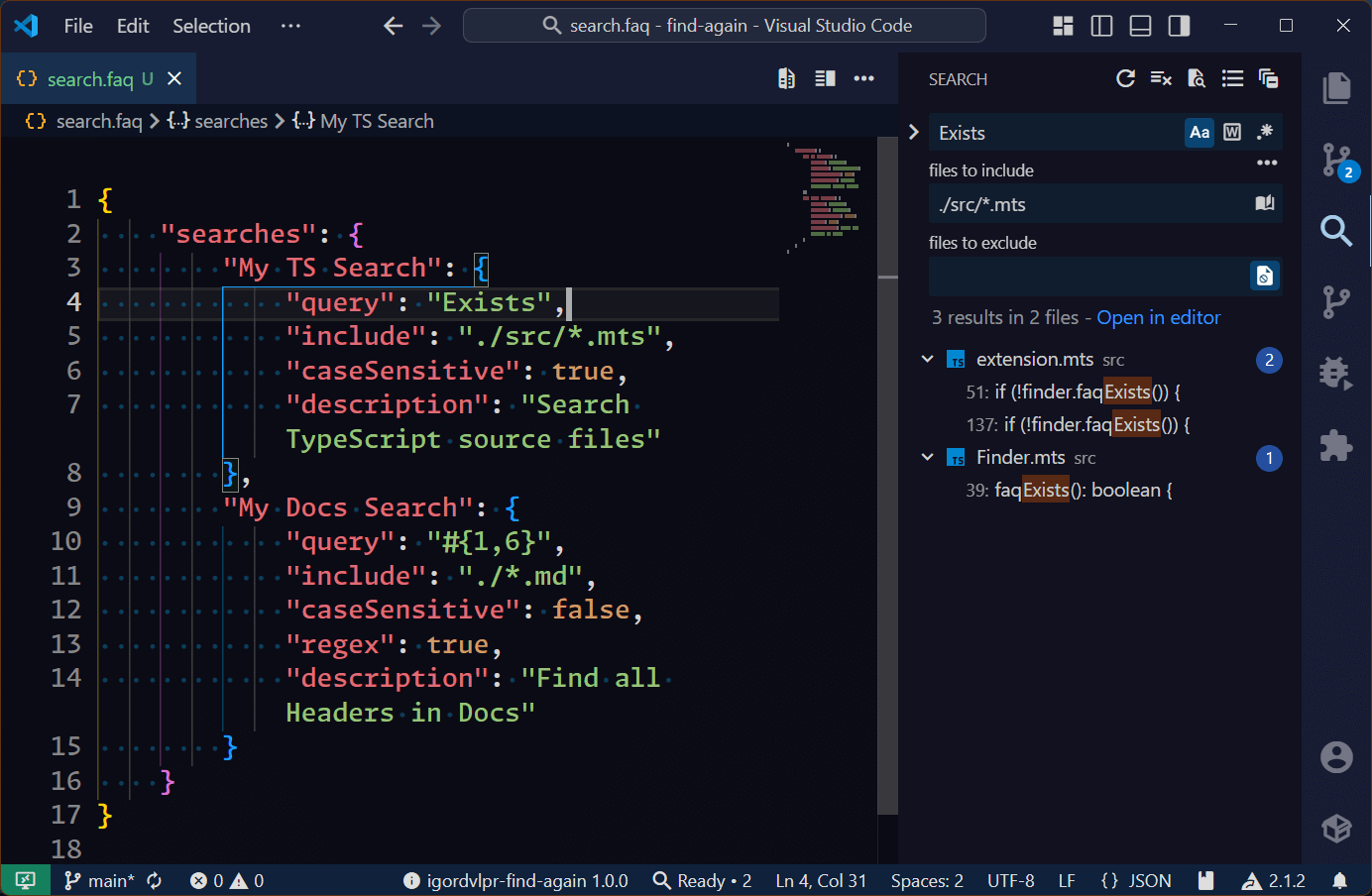 Figure 1. Find Again! – regular search
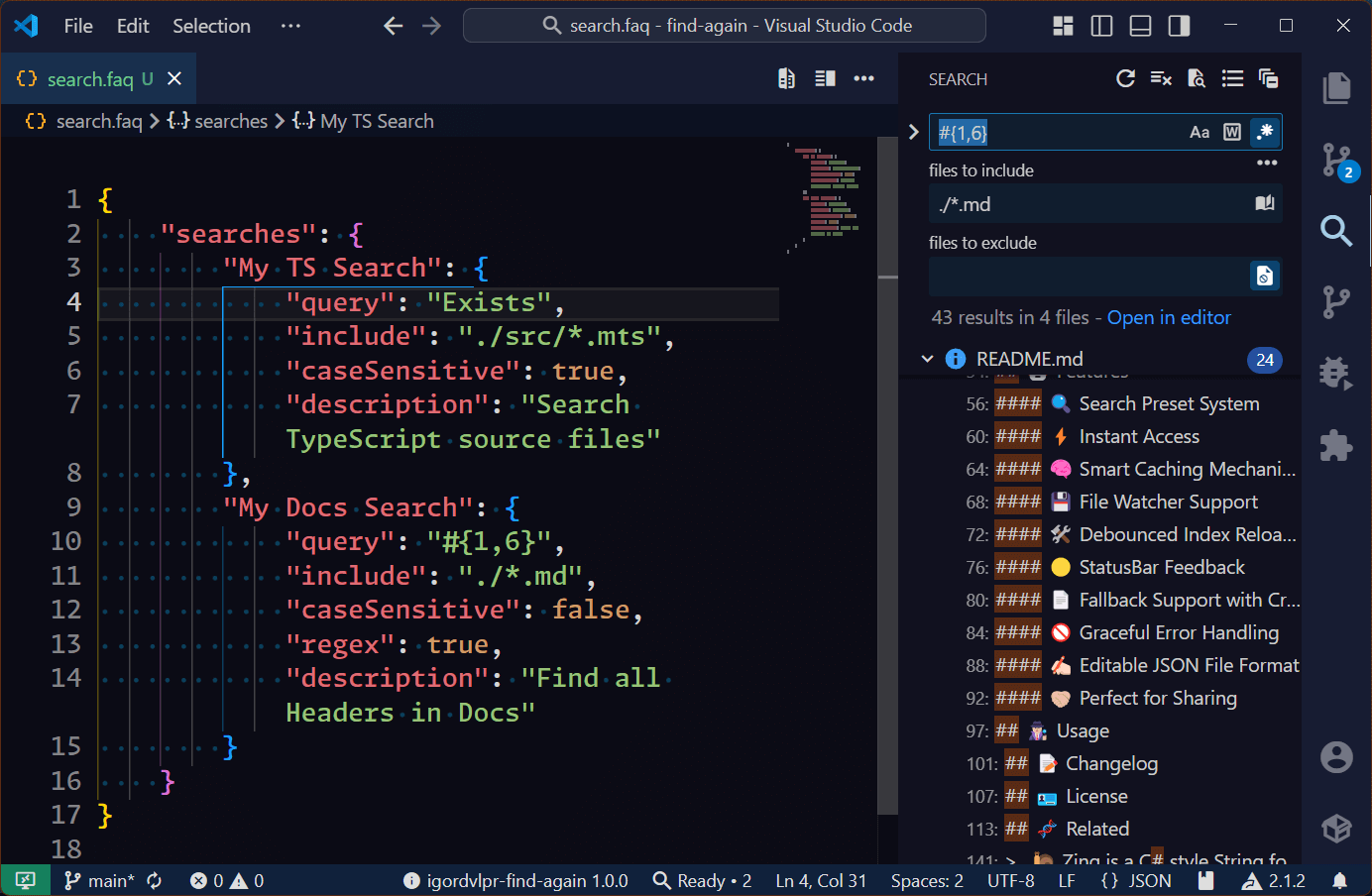 Figure 2. Find Again! – regex search
 Figure 3. Find Again! – Command Palette
Here's an example of how a search.faq file looks like:
{
    "searches": {
        "My TS Search": {
            "query": "Exists",
            "include": "./src/*.ts",
            "caseSensitive": true,
            "description": "Search TypeScript source files"
        },
        "My Docs Search": {
            "query": "#{1,6}",
            "include": "./*.md",
            "caseSensitive": false,
            "regex": true,
            "description": "Find all Headers in Docs"
        }
    }
}📑 The changelog is available here: CHANGELOG.md.
Consider buying me a coffee. ☕

Thank you for supporting my efforts! 🙏😊
Licensed under the GPLv3 license.
🧬 Meet Aria, an efficient Adblock filter list compiler, with many features that make your maintenance of Adblock filter lists a breeze! 🦖
🎡 Parse, manage, compare and output SemVer-compatible version numbers. 🛡
@igor.dvlpr/vscode-folderpicker
✨ Provides a custom Folder Picker API + UI for Visual Studio Code. 🎨
🧬 A lightweight JavaScript utility allowing deep copy-by-value of nested objects, arrays and arrays of objects. 🪁
🐌 Zing is a C# style String formatter for JavaScript that empowers Strings with positional arguments - composite formatting. 🚀
Created by Igor Dimitrijević (@igorskyflyer).