
Matter is an open-source C++ implementation of the Material Point Method (MPM) with elasto-viscoplastic rheologies, specifically designed to model the mechanics and flow of granular matter. However, its usage extends to simulate a variety of different matter undergoing small and large deformations.
Developed across different sides of the Swiss Alps, this software is designed to be lightweight, easy to install and use, with few dependencies, without significantly compromising speed and performance. Parallelized on shared memory with OpenMP, millions of material points/particles can be simulated on desktops and laptops.

With Matter, you can simulate granular flow on various simple and complex terrains, as demonstrated below.

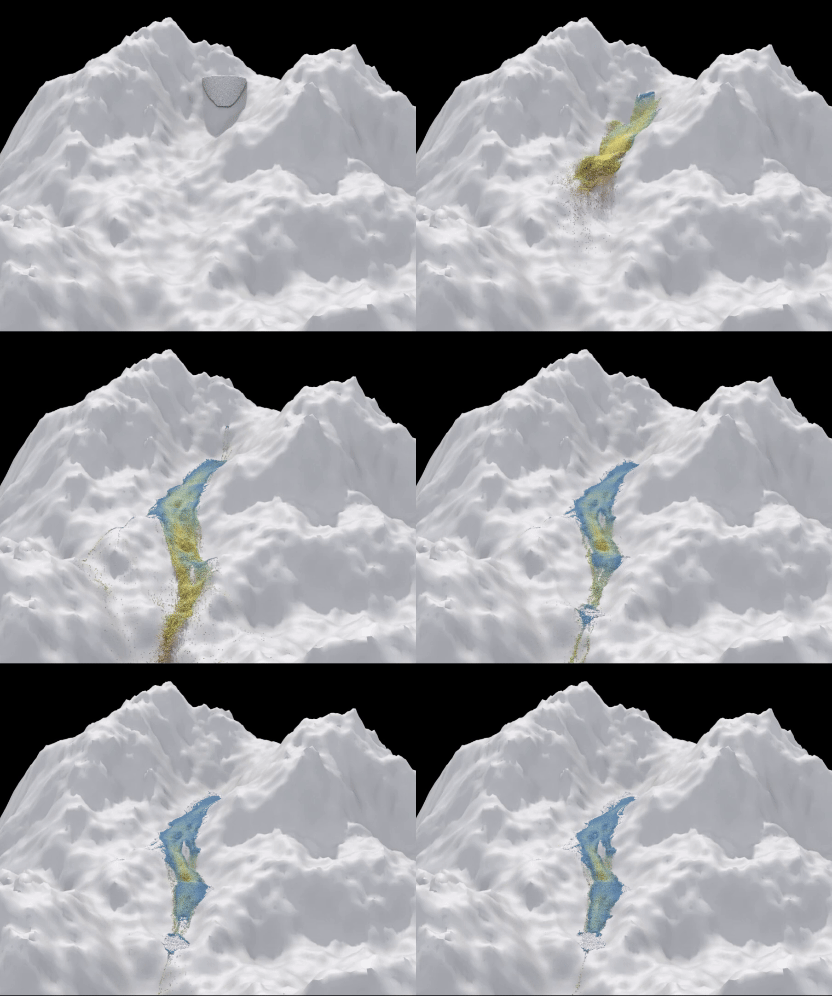
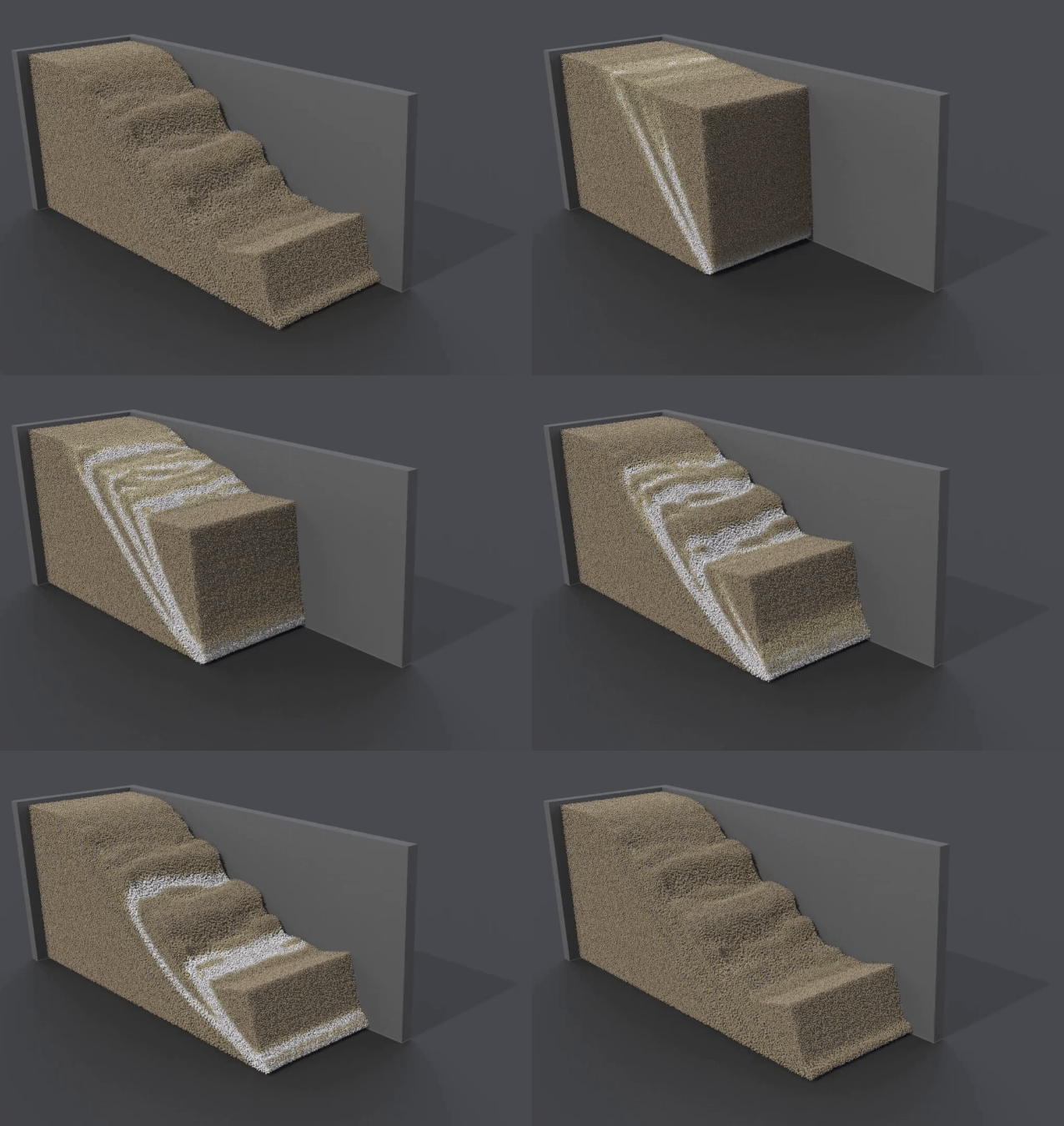
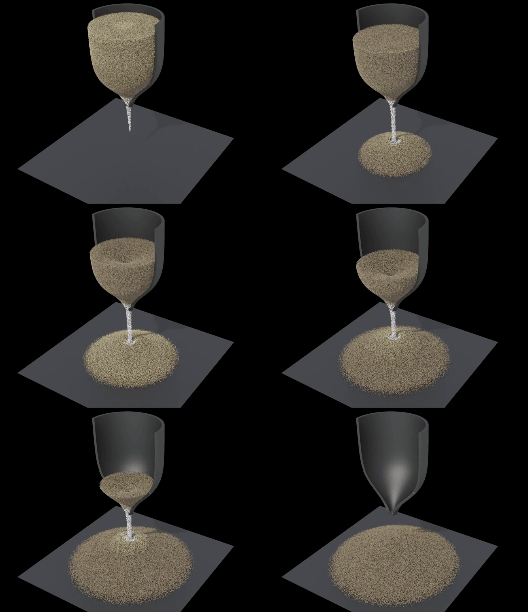
-
Both 2D (plane strain) and 3D
-
Supports Update Stress Last (USL) and Modified Update Stress Last (MUSL) updated Lagrangian symplectic (explicit) MPM
-
Particle <-> grid interplation with quadratic and cubic B-splines with various transfer schemes:
- Linearly weighted combination of PIC and FLIP (Stomakhin et al., 2013)
- APIC (Jiang et al., 2015)
- AFLIP (Fei et al., 2021)
-
Adaptive background grid extension/reduction to particle domain
-
Spatially sparse background grid for efficient simulation of 3D, large-scale problems
-
Finite strain elastoplastic framework for constitutive models
-
The following (visco)plastic models are currently available and compatible with Hencky's elasticity model:
- Von Mises
- Drucker-Prager
- Modified Cam-Clay
- Viscous Von Mises
- Viscous Drucker-Prager
- Viscous Modified Cam-Clay
- mu(I)-Drucker-Prager
- mu(I)-Modified Cam-Clay
- Implementing other (visco)plastic models is easy due to the general framework of the code
-
Supports analytical objects and complex terrains
-
Supports no-slip as well as frictional boundary conditions which can be supplied a Coulomb friction parameter
- No-slip (
BC::NoSlip) - Frictional slip free to separate (
BC::SlipFree) - Frictional slip constrained to boundary (
BC::SlipStick)
- No-slip (
-
Material-induced boundary friction (MIBF): A potentially variable internal friction parameter of a particular plastic model is used as the Coulomb friction for terrain-material interaction
-
Parallelized on shared memory with OpenMP
-
Initial particle positions can be sampled using the Poisson disk sampling scheme by R. Bridson, ACM SIGGRAPH 2007, here based on the implementation by Tommy Hinks
The required non-header-only dependencies are CMake, OpenMP. The standard C++ linear algebra template library Eigen is required. OpenVDB is optional, however, needed if vdb-files are used as input (either as terrain/objects or as particle sampling domain).
Install all the above dependencies with this simple command:
sudo apt-get install -y cmake libeigen3-dev libopenvdb-dev libtbb-dev libboost-all-dev libilmbase-dev libopenexr-dev
where only cmake and libeigen3-dev are strictly required.
You can download/install the required dependencies with Homebrew through
brew install cmake eigen libomp openvdb
although OpenVDB may require other dependecies, see https://formulae.brew.sh/formula/openvdb.
However, if not using Linux, we recommend instead using VSCode Dev Containers. Download VSCode and Docker. In VSCode, install the "Dev Containers" extension. When you open the Matter repository in VSCode, you will be asked if you want to run it in a container. When you accept, a container will be set up and you are ready to simulate!
-
Set up your simulation parameters and initial state in
mpm.cpp. Intools.hpp, the user can specify the dimension of the simulation (default: 2D) and order of interpolation (default: quadratic). -
Create a build directory:
mkdir build -
Enter the build directory:
cd build -
Specify CMake options. Use default options (release mode and use OpenVDB):
cmake ..
or optionally specify
cmake -DCMAKE_BUILD_TYPE=Debug -DUSE_VDB=OFF .. -
Compile (NB: the number of threads for the simulation is specified in
mpm.cpp)
make -j <number of cores for compilation> -
Run the sim you set up in
mpm.cpp:
./src/mpm -
[Optional] Tests:
Run all tests withmake testorctest. Run single test withctest -R <name of test>
You can "clean" using make clean and make clean-cache, e.g., if you want to change CMake options.
Here is a minimal setup file mpm.cpp for a simple granular collapse.
#include "tools.hpp"
#include "simulation/simulation.hpp"
#include "sampling/sampling_particles.hpp"
#include "objects/object_plate.hpp"

int main(){

    Simulation sim;

    sim.initialize(/*save to file*/ true, /*path*/ "output/", /*name*/ "collapse");

    sim.end_frame = 20;  // last frame to simulate
    sim.fps = 10;        // frames per second
    sim.n_threads = 8;   // number of threads in parallel

    sim.Lx = 1;
    sim.Ly = 1;
    // sim.Lz = 1; // only 3D, otherwise remove

    sampleParticles(sim, /*sampling radius*/ 0.01);

    sim.plates.push_back(std::make_unique<ObjectPlate>(
        /*position*/ 0,
        /*type*/ PlateType::bottom,
        /*BC*/ BC::NoSlip,
        /*friction*/ 0.5
    ));

    sim.rho = 1000;         // density (kg/m3)
    sim.gravity[1] = -9.81; // gravity

    sim.E = 1e6;    // Young's modulus (Pa)
    sim.nu = 0.3;   // Poisson's ratio (-)

    sim.plastic_model = PlasticModel::DP; // Drucker-Prager yield
    sim.M = 0.5;         // internal friction
    sim.q_cohesion = 0;  // cohesion

    sim.simulate();
    return 0;
}
In the examples folder, other examples will be archived (to use one of these examples, simply copy it into the src folder and rename it mpm.cpp).
Rigid objects and terrains (boundaries) are either
- formulated analytically as level sets (signed distance functions)
- or imported as
.vdblevel sets files using OpenVDB
The objects already available can be found in the objects directory. The forces acting on these objects can be measured by setting their parameter force_calc = true, see the example collapse.cpp. Be aware that if the force measurement is turned on for an object which is contantly in collision with a large part of the material, this may slightly slow down the simulation.
Analytical objects can be specified as a derived class from the general ObjectGeneral class. An example of this is ObjectBump which provides the terrain of a smooth bump used in the flow experiments in Viroulet et al. (2017). For the very common case of an axis-aligned plate, an ObjectPlate class has been made separate from ObjectGeneral class for efficiency and convenience. In ObjectPlate, you can also assign a speed to the plate, as well as controls on the time-evolution of the speed. Any plate must either a PlateType::top, PlateType::bottom, PlateType::front, PlateType::back, PlateType::left or PlateType::right.
A terrain/object from a .vdb is stored in an instance of the ObjectVdb class which is derived from ObjectGeneral.
Examples of .vdb-files are found in the folder levelsets.
Multiple objects in a simulation are possible. Note that all ObjectGeneral instances must be added to the vector objects and ObjectPlate instances are added to the vector plates.
The directory to save the output data is specified by the user in the setup file mpm.cpp.
Particle data is saved as binary PLY-files (using tinyply) with the format (particles_fX.ply) where X represents the frame number (from 0 to end_frame as specified by the user).
Optionally, if save_grid = true, the grid data is saved as grid_fX.ply.
We recommend SideFX's Houdini for visualization the particle data. In the file visualize.hipnc in the postprocess directory, we show how to make a simple visualization of the data. Some simple post-processing can also be done directly in Houdini.
PLY files can also be easily read by Python. This is shown in the file load_ply.py which can be found in the postprocess directory.
If forces are measured on objects, this will be saved as force_<name-of-object>.csv where each line contains (time, Fx, Fy(, Fz)) for each frame.
This is a non-exhaustive list of parameters and options (of the Simulation class) to be specified in the input file mpm.cpp. See simulation.hpp for the complete list, and take advantage of the current mpm.cpp example file. Other example files are found in the examples directory.
| Parameter | Default value | Description |
|---|---|---|
end_frame |
1 | Last frame to simulate |
fps |
1.0 | Frames per second |
n_threads |
1 | Number of threads in parallel |
cfl |
0.5 | CFL constant, typically around 0.5 |
cfl_elastic |
0.5 | CFL-like constant for elastic wave speed, typically around 0.5 |
flip_ratio |
-0.95 | (A)PIC-(A)FLIP ratio in the range [-1,1]. Positive numbers [0,1]: PIC/FLIP where 1 equals pure FLIP. Negative numbers [-1,0): APIC/AFLIP where -1 equals pure AFLIP. |
gravity |
(0,0,(0)) | Gravitational acceleration vector. If gravity_special = true one may code the gravity evolution in update_dt.cpp. |
rho |
1000 | Density (kg/m3) |
save_grid |
false | Save grid data to file |
reduce_verbose |
false | Reduce writing to screen |
use_sparse |
false | Use a sparse background grid to increase computation time (highly recommended, currently only for 3D problems) |
use_musl |
false | Use MUSL instead of USL |
use_mibf |
false | Use Material-Induced Boundary Friction (MIBF), only relevant for certain plasticity models |
pbc |
false | Use periodic boundary conditions in Lx
|
calculate_energy |
false | Calculate elastic and plastic energy on each particle (experimental) |
Lx, Ly, Lz
|
1.0 | The material sample space used in sampleParticles(...). Not needed when sampling from VDB. |
elastic_model |
ElasticModel::Hencky | Elastic model. Note that Hencky's model must be used when combined with a plastic model. |
plastic_model |
PlasticModel::NoPlasticity | Plastic model. Parameters are set according to the model used, see below. |
E |
1e6 | The 3D Young's modulus (Pa) |
nu |
0.3 | The 3D Poisson's ratio (-) |
q_prefac |
sqrt(1/2) | Prefactor used in definition of q, default is q = sqrt(1/2 s:s). |
Here is a list of the various plastic models and their parameters:
| Model | Name | Parameters | Default value |
|---|---|---|---|
| Von Mises | PlasticModel::VM |
q_max |
100.0 |
| Drucker-Prager | PlasticModel::DP |
M |
1.0 |
q_cohesion |
0.0 | ||
| Drucker-Prager strain-softening | PlasticModel::DPSoft |
M |
1.0 |
q_cohesion |
0.0 | ||
xi |
0.0 | ||
use_pradhana |
true | ||
| Modified Cam-Clay | PlasticModel::MCC |
beta |
0.0 |
p0 |
1000.0 | ||
xi |
0.0 | ||
M |
1.0 | ||
| Viscous Von Mises | PlasticModel::VMVisc |
q_max |
100.0 |
q_min |
100.0 | ||
p_min |
-1.0e20 | ||
xi |
0.0 | ||
visc_exponent |
1.0 | ||
visc_time |
0.0 | ||
use_duvaut_lions_formulation |
false |
||
| Viscous Drucker-Prager | PlasticModel::DPVisc |
M |
1.0 |
q_cohesion |
0.0 | ||
use_pradhana |
true | ||
visc_exponent |
1.0 | ||
visc_time |
0.0 | ||
use_duvaut_lions_formulation |
false |
||
| Viscous Modified Cam-Clay | PlasticModel::MCCVisc |
beta |
0.0 |
p0 |
1000.0 | ||
xi |
0.0 | ||
M |
1.0 | ||
visc_exponent |
1.0 | ||
visc_time |
0.0 | ||
use_duvaut_lions_formulation |
false |
||
|
|
PlasticModel::DPMui |
q_cohesion |
0.0 |
use_pradhana |
true | ||
rho_s |
2500 | ||
grain_diameter |
0.001 | ||
I_ref |
0.279 | ||
mu_1 |
0.382 | ||
mu_2 |
0.644 | ||
| Critical state |
PlasticModel::MCCMui |
beta |
0.0 |
p0 |
1000.0 | ||
xi |
0.0 | ||
rho_s |
2500 | ||
grain_diameter |
0.001 | ||
I_ref |
0.279 | ||
mu_1 |
0.382 | ||
mu_2 |
0.644 |
In the MCC-based models, one must also choose a corresponding hardening law:
- exponential explicit law
HardeningLaw::ExpoExpl - hyperbolic sine explicit law
HardeningLaw::SinhExpl - exponential implicit law
HardeningLaw::ExpoImpl - hyperbolic sine implicit law
HardeningLaw::SinhImpl
- Supports only single-materials, however, one can easily extend this to multi-material problems. E.g., one can create particle quantities for the relevant material parameters (see
data_structures.hpp) which can then be used in the material models (see, e.g.,plasticity.cpp)
-
On Mac, especially if OpenMP was installed through Homebrew, you might need to specify certiain paths for CMake, e.g.,
cmake -DCMAKE_BUILD_TYPE=Release -DOpenMP_CXX_FLAG="-Xclang -fopenmp" -DOpenMP_CXX_INCLUDE_DIR=/opt/homebrew/opt/libomp/include -DOpenMP_CXX_LIB_NAMES=libomp -DOpenMP_C_FLAG="-Xclang -fopenmp" -DOpenMP_C_INCLUDE_DIR=/opt/homebrew/opt/libomp/include -DOpenMP_C_LIB_NAMES=libomp -DOpenMP_libomp_LIBRARY=/opt/homebrew/opt/libomp/lib/libomp.dylib .. -
Eigen error? Remember to specify vectors with 3 elements for 3D problems and 2 elements for 2D problems. The dimension of the problem is chosen as a global variable in
tools.hpp.
Matter is an open-source software licensed under GNU General Public License v3.0 (see LICENSE file). If you are interested in using Matter in commercial products or services, please do not hesitate to contact Lars Blatny (lars.blatny [at] slf.ch).
Please attribute this software by citing this article:
- Blatny, L. & Gaume, J. (2025). Matter (v1): an open-source MPM solver for granular matter, Geoscientific Model Development, 18, 9149–9166. DOI: 10.5194/gmd-18-9149-2025.
If you use the
- Blatny, L., Gray, J.M.N.T., & Gaume, J. (2024). A critical state μ(I)-rheology model for cohesive granular flows. Journal of Fluid Mechanics, 997, A67. DOI: 10.1017/jfm.2024.643
If you use the sparse background grid feature (by setting use_sparse=true), please cite this article:
- Zhao, Y., Blatny, L., Feng, X., Juel, M. M., Jiang, C., & Gaume, J. (2026). Unified sparse framework for large-scale material point method simulations. arXiv preprint arXiv:2605.28525. DOI: 10.48550/arXiv.2605.28525