This tool supports:
- ✅ OpenAI (cloud-based, high quality)
- ✅ Ollama (local, free & unlimited)
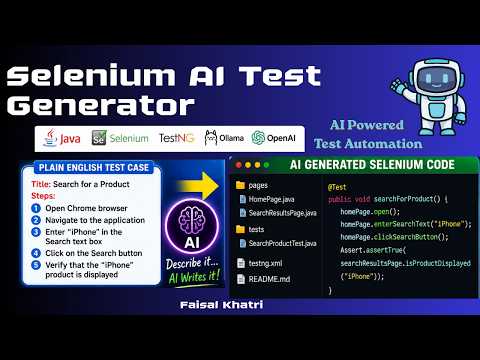
- Generate Selenium WebDriver scripts using Java + TestNG
- Follows Page Object Model (POM)
- Generates:
- Page Object classes
- Test class
- testng.xml
- Config-driven architecture (switch models easily)
- Supports both cloud and local LLMs
- Beginner-friendly and extensible
.
├── config.py
├── tools.py
├── main.py
├── logger.py
├── requirements.txt
├── .env
├── test_cases/
│   ├── input/
│   │   └── sample_test_case.txt
│   └── output/
- Python 3.14+
- pip
- Any one of these:
- OpenAI API Key
- Ollama installed locally
git clone git@github.com:mfaisalkhatri/selenium-ai-test-generator.git
cd selenium-ai-test-generator
python -m venv venv
Activate it:
Mac/Linux
source venv/bin/activate
Windows
venv\Scripts\activate
pip install -r requirements.txt
Create a .env file:
OPENAI_API_KEY=your_api_key_here
⚠️ Do not commit.envto GitHub
Edit the file:
test_cases/input/sample_test_case.txt

Title: Search for a Product on Home Page

Precondition: User is on the Home Page of the application

Steps:
1. Open Chrome browser
2. Navigate to https://ecommerce-playground.lambdatest.io/index.php
3. Enter "iPhone" in the Search text box
4. Click on the Search Button
5. Add an assert statement to verify that the the product "iPhone" is displayed
Update .env to choose your provider:
OPENAI_MODEL_NAME=<model name>
OPENAI_MAX_TOKENS=<max tokens>
OPENAI_TEMPERATURE=<temperature>
OPENAI_API_KEY=<API Key>OLLAMA_MODEL_NAME=<model name> e.g. qwen3:8b
OLLAMA_TEMPERATURE=0.3
OLLAMA_ENDPOINT=http://localhost:11434/api/generate
OLLAMA_BASEURL=http://localhost:11434Download from: https://ollama.com
ollama serveollama pull deepseek-coderOR
ollama pull qwen3:8bollama run llama3OR
ollama run qwen3:8bpython main.py
Generated Selenium WebDriver test automation scripts are stored in a newly created folder named using the current date and time, located at:
test_cases/output/

These output files can be found in the test_cases/output folder in this repository.
- Ensure Ollama is running:
ollama serve
pip install -r requirements.txt
- When using OpenAI, Keep temperature low (0.2–0.3) for stable outputs
- Use Ollama for unlimited local test script generation
- Use OpenAI for higher quality scripts
- Never commit
.envorvenv
- Discuss your queries by writing to me @
mohammadfaisalkhatri@gmail.comOR ping me on any of the social media sites using the below link: