An Android library containing a Kurdish date picker and a time picker designed on Google's Material Design Principals For Pickers for Android 4.0.3 (API 15) +.
| Date Picker | Time Picker |
|---|---|
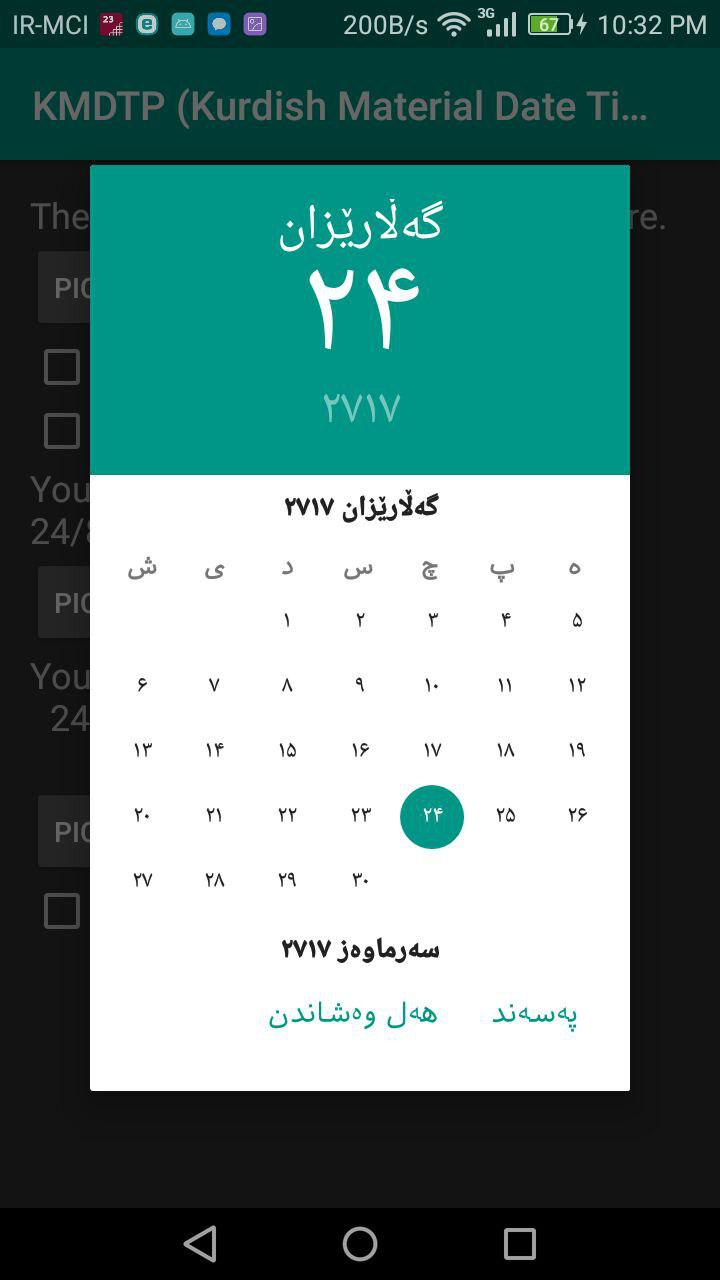 |
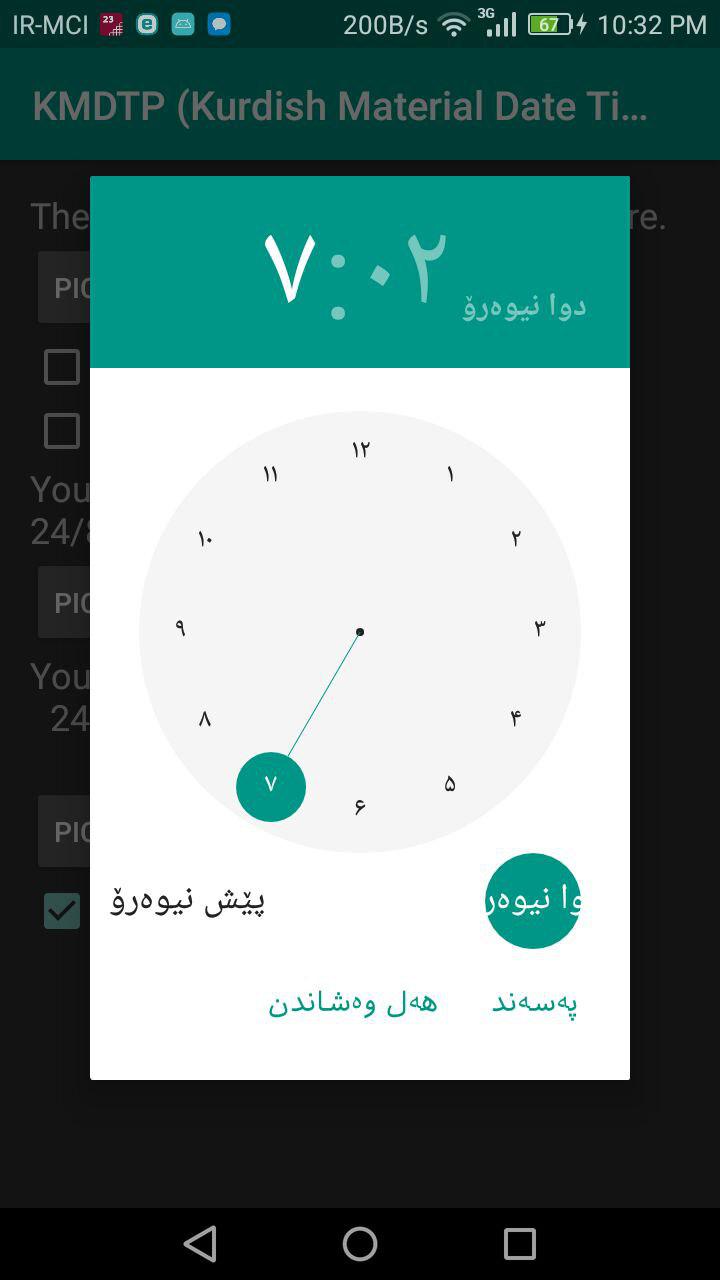 |
You can report any issue on issues page. Note: If you speak Kurdish, you can submit issues with Kurdish language and I will check them. :)
#Importing
Add MaterialKurdishDateTimePicker as a dependency to your build.gradle file:
dependencies {
    compile 'compile 'ir.muhammadzadeh:materialkurdishdatetimepicker:0.1.7''
}The library follows the same API as other pickers in the Android framework. After adding the library, for using a picker in your project you need to:
- Implement an
OnTimeSetListener/OnDateSetListener - Create a
TimePickerDialog/DatePickerDialogusing the supplied factory - Theme the pickers
In order to receive the date or time set in the picker, you will need to implement the OnTimeSetListener or
OnDateSetListener interfaces. Typically this will be the Activity or Fragment that creates the Pickers. The callbacks use the same API as the standard Android pickers.
@Override
public void onTimeSet(RadialPickerLayout view, int hourOfDay, int minute) {
  String time = "You picked the following time: "+hourOfDay+"h"+minute;
  timeTextView.setText(time);
}

@Override
public void onDateSet(DatePickerDialog view, int year, int monthOfYear, int dayOfMonth) {
  String date = "You picked the following date: "+dayOfMonth+"/"+(monthOfYear+1)+"/"+year;
  dateTextView.setText(date);
}You will need to create a new instance of TimePickerDialog or DatePickerDialog using the static newInstance() method, supplying proper default values and a callback. Once the dialogs are configured, you can call show().
KurdishCalendar kurdishCalendar = new KurdishCalendar();
DatePickerDialog datePickerDialog = DatePickerDialog.newInstance(
  MainActivity.this,
  kurdishCalendar.getKurdishYear(),
  kurdishCalendar.getKurdishMonth(),
  kurdishCalendar.getKurdishDay()
);
datePickerDialog.show(getFragmentManager(), "Datepickerdialog");You can theme the pickers by overwriting the color resources mdtp_accent_color and mdtp_accent_color_dark in your project.
<color name="mdtp_accent_color">#009688</color>
<color name="mdtp_accent_color_dark">#00796b</color>
#Additional Options
TimePickerDialogdark theme
TheTimePickerDialoghas a dark theme that can be set by calling
timePickerDialog.setThemeDark(true);DatePickerDialogdark theme TheDatePickerDialoghas a dark theme that can be set by calling
datePickerDialog.setThemeDark(true);-
TimePickerDialogsetTitle(String title)Shows a title at the top of theTimePickerDialog -
setSelectableDays(KurdishCalendar[] days)You can pass aKurdishCalendar[]to theDatePickerDialog. This values in this list are the only acceptable dates for the picker. It takes precedence oversetMinDate(KurdishCalendar day)andsetMaxDate(KurdishCalendar day) -
setHighlightedDays(KurdishCalendar[] days)You can pass aKurdishCalendar[]of days to highlight. They will be rendered in bold. You can tweak the color of the highlighted days by overwritingmdtp_date_picker_text_highlighted -
OnDismissListenerandOnCancelListener
Both pickers can be passed aDialogInterface.OnDismissLisenerorDialogInterface.OnCancelListenerwhich allows you to run code when either of these events occur.
timePickerDialog.setOnCancelListener(new DialogInterface.OnCancelListener() {
    @Override
    public void onCancel(DialogInterface dialogInterface) {
      Log.d("TimePicker", "Dialog was cancelled");
    }
});
vibrate(boolean vibrate)Set whether the dialogs should vibrate the device when a selection is made. This defaults totrue.
#Credits This libary is completely based on PersianMaterialDateTimePicker.