

This example showcases LIN diagnostic communication between two NXP FRDM-A-S32K3 boards using the AUTOSAR LIN stack and NXP RTD drivers. The FRDM-A-S32K312 acts as a LIN Sender and periodically sends an ASCII character through transport-layer diagnostic messages, while the FRDM-A-S32K344 acts as a LIN Receiver and returns the subsequent ASCII character. The transmitted and received values are displayed on the UART console, providing a simple demonstration of LIN Transport Layer request-response communication.

This example was developed using the FRDM Automotive Bundle for S32K3 + S32M27. To download and install the complete software and tools ecosystem, use the following links:
- FRDM Automotive S32K3 + S32M27 Board Installation Package
- Serial terminal program (for example: PuTTy, Tera Term, RealTerm etc.)
- Personal Computer
- Type-C USB cable
| Boards | Images |
|---|---|
| - FRDM-A-S32K312 | 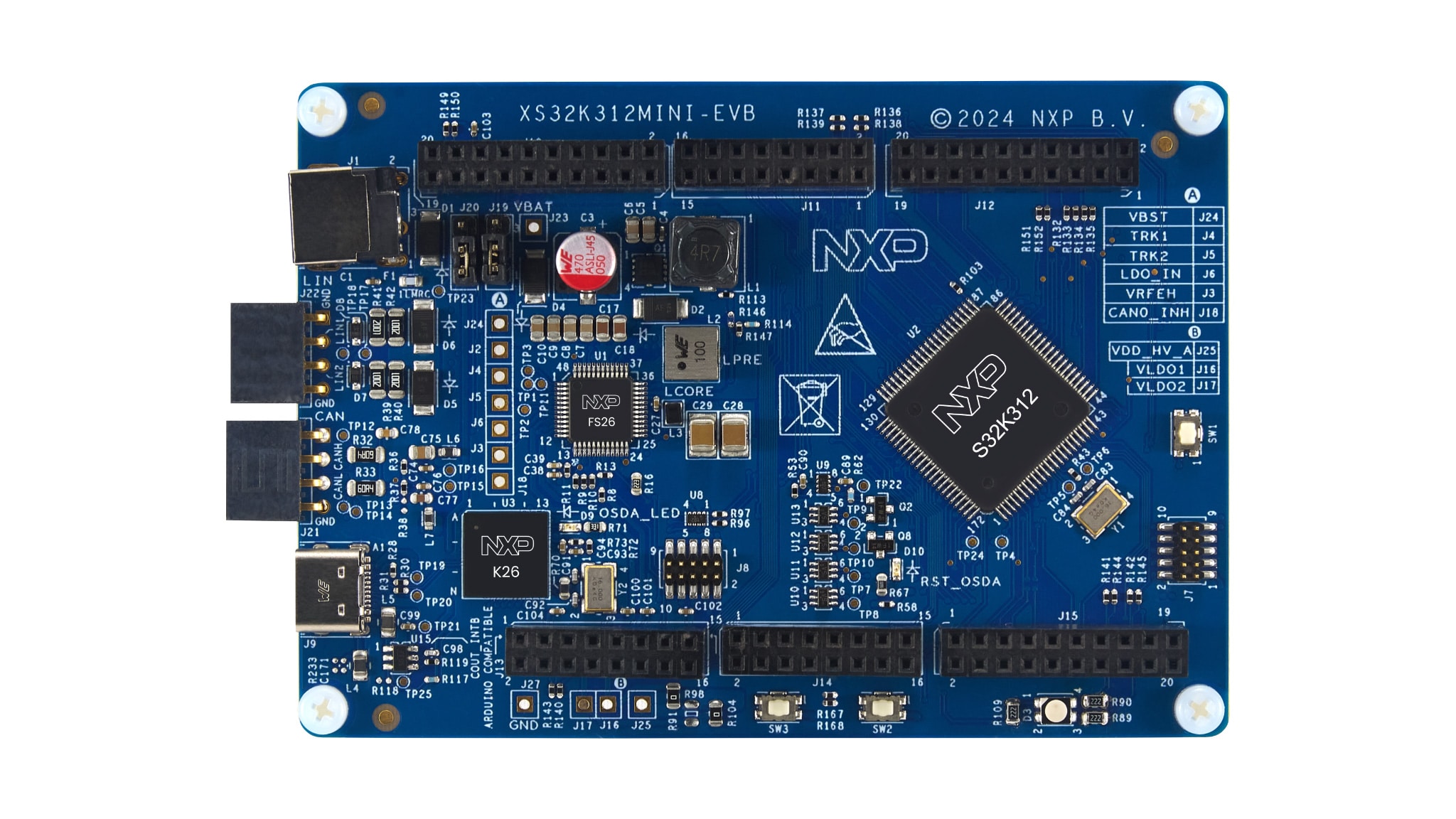 |
| - FRDM-A-S32K344 | 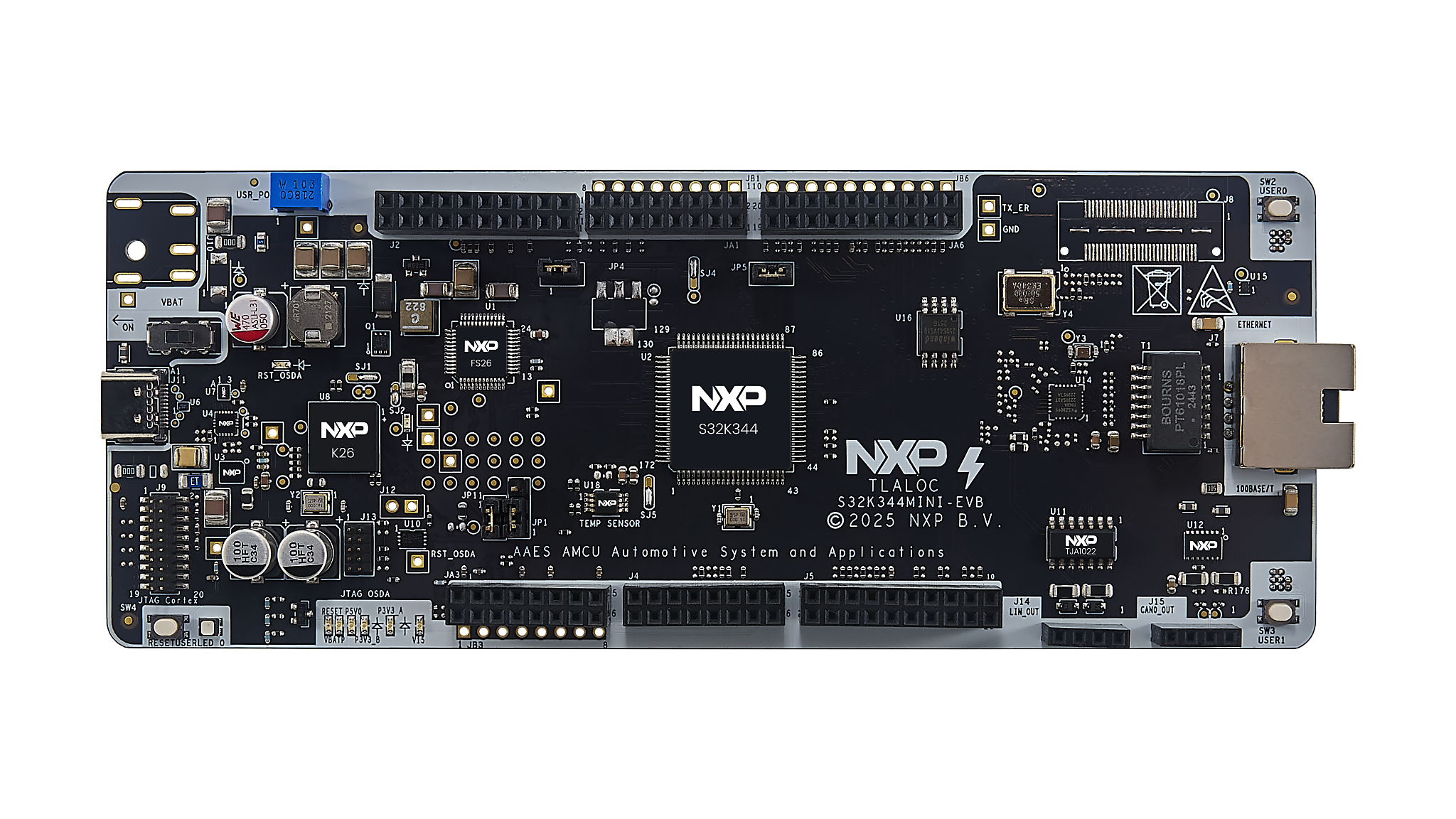 |
- Connect FRDM-A-S32K344's LIN2 pin (J14-3) to FRDM-A-S32K312's LIN2 pin (J22-3)
- Connect FRDM-A-S32K344's GND pin (J14-4) to FRDM-A-S32K312's GND pin (J22-4)


- Connect the Type-C USB cable to PC and FRDM-A-S32K312 board for power supply and debugging.
- Connect the Type-C USB cable to PC and FRDM-A-S32K344 board for power supply and debugging.
-
Open S32 Design Studio IDE, in the Dashboard Panel, choose Import project from Application Code Hub.

-
You can find the demo you need by searching for the name directly
-
Open the project, click the GitHub link, S32 Design Studio IDE will automatically retrieve project attributes, then click Next>.

-
Select main branch and then click Next>.
-
Select your local path for the repo in Destination->Directory: window. The S32 Design Studio IDE will clone the repo into this path, click Next>.
-
Select Import existing Eclipse projects then click Next>.
-
Select the 2 projects in the repository then click Finish.


- In Project Explorer, right-click on each project and select Update Code and Build Project. This will generate the configuration (Pins, Clocks, Peripherals), update the source code and build the project using the active configuration (e.g. Debug_FLASH).
Make sure the build completes successfully and the *.elf file is generated without errors.

- If during this process a pop-up appears asking whether or not to replace or keep the existing LIN configuration files, it's very important to select Replace, otherwise build issues may occur.


Note: With the HSE firmware package installed (e.g.
HSE_FW_S32K344_0_2_55_0_D2502), Replace can cause build errors. In that case select Keep existing and rebuild.

Go to Debug and select Debug Configurations. Select GDB PEMicro Interface Debugging:

Use the controls to control the program flow.
Note: The GDB PEMicro Interface Debugging configuration uses a default ports 6224 and 7224. In example are provided 2 debug configurations, one with default ports and another one with custom ports to support debugging of 2 boards simultaneously on the same PC. In one launch configuration, select one board (for example USB1) and in the second launch configuration, select the other board (for example USB2).
Open a serial terminal on the enumerated COM port (typical settings: 115200 baud, 8 data bits, no parity, 1 stop bit, no flow control).
The LIN Sender (FRDM-A-S32K312) begins cycling through the printable ASCII range and the LIN Receiver (FRDM-A-S32K344) echoes back the next character. Each node prints the character it sent or received together with the transport-layer transfer status.
On the FRDM-A-S32K312 terminal you should see:
FRDM-A-S32K312 sent [A] [OK]
FRDM-A-S32K312 received [B] from FRDM-A-S32K344
FRDM-A-S32K312 sent [B] [OK]
FRDM-A-S32K312 received [C] from FRDM-A-S32K344
FRDM-A-S32K312 sent [C] [OK]
FRDM-A-S32K312 received [D] from FRDM-A-S32K344
...
On the FRDM-A-S32K344 terminal you should see:
FRDM-A-S32K344 received [A] from FRDM-A-S32K312
FRDM-A-S32K344 sent [B] to FRDM-A-S32K312
FRDM-A-S32K344 received [B] from FRDM-A-S32K312
FRDM-A-S32K344 sent [C] to FRDM-A-S32K312
FRDM-A-S32K344 received [C] from FRDM-A-S32K312
FRDM-A-S32K344 sent [D] to FRDM-A-S32K312
...
The FRDM-A-S32K312 transmits one character per LIN schedule cycle over the transport layer (MasterReq frame 0x3C, SID 0x23). The FRDM-A-S32K344 receives it, increments the value by one, and returns it in the response frame (SlaveResp 0x3D, RSID 0x63). The transmitted character advances through the printable ASCII range (0x20..0x7F) and wraps back to 0x20 (space) after 0x7F, so the two terminals stay one character apart and loop continuously. An [OK] status confirms each transport-layer transfer completed successfully (LD_COMPLETED); an [FAIL] would indicate a bus or timing error.
For general technical questions related to NXP microcontrollers, please use the NXP Community Forum.





Questions regarding the content/correctness of this example can be entered as Issues within this GitHub repository.
Note: For more general technical questions regarding NXP Microcontrollers and the difference in expected functionality, enter your questions on the NXP Community Forum





| Version | Description / Update | Date |
|---|---|---|
| 1.0 | Initial release on Application Code Hub | September 16th 2026 |