A more permissive version of the Linux Terminal app with finer VM permission control, forked from the GrapheneOS repo, supporting custom virtual machine images (such as Secureblue). Currently in proof-of-concept stage.
Important
For GrapheneOS users, new restrictions since around 2026070500 require additional adb permission grants. Please search the How to use section for hidden_api.
The main goal is to allow users to install this as a non-system, standalone app on a non-rooted device, and run a full VM with a Linux image that is not provided by Google. And does not rely on Google's image for installation. Because, come on, there was a NestBox app by kdrag0n that was able to do this years ago! Unfortunately, it was not maintained and stopped working on newer OS versions.
This app mainly tests on the latest GrapheneOS, but should work on stock for Pixels too. Support for Samsung's One UI 8.5 is provided via a legacy branch.
This repo also has an upstreamable branch that can potentially be merged into GrapheneOS, if they ever decide to do anything with it.
Once this repo is in a more presentable state (>=3 distros successfully supported), this document will be rewritten to be more user-friendly instead of only dev-friendly.
koi stands for KVM with Other Images. Perhaps.
Important
This app does not yet work out-of-the-box, and does not yet have an in-app setup tutorial. Please follow the How to use section for setup.
- Boots a user-provided Linux VM image
- Provides images for other distros (Secureblue, NixOS, Alpine)
- Exposes VM files (configs, storage, etc.) to enable modifying VM configurations
- Does not force you to give the VM access to all files
- Supports airgapping the VM (deny Network permission) in GrapheneOS
- No rooting necessary, requiring only a one-time permission grant using ADB.
- Can connect to the VM using the serial console, which enables:
- Booting from (almost) fresh OS installs
- Supporting using the
Block connections without VPNsetting, or denying Network - Changing font size :)
- Booting from installation media using u-boot (instructions to come)
-
Proof-of-concept pre-alpha test-build software, provided AS-IS. Beware of sharp edges, and back up often. You have been warned.
-
The app is only tested on newer devices running the latest GrapheneOS (and One UI 8.5 at one point), so it would be nice to know if it works for other OSes. Many Android-based OSes and devices do not support Android Virtualization Framework, and may not be based on the latest version of AOSP. The support may feel arbitrary. For example, it appears that Samsung's Galaxy Tab S10 FE supports AVF, but S10 Lite probably does not. In addition, 6th-generation Pixels previously required root to use AVF, and it would be nice to know if that is still the case. This project does not aim to continuously support lower OS versions.
-
There is a decent chance that this will be abandonware, especially if a major part of this is upstreamed to GrapheneOS. Again, AS-IS.
-
Known sharp edges:
- Just crashes when files referenced in
vm_config.jsonare not found, without indicating which. - Some images have issues, such as Alpine having network issues, and Secureblue not shutting down properly. See IMAGES.md for details.
- Just crashes when files referenced in
-
There is a decent chance that this will be abandonware, especially if a major part of this is upstreamed to GrapheneOS. Again, AS-IS.
-
Known sharp edges:
Goals are mainly targeted at things that neither Google nor GrapheneOS is inclined to do in the near future. These goals may change, and they may or may not be achievable. We will have to see.
-
Get the app to compile under a different package name
-
Fix issues that prevent booting a VM
-
Get a modified version of Google's image to run and show its terminal
-
Allow communication with the VM using the console instead of ttyd
- Stops requiring
Block connections without VPNto be off Allows a "raw" image to run- It does not seem that many distros can run well out-of-the-box due to kernel issues, implying that special images need to be built anyway. This advantage may be only useful for tinkereres.
- Stops requiring
-
Make an image based on Alpine
-
Make an image based on Debian build script
-
Make an image based on nixos-avf
-
Make an image based on Secureblue
-
Bug fixes and polishing to celebrate initial Secureblue image
-
Allow being revoked INTERNET; automatically airgap VMs when INTERNET revoked
-
Port to Android 17 version of VmTerminalApp
-
Add support for One UI 8.5 on legacy branch
-
Build-time signature verification for Secureblue
-
Add support for port forwarding, shutdown, etc.
-
(stretch) Experimental: Enable forcing the VM to use the host vpn
- Supported by disabling network and including a managed socks5 proxy
-
Fix Secureblue image
- Add support for display.
- Add support for file transfer.
-
(stretch) Build 6.12 LTS vanilla kernel RPM package for Secureblue?
-
Implement a super-config system, including support for multiple
vm_config.jsonfiles for different modes (install, update, use, isolated software, airgap...) or just different VMs.- put settings for
console_in,default_console(ttyd/serial),disposable,vm_config_path, etc. there.
- put settings for
-
Write a install guide inside the app
-
(stretch) support some form of checkpointing to enable templates / disposable
- Try bundling the compiled crosvm binary when building GrapheneOS. See: https://u1f383.github.io/android/2025/06/15/run-native-binary-on-android.html
- Try passing file descriptors to avoid permission issues
-
FIXME for serial console
- Make pty changes work
- Make mouse work in serial terminal
- Find out which kernel versions and what configurations work. How about 6.6 LTS?
-
(stretch) Enable forcing the VM to use the host vpn
-
Write a install guide inside the app
-
Support
images.zipin addition toimages.tar.gz -
(stretch) Compile u-boot
- Boot from installation media using u-boot
-
(stretch) Add back gutted features
- Something to replace virtiofs (seamless file sharing)
- Something to replace dynamic VM storage resizing
- Make the display work
- Make the mouse work (offset issue)
-
Support holding modifier keys (in ttyd too)
-
(stretch) Enable forcing the VM to use the host vpn
Suggested by community:
- Only applies to ttyd:
- Changing font size (MainActivity.kt#L251)
Suggested by community, but either may not be easily done or Google is better suited to do it:
- USB support
- Custom fonts. Reference: https://github.com/tsl0922/ttyd/wiki/Serving-web-fonts (need to recompile ttyd)
If you are using Android 16 (such as One UI 8.5), you MUST install the legacy version of the app, and then read this section from the legacy branch.
After installing, the app needs to be manually given access to storage and VM permissions. All other permissions that the app will ask for are optional, but Nearby Devices is necessary if you want ttyd tabs.
For the storage permission, go to Settings -> Apps -> Special app access -> All files access -> koiTerminal.
The VM permissions are trickier. These non-standard permissions require granting via adb. You can use a desktop, or use Termux as follows:
pkg install android-tools # for Termux, install adb

# Now, turn on developer options and enable wireless debugging. Then,
adb pair localhost:????? # fill in the value from developer options
adb connect localhost:????? # fill in the value from developer options
adb shell pm list users # owner's ID is 0, others' can be obtained here
adb shell pm grant --user ?? com.android.virtualization.koiterminal android.permission.MANAGE_VIRTUAL_MACHINE # fill in the user ID
adb shell pm grant --user ?? com.android.virtualization.koiterminal android.permission.USE_CUSTOM_VIRTUAL_MACHINE # fill in the user ID

# Note: the command below grants ALL APPS access to hidden API that match `android.system.virtualmachine.VirtualMachine*`.
# There are quite a few matching classes. If you are not comfortable with this, a more granular grant could be:
#    adb shell "settings put global hidden_api_blacklist_exemptions 'Landroid/system/virtualmachine/VirtualMachineCustomImageConfig\$,Landroid/system/virtualmachine/VirtualMachineCustomImageConfig;,Landroid/system/virtualmachine/VirtualMachineConfig\$Builder;,Landroid/system/virtualmachine/VirtualMachineConfig;'"
# To remove this grant, use `adb shell settings delete global hidden_api_blacklist_exemptions`
adb shell "settings put global hidden_api_blacklist_exemptions 'Landroid/system/virtualmachine/VirtualMachine'"

# Don't forget to turn off USB/wireless debugging (and probably developer options too) afterwards.
For One UI, the above should work too. If it does not, please open an issue. You can temporarily use the following alternative that grants ALL APPS a broad range of API usage, but note that this might be detrimental to security and privacy.
adb shell settings put global hidden_api_policy 1
# To remove this grant, use `adb shell settings delete global hidden_api_policy`
Special optional setup using GrapheneOS-specific permissions:
- You can use Storage Scopes and grant the
linuxfolder (see below for location) instead of full storage access. - You can either keep the Network permission on, or turn it off to airgap the VM and the app. koiTerminal will automatically remove network for the VM.
Google's official image will not work as its setup requires extra permissions to enable virtiofs (seamless folder sharing between host and VM).
This project provides the following images (and image building guides for those wishing to customize further):
- SecureBlue
- Debian built from Google's scripts (the old script from Android 16)
- NixOS adapted from nixos-avf
- (Buggy for now) Alpine
- (Deprecated) Modified Debian from Google
And coming soon (probably):
- Archlinux adapted from arch-arm64-avf
- Running ISO-based OS installer
Please find the links and instructions for each distribution here: 📀 IMAGES.md
Note that these images are built or modified so that the kernel version is closer to 6.1 or at least no higher than 6.12. It seems from experience that, for some devices, anything higher than 6.6 will not run properly or straight-up refuse to boot.
The image (images.tar.gz) should be placed in a linux folder which sits at the "root" folder of your user, next to Android/, Download/, etc. For Storage Scopes on GrapheneOS, grant access to the linux folder.
user root
|
+- Android/
|
+- Download/
|
+- linux/
|  |
|  +- images.tar.gz
|
+- (everything else)
The app should automatically install the image. After the install, it should be able to show the terminal in at least one of two ways:
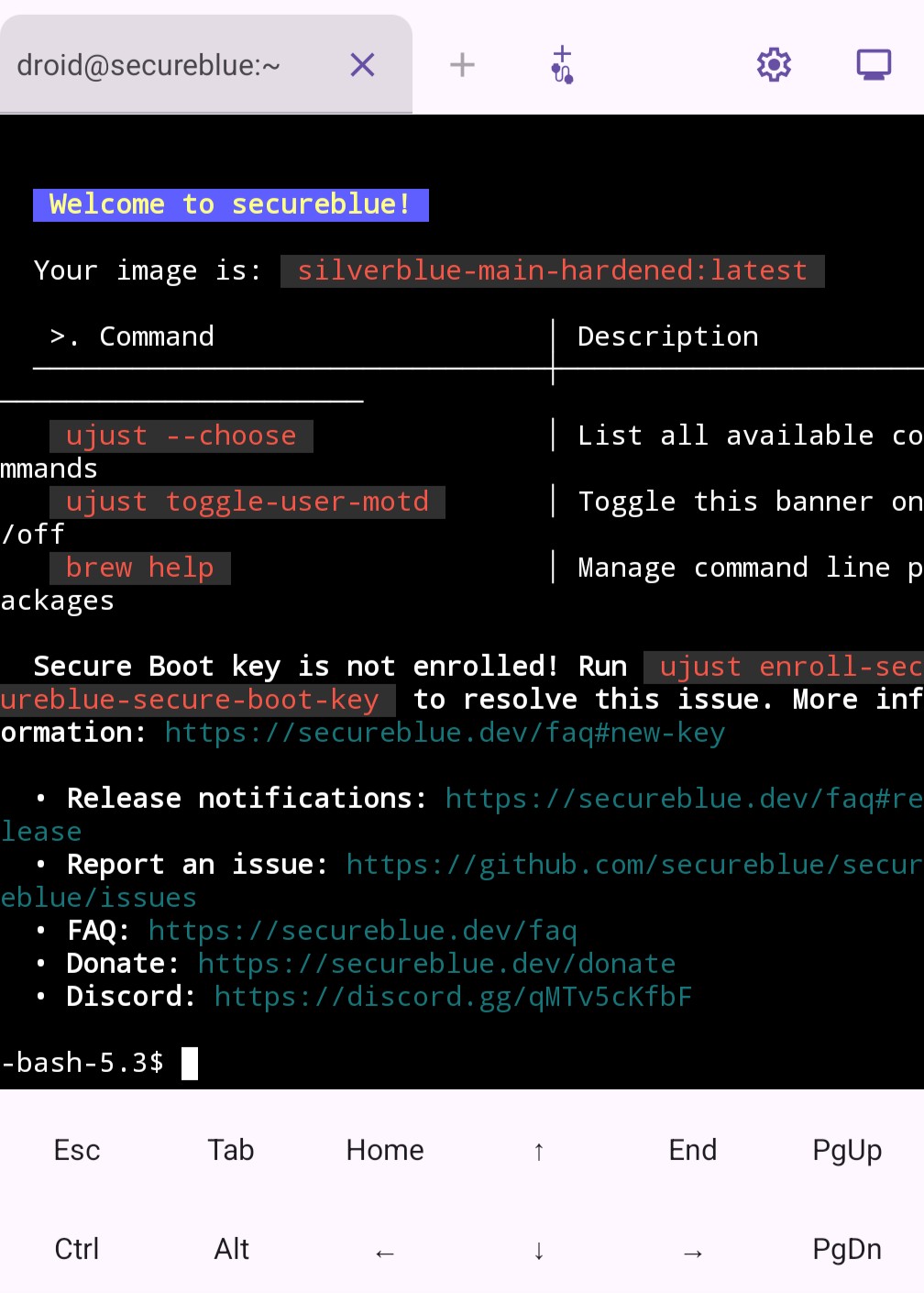
(1) If the image supports the serial console, it will appear when the VM boots. Right now, all images should support this method.
This method works with the Block connections without VPN option since it connects directly to the VM.
Note the VM is still outside the VPN, connected straight to the Internet.
This method also works if the app's Network permission is denied in GrapheneOS.
In this case, the VM will not have Internet access and will be airgapped.
Debian may wait for network for about 2 minutes during boot.
This console uses code from Termux, and inherits some of its features like zooming.
If you close the serial console tab (and the VM stays alive because you still have ttyd tabs),
you can press the add serial console tab button (plus sign with a tail 
However, each VM can have only one serial console tab, unlike the multi-tab ttyd. For the Debian images, kernel logs may occasionally appear on your console and make a mess.
(2) The ttyd console can be used if all of the following conditions are satisfied:
- The VM image supports ttyd (right now the NixOS and Debian images)
- You have granted the Nearby Devices permission
- If you are on GrapheneOS, you left the Network permission on
- If you are using a VPN, you turned off Block connections without VPN in the system settings
- If you are using a VPN and it has a setting that blocks local connections, you set it to not blocked
In this case, you can add ttyd tabs by pressing the "+" sign.
Please see BUILD.md.
All new files and files from upstream GrapheneOS: released under Apache 2.0. See LICENSE. See upstream license NOTICE.
Folders from Termux: released under the same license as terminal-view and terminal-emulator directories from Termux (Apache 2.0). See their LICENCE.md. These include:
- Files under
android/TerminalApp/java/com/termux
Vector graphics:
- Carp in the icon public domain.
- Serial connection CC0