
A parser and analyzer for Wikipedia database dumps, written in Rust.
- Generate the graph linking each article to its sources (= parents)
- Find the shortest path between 2 Wikipedia articles using the BFS algorithm
- Keep the most important vertexes using algorithms such as the PageRank algorithm
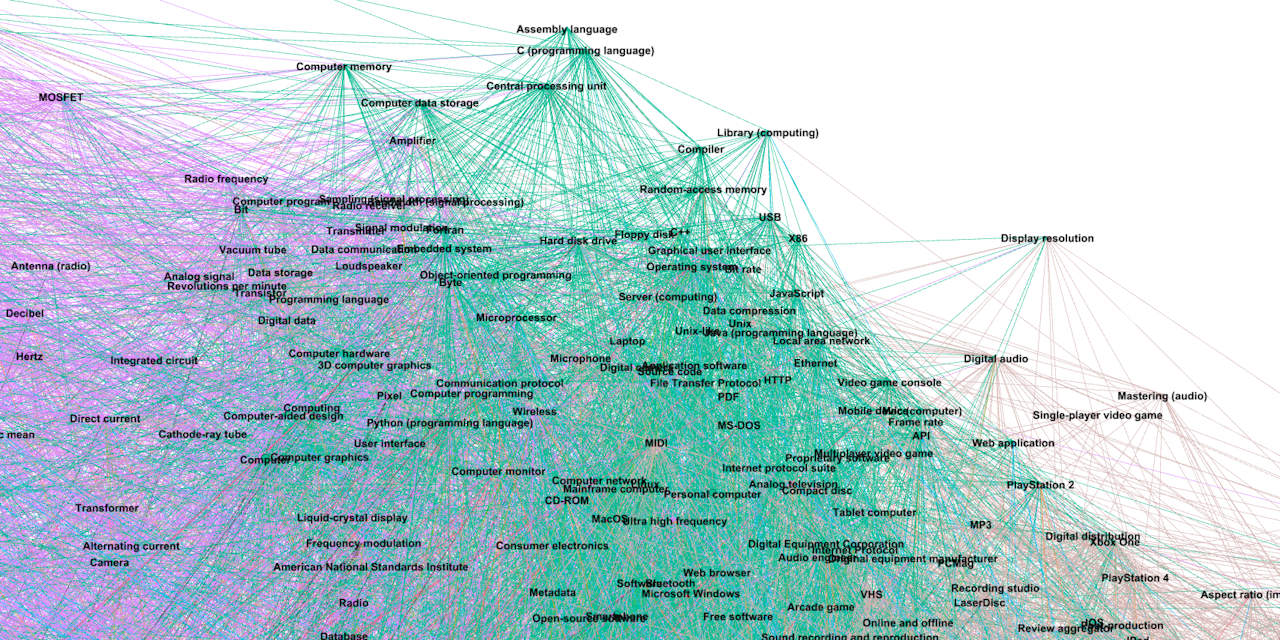
- Render the graph using Gephi
Note
You can find the shortest path between any two Wikipedia articles on this website:
http://wikipedia.remi-deloye.me (make sure to use http, as https is not configured)
# Clone the repository:
git clone https://github.com/rreemmii-dev/Wikipedia-Database-Parser-Analyzer.git

cd Wikipedia-Database-Parser-Analyzer
Ensure you have cargo installed.
- Download a Wikipedia dump. A list can be found here, and a download tutorial here. The latest dump I used is English Wikipedia, 2025-06-01 (uncompressed size of 103 GB, contains more than 7 million parsed articles).
- Extract the dump.
- Set the
WIKI_PATHconstant in src/main.rs to the dump file path, relative toCargo.toml.
At least 8GB of RAM is strongly recommended, as the program can use up to 7GB of RAM.
Databases need to be generated once and for all, which takes about 15 min. Then, importing them only takes a few seconds.
src/main.rs does the following:
- If they have not been generated yet, generates the required databases and saves them in files (using
generate_databases, see #Provided tools/Generate and load link databases for more information). - Loads databases from generated files.
- Executes a BFS to find the shortest path from the
Wikipediaarticle to theRust (programming language)article. - Compute a PageRank ranking, and display the 10 most popular articles.
- Filters the graph to keep only the 1000 most popular articles.
- Exports the filtered graph as a CSV file.
It can be run using:
cargo run --releasegenerate_databases in src/lib/database/generate_database.rs generates the following databases:
graph: The graph with each article pointing towards its sources, stored as an adjacency list. Each article is represented by an ID.name_from_id: The article name corresponding to the article ID.
Databases are saved in files, so you can run generate_databases once and for all.
load_graph and load_name_from_id_and_id_from_name in src/lib/database/load_database.rs load the two previous databases, plus the id_from_name database.
There are 2 graph types, both being adjacency lists:
VecGraph(Vec<Vec<usize>>) for computation on the whole graph. See src/lib/graph_utils/vec_graph_utils.rs.MapGraph(HashMap<u32, HashSet<u32>>) if some vertexes were to be removed from the graph. See src/lib/graph_utils/map_graph_utils.rs.
The reason for having 2 graph types is that access to Vec elements is much faster than access to HashMap elements, but items cannot be removed from a Vec while leaving other indexes unchanged.
To open the graph in Gephi, it has to be exported as a CSV file using export_as_csv in src/lib/graph_utils/map_graph_utils.rs.
It is then stored as an adjacency list. It is advised to use # as the CSV delimiter (Wikipedia article names cannot contain #).
It is not recommended to export graph having more than 10,000 vertexes. See https://gephi.org/users/requirements/.
Here is some documentation about Wikipedia articles:
- Links parsing:
[[PageName]]links: https://en.wikipedia.org/wiki/Help:Link#Wikilinks_(internal_links){{section link|PageName}}links: https://en.wikipedia.org/wiki/Help:Link#Section_linking_(anchors) and https://en.wikipedia.org/wiki/Template:Section_link{{multi-section link|PageName}}links: https://en.wikipedia.org/wiki/Template:Multi-section_link<nowiki>tag: https://en.wikipedia.org/wiki/Help:Wikitext#Nowiki<syntaxhighlight>tag: https://en.wikipedia.org/wiki/Template:Syntaxhighlight
- Article names:
- Namespaces (e.g.: article names such as "Category:XXX", or "Help:XXX"): https://en.wikipedia.org/wiki/Wikipedia:Namespace
- Name Restrictions: https://en.wikipedia.org/wiki/Wikipedia:Naming_conventions_(technical_restrictions) and https://en.wikipedia.org/wiki/Wikipedia:Page_name#Technical_restrictions_and_limitations
- Appendice and footnote sections: https://en.wikipedia.org/wiki/Wikipedia:Manual_of_Style/Layout#Standard_appendices_and_footers and https://en.wikipedia.org/wiki/Help:Footnotes
Distributed under the MIT License. See LICENSE.md